



기능 상세 비교: Prezi vs Presentations.AI
1. 학습 곡선 및 첫 덱 완성까지 걸리는 시간
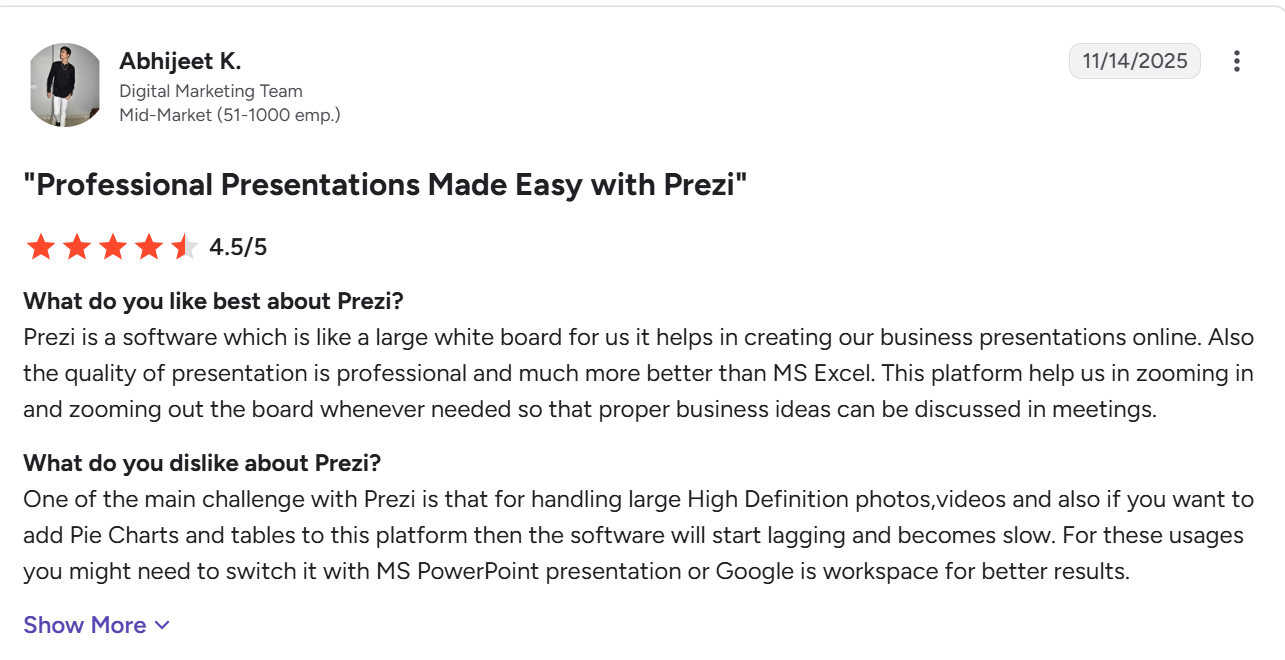
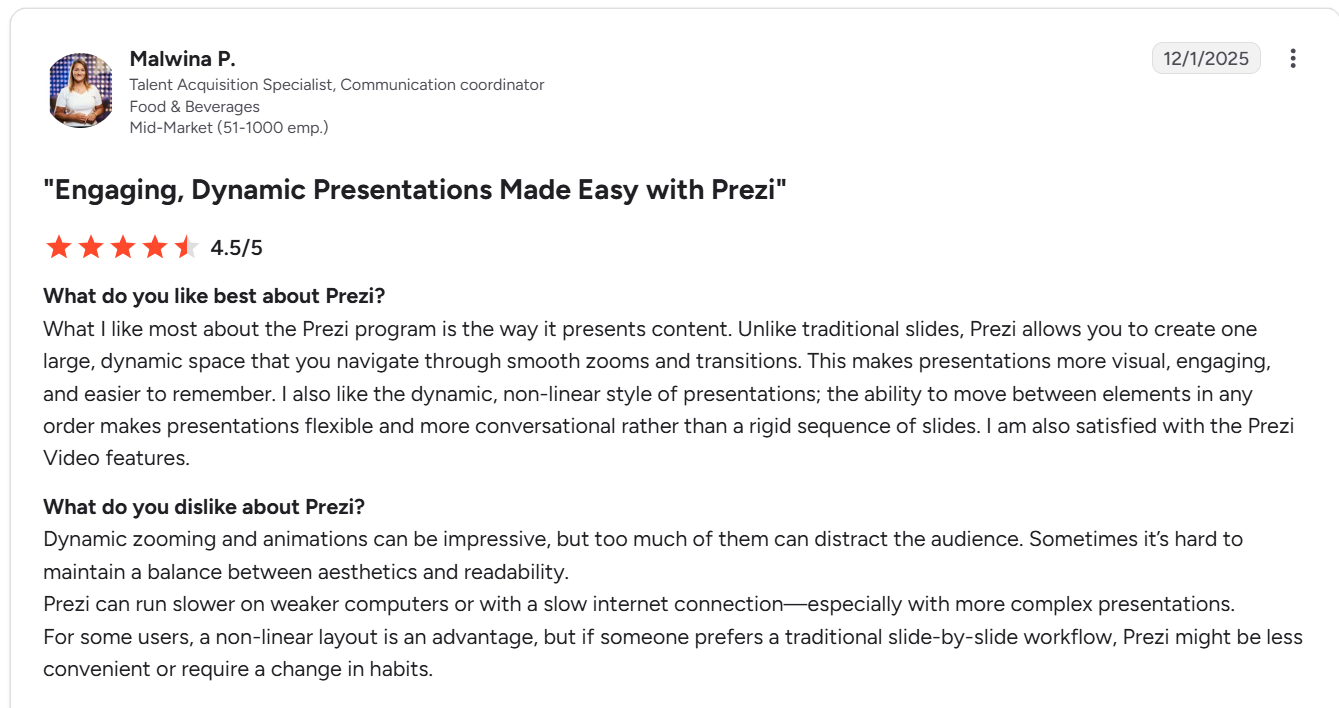
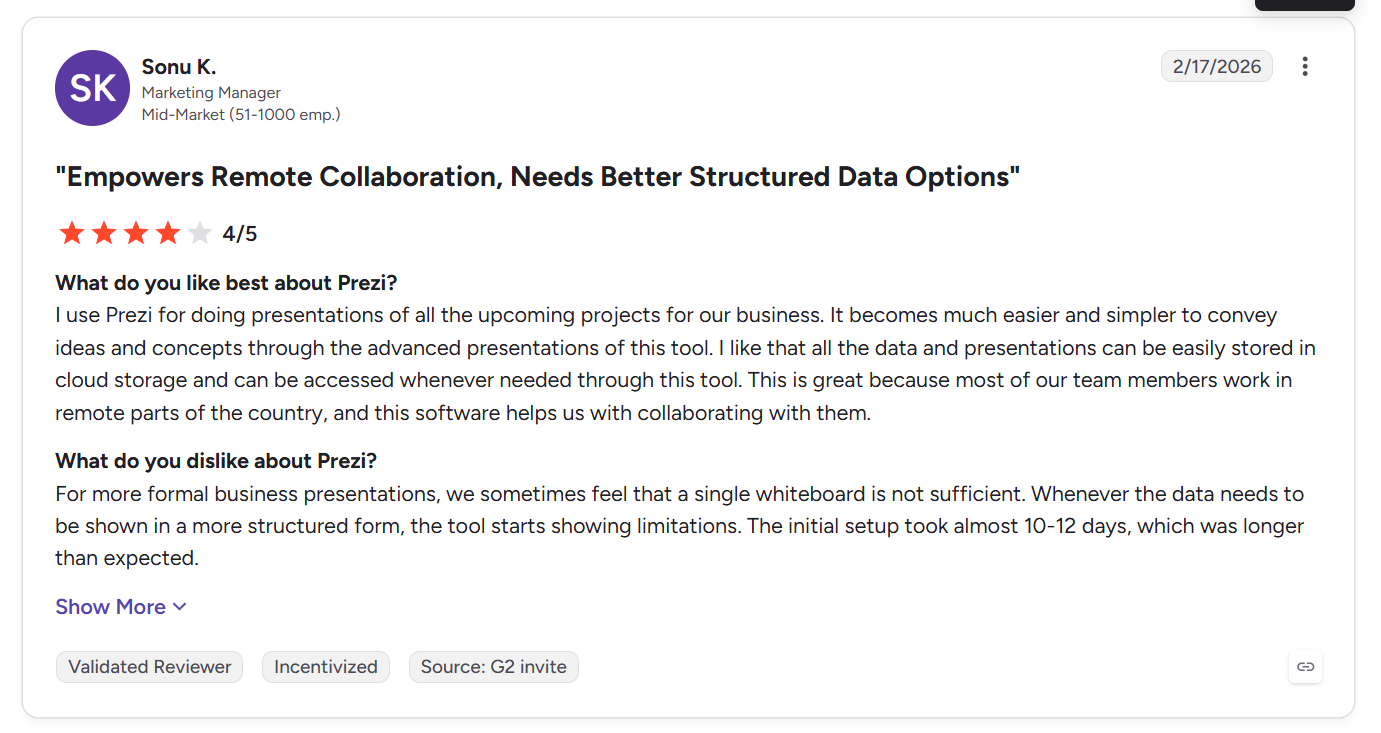
G2 리뷰어들은 가파른 학습 곡선을 Prezi의 가장 큰 단점으로 꼽습니다. 한 리뷰어는 쓸 만한 결과물을 만들기 전에 도구의 작동 방식을 익히는 데 예상보다 많은 시간을 들였다고 설명했습니다. Presentations.AI에는 따로 익혀야 할 캔버스나 줌 경로 시스템이 없습니다. 입력하면 구조화된 덱이 완성됩니다.
2. AI 생성 수준
Prezi의 AI는 프롬프트로 초안을 작성하며, 여러 리뷰어가 이를 실제로 유용한 출발점이라고 평가합니다. 하지만 결과물이 "여전히 상당한 수동 편집이 필요하다"고, 손보지 않으면 평범하게 느껴질 수 있다고 지적한 리뷰어도 한둘이 아닙니다. Presentations.AI는 다시 손봐야 할 거친 초안을 만드는 대신, 문서나 개요 전체를 맥락 속에서 읽고 이를 중심으로 덱 전체를 구성합니다.
3. PowerPoint 내보내기 및 서식
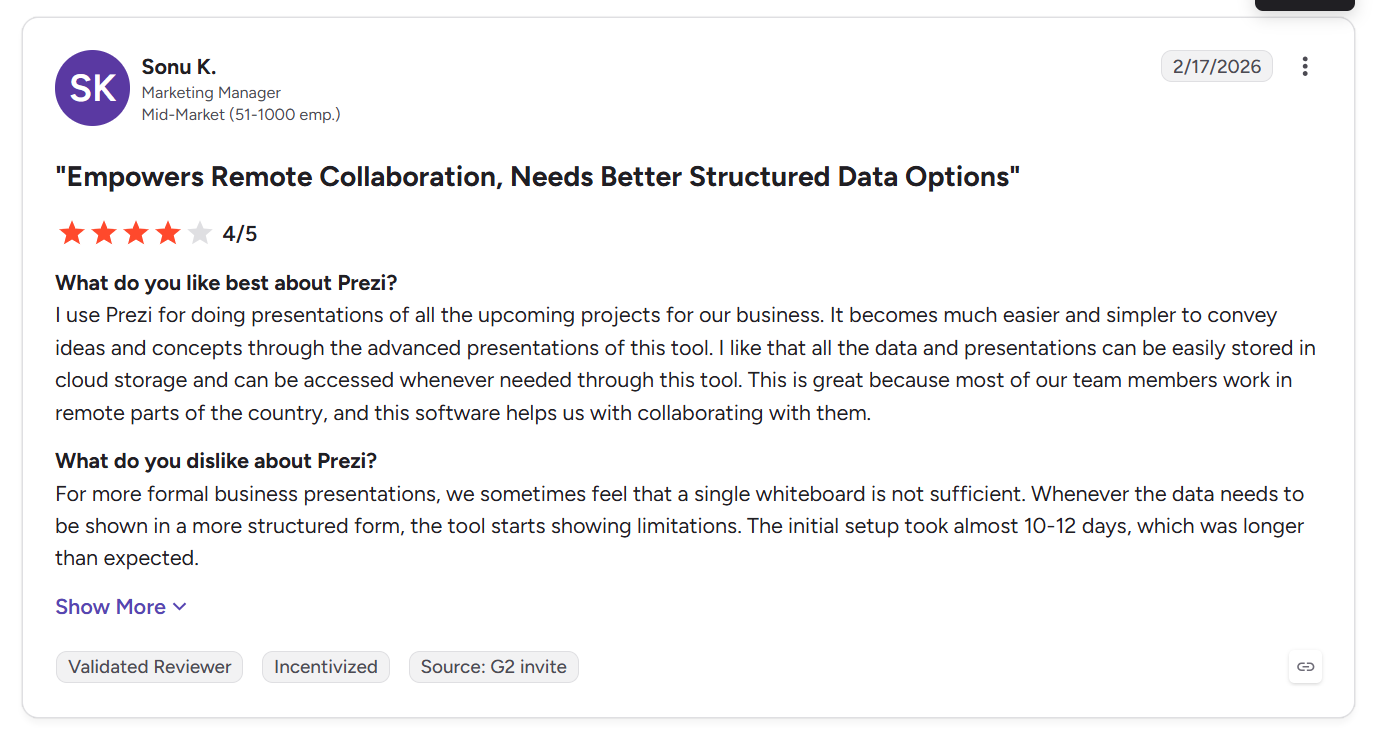
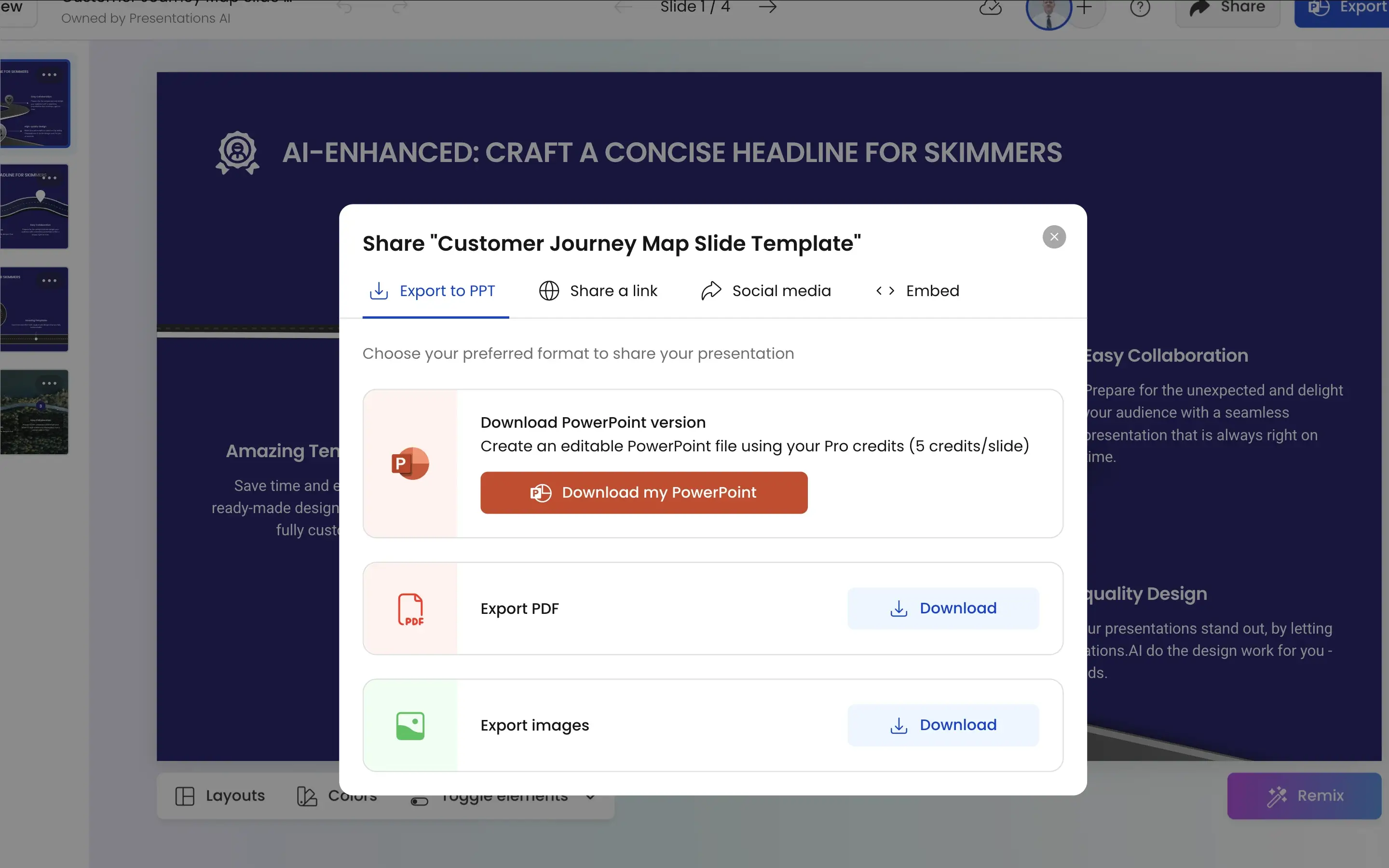
리뷰 중 가장 구체적인 불만이 바로 이 부분입니다. G2 리뷰에서는 내보낸 요소가 슬라이드 가장자리에서 잘려 일부만 제대로 표시된다고 지적합니다. 해당 리뷰어는 문제를 심각하게 여겨, 안정적인 내보내기가 필요한 사람이라면 "다른 도구로 시작하라"고 권했습니다. Presentations.AI는 레이아웃, 글꼴, 애니메이션을 디자인한 그대로 유지하는 고품질 .pptx 파일로 내보냅니다.
4. 브랜드 일관성 및 설정
Prezi 리뷰어들은 줌 경로 전반에 걸쳐 브랜드 일관성을 수동으로 유지해야 한다고 말하며, 한 리뷰어는 색 구성이 최대 5개로 제한되고 "최근 사용한 색상"을 기억하는 기능도 없다고 지적했습니다. 리뷰어들은 Prezi가 비즈니스 용도에는 적합하지 않다고도 말합니다. Presentations.AI의 Brand Sync는 회사 URL에서 로고, 글꼴, 색상을 자동으로 가져와 모든 덱에 재사용합니다.
5. 보안, 개인정보 보호 및 데이터 소유권
Prezi는 마케팅 페이지에 SOC 2 인증이나 데이터 소유권에 관한 자세한 조건을 공개하지 않습니다. Presentations.AI는 SOC 2 Type II 인증을 받았으며, 무료 플랜을 포함한 모든 플랜에서 콘텐츠 소유권은 전적으로 사용자에게 있습니다.
각 도구는 실제로 누구에게 맞을까요?
Prezi가 적합한 사용자
- 시각적 연출을 원하고 이를 만들 시간이 있는 현장 대면 발표자
- 파일을 보내기보다 직접 발표하는 교육자와 연사
- 내보내기 품질보다 청중 참여가 더 중요한 영업 및 교육 상황
Presentations.AI가 적합한 사용자
- 덱이 PowerPoint에서 매번 제대로 열려야 하는 비즈니스 팀
- Prezi 리뷰어들이 직접 언급한 적응 기간을 감당할 수 없는 모든 사용자
- 도구에서 직접 라이브로 발표하기보다 덱을 상대에게 보내는 팀
Prezi 사용 방법
1단계: 가입하세요. 무료 및 유료 요금제를 이용할 수 있습니다.
2단계: 캔버스 템플릿을 선택하세요. 줌 레이아웃을 고른 뒤 무한 캔버스에 콘텐츠 블록을 배치하기 시작합니다.

3단계: 경로를 수동으로 설정하세요. 콘텐츠를 이동하는 순서를 정의합니다. 이때 각 전환 효과와 줌 경로를 일일이 직접 설정해야 합니다.
4단계: 공유하거나 내보내세요. 프레젠테이션은 보통 Prezi 링크로 공유됩니다. PowerPoint 내보내기 기능도 있지만, G2 리뷰어들에 따르면 서식이 틀어지기 쉽습니다.
Presentations.AI 사용 방법
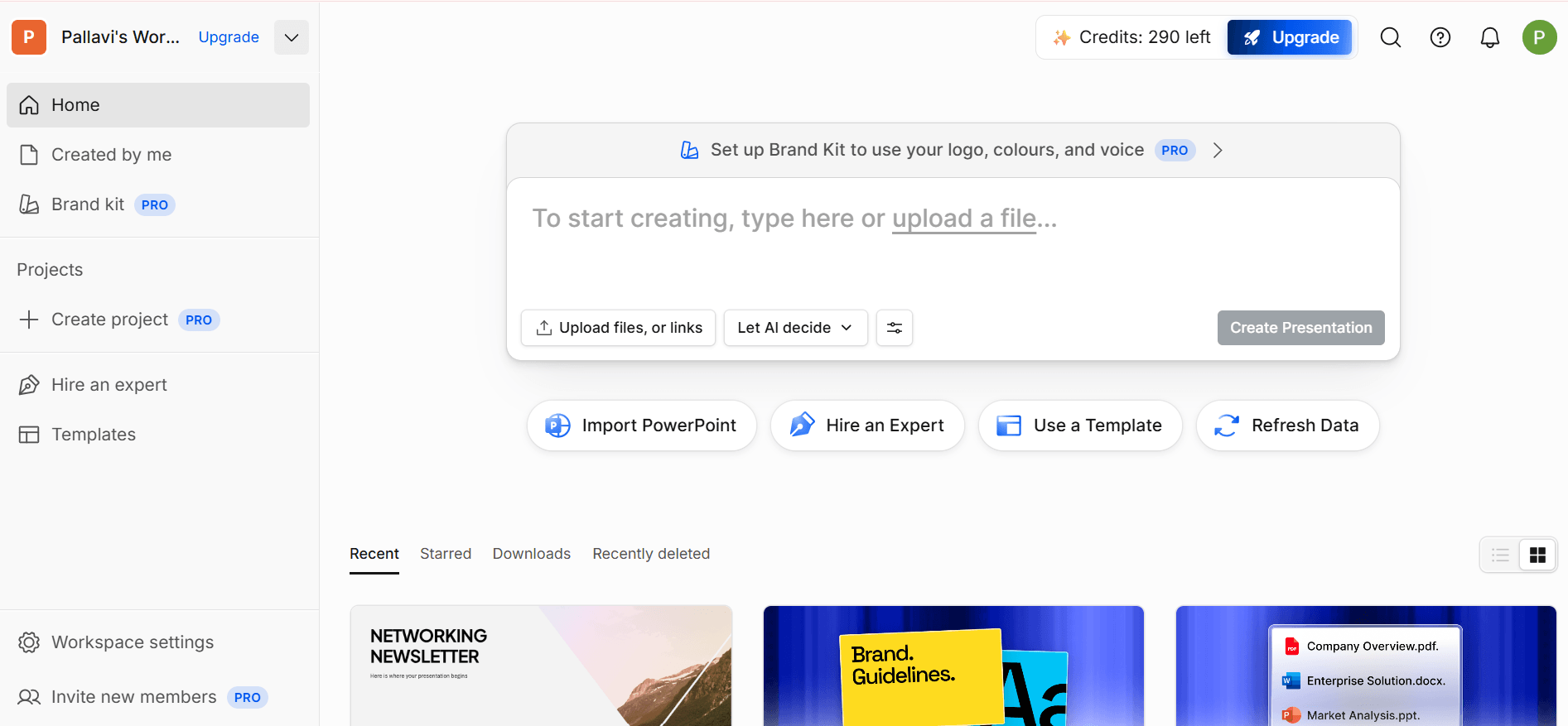
1단계: 가입하세요. 무료 Starter 플랜에서 200 크레딧과 최대 20장 슬라이드의 프레젠테이션을 제공합니다. 신용카드는 필요 없습니다.
2단계: 콘텐츠를 가져오세요. PDF나 Word 문서를 업로드하거나 개요를 입력합니다.
3단계: 자동 브랜딩. 회사 URL에서 색상, 글꼴, 로고를 가져와 모든 슬라이드에 즉시 적용합니다.
4단계: PowerPoint로 내보내세요. 어떤 기기나 플랫폼에서도 바로 사용할 수 있는 고품질 .pptx 파일을 다운로드합니다. Presentations.AI는 특정 생태계에 종속되지 않습니다.
가격* 및 가치: Prezi vs Presentations.AI
| 플랜 등급 | Prezi | Presentations.AI |
|---|---|---|
| 무료 플랜 | Basic*, 워터마크가 들어간 공개 프레젠테이션, AI 크레딧 없음, 오프라인 액세스 및 PDF/PowerPoint 가져오기 불가 | Starter, 200 크레딧, 최대 20장 슬라이드의 프레젠테이션, 신용카드 불필요 |
| 기본 유료 플랜 | Plus, 월 $4(연간 결제), 무제한 AI, 워터마크 없음 | Pro, 월 $20(연간 결제), 5,000 크레딧, PowerPoint 내보내기, 분석, 브랜드 맞춤 설정 |
| 중간 등급 | Premium, 월 $7(연간 결제), Prezi Analytics 및 전화 지원 추가 | Gold, 월 $100(연간 결제), 50,000 크레딧, 최첨단 AI 모델, 고급 브랜드 맞춤 설정 |
| 팀/엔터프라이즈 | Teams, 사용자당 월 $39, 통합 결제, 브랜드 키트, 협업 | Enterprise, 맞춤 가격, 모든 플랜에 SOC 2 Type II 인증 기본 적용 |
*2026년 8월 기준 가격
**Prezi는 500 크레딧과 제한된 기능을 제공하는 개인용 월 $2 Standard 플랜도 운영합니다.
핵심 요약: Prezi의 시작 가격은 경쟁력 있어 보이지만, 색상, 글꼴, 로고를 포함한 브랜드 키트는 월 $39의 Teams 등급에서만 사용할 수 있습니다. 또한 어떤 플랜이든 PowerPoint 내보내기 결과는 여전히 수동으로 손봐야 합니다. Presentations.AI의 Pro 등급은 월 $20부터 브랜드 동기화와 안정적인 PowerPoint 내보내기를 포함하며, SOC 2 Type II 인증은 무료 플랜부터 모든 플랜에 적용됩니다.
팀들이 Prezi 대신 Presentations.AI를 선택하는 네 가지 이유
1. 경로 설정도, 복잡한 캔버스도 필요 없습니다
Prezi에서는 줌 경로와 콘텐츠 블록을 수동으로 배치해야 하며, 바로 이 과정이 Prezi 리뷰어들이 학습 곡선의 원인으로 꼽는 부분입니다. Presentations.AI는 입력 내용을 바탕으로 일관된 슬라이드 구조를 자동으로 만듭니다.
2. 비즈니스가 기대하는 형식
줌 프레젠테이션은 기억에 남지만, 이사회와 고객 미팅은 슬라이드로 진행됩니다. Presentations.AI는 그 언어를 기본으로 구사하며, 슬라이드 한 장만 따로 만들 수 있는 AI 슬라이드 생성기까지 갖추고 있습니다.
3. 다시 만들 필요 없는 내보내기
Prezi 사용자들은 내보낸 요소가 슬라이드 가장자리에서 잘리는 바람에 도구로 아낀 시간을 잃어버린다고 자주 말합니다. Presentations.AI는 PowerPoint, 이메일, 그리고 모든 회의실에서 그대로 쓸 수 있는 고품질 .pptx 파일로 내보냅니다.
4. 월 $39의 장벽 없이 쓰는 브랜드 키트
Prezi는 브랜드 키트를 Teams 등급에서만 제공합니다. Presentations.AI의 Brand Sync는 Pro 플랜부터 포함되며, 회사 URL에서 브랜드를 자동으로 가져옵니다.
실명 추천 후기 예시

Prezi 캔버스가 비즈니스 워크플로를 늦추는 이유
Prezi는 현장의 대면 청중에게서 명성을 얻었으며, 이는 수천 건의 만족스러운 리뷰가 뒷받침하는 실질적이고 독보적인 강점입니다. 하지만 발표하기보다 전달하는 덱이라면 그 비용은 다르게 쌓입니다. 리뷰어들이 직접 지적하는 학습 곡선, 구체적이고 반복적인 불만으로 나타나는 내보내기 문제, 그리고 수동 관리나 월 $39 등급이 필요한 브랜드 일관성이 그것입니다. Presentations.AI는 바로 그런 경우를 위해 만들어졌습니다. 제대로 열리고, 브랜드에 맞게 보이며, 다시 만들 필요 없이 바로 보낼 수 있는 덱을 만듭니다.
