


Slidebean vs Presentations.AI: An Honest 2026 Comparison

What is Slidebean?

A startup-centric pitch deck platform with templates focused on business pitches. Simplifies structure and design, but is largely optimized for investor presentations rather than broader business use cases.

What is Presentations AI?

A next-generation AI presentation maker that transforms documents, prompts, or outlines into fully designed, brand-aligned slide decks. Built for modern teams, it has robust brand sync, image libraries, PowerPoint export, and is more flexible for diverse use cases.

Slidebean vs Presentations.AI: Feature Comparison

Slidebean is tailored for founders building pitch decks—great for structuring investor narratives quickly. Presentations.AI is built for scale, supporting everything from sales decks to internal reports with full brand consistency. The distinction lies in flexibility: niche pitch tool vs all-purpose AI presentation platform.
Capability Slidebean Presentations AI
Use Case Startup pitch decks, basic business presentations All presentation types (sales, training, strategy, pitches)
AI Scope Auto-arranges content into slides End-to-end AI: content, design, storytelling, branding
Brand Consistency Basic color/logo customization Automatic brand-sync across all slides
Export Quality PPT export with potential layout adjustments High-fidelity .pptx with no reformatting
Collaboration Shared links and comments Real-time co-editing and team workflows

Ready to Experience Effortless AI Presentation Creation?

Discover how Presentations AI can transform your outline or document into a stunning, on-brand presentation within minutes!

Get Started for Free

Slidebean and Presentations.AI at a Glance

Slidebean is a presentation platform built specifically for startup founders and entrepreneurs, offering pitch deck templates, design automation geared toward investor presentations, and analytics for tracking how prospects engage with your deck. It has limited flexibility for broader business needs like internal reporting, training decks, or large-scale brand governance.

The critical distinction is breadth and AI depth. Presentations AI expands the scope significantly. It structures content and generates complete presentations—handling narrative flow, visual design, branding, and animations automatically. Whether you're building a pitch deck, sales presentation, or boardroom report, the platform adapts to different contexts with consistent quality.

For teams that need more than a startup pitch tool, Presentations AI delivers on three fronts where Slidebean falls short: comprehensive AI that handles content as well as design, automatic brand sync across every presentation in the organization, and a flexible free tier that lets you test five full AI-generated decks at no cost.


How Slidebean Works

Step 1: Sign Up – Create an account—most advanced features are available through paid plans.
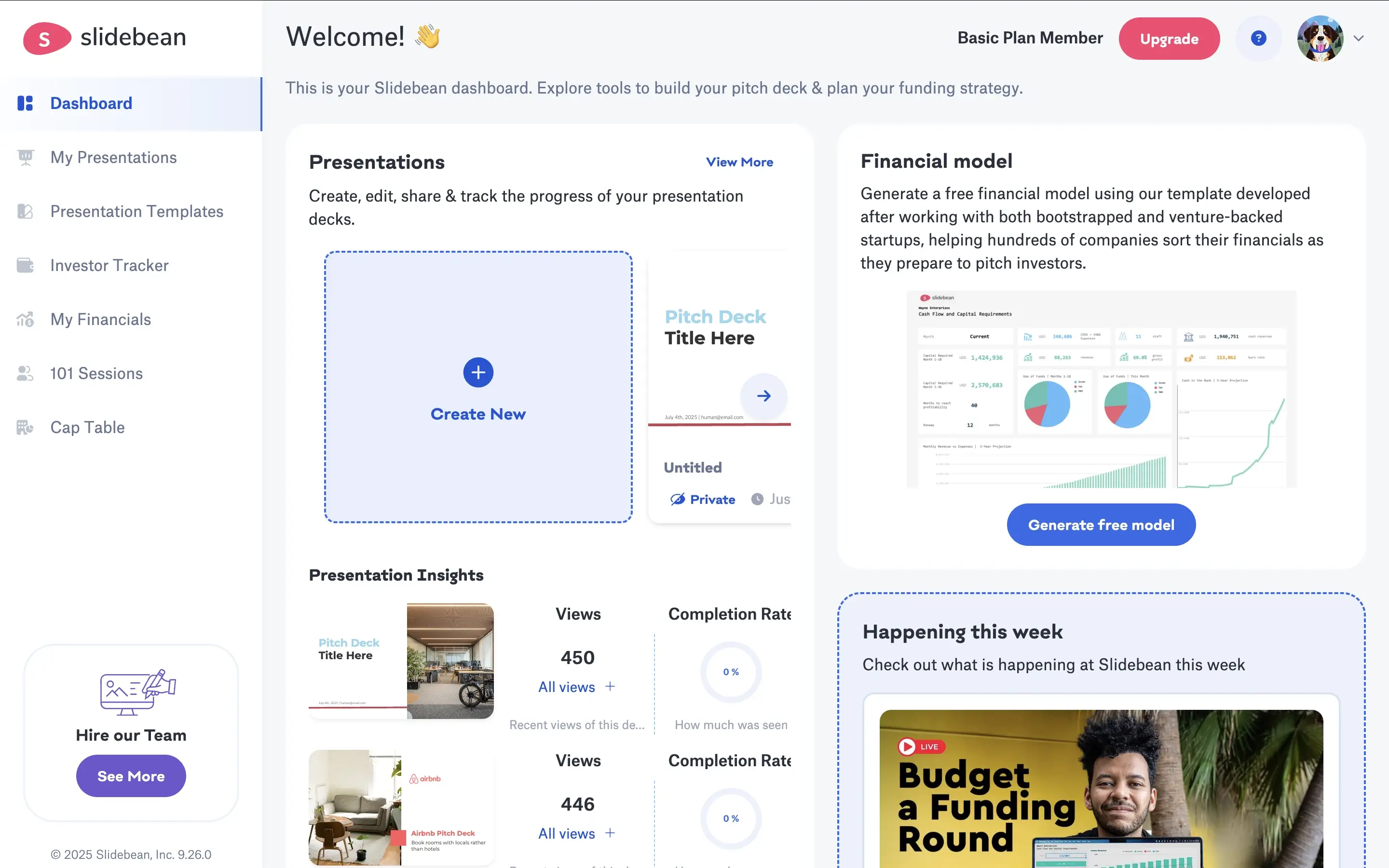
Slidebean step 1 screenshot

Step 2: Input Content – Add text slide by slide or paste your pitch content. Slidebean focuses on structuring your narrative.
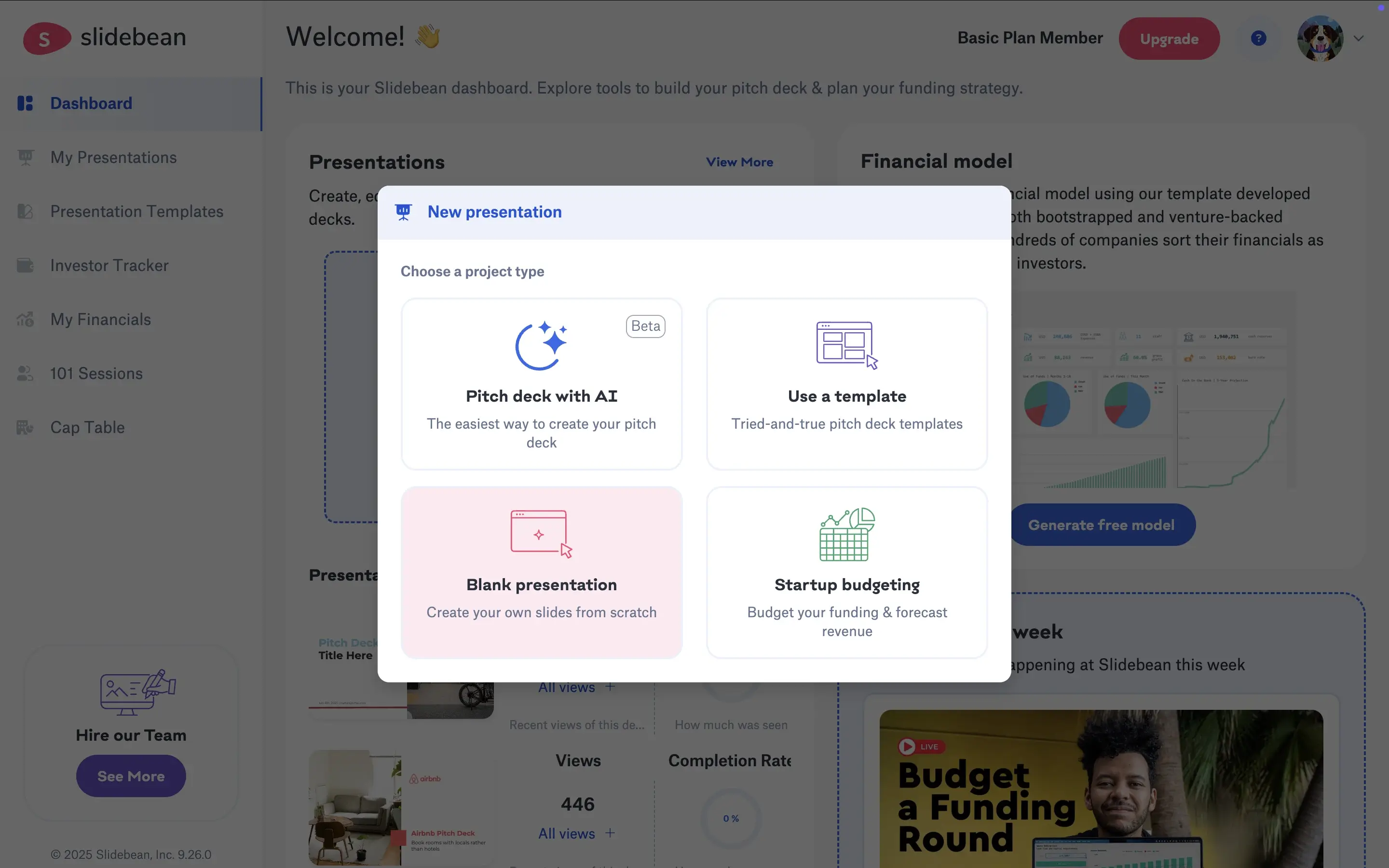
Slidebean step 2 screenshot

Step 3: Automatic Layout Arrangement – The platform organizes your content into predefined slide formats, adjusting layout and positioning automatically.

Step 4: Select Theme & Customize – Choose from a limited set of themes and adjust colors or logos manually.

Slidebean step 3 screenshot

Step 5: Export or Present – Download your deck as a .pptx file or present directly. Some formatting tweaks may be needed post-export
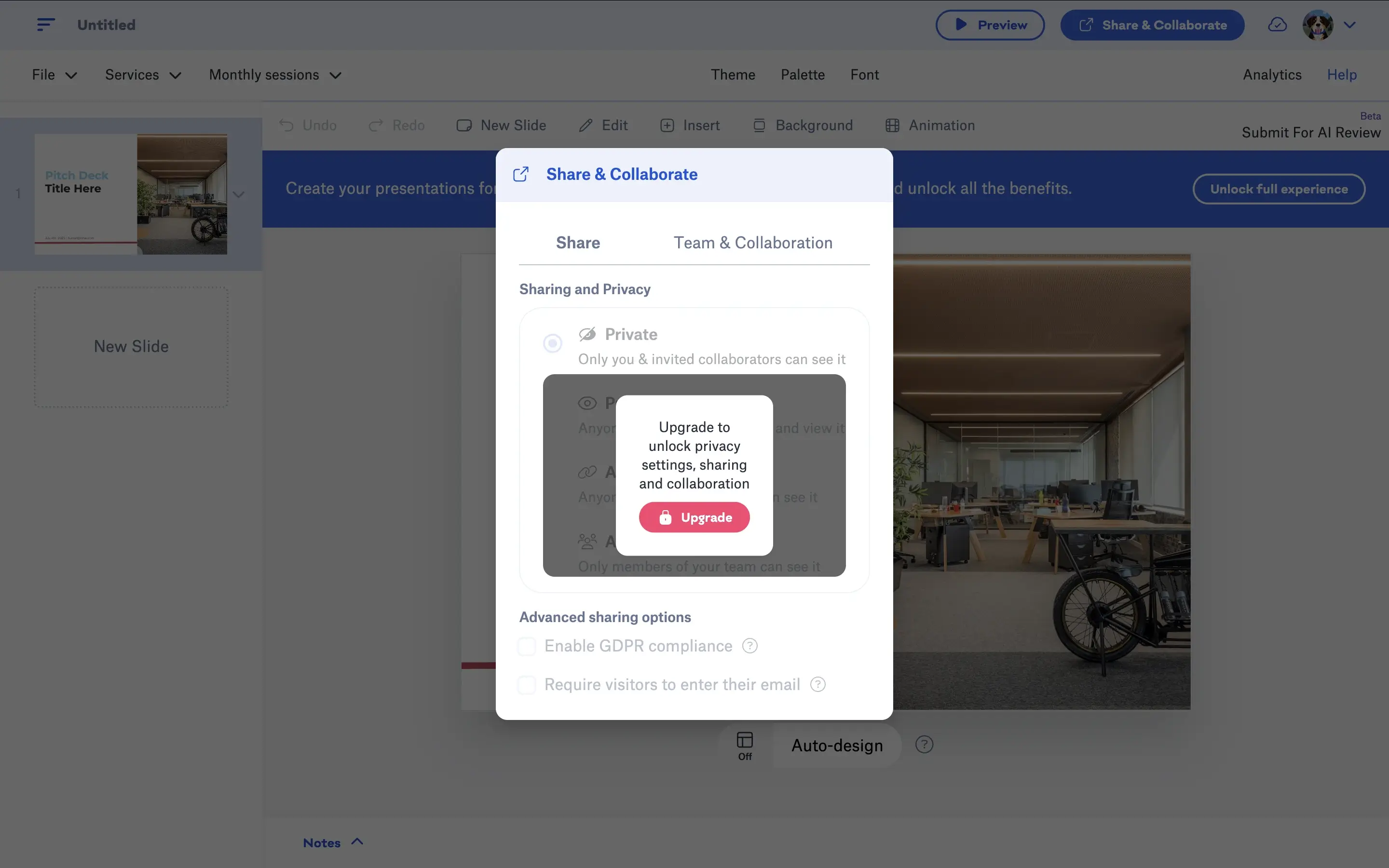
Slidebean step 4 screenshot

Total Outcome: A structured pitch deck with decent visuals, but limited flexibility and manual refinement required. 

How Presentations AI Works

Step 1: Start with the Free Plan – Up to 5 fully AI-created decks — no credit card needed.

Presentations.AI step 1 screenshot

Step 2: Add Your Input – Upload a document (PDF/Word), paste an outline, or enter a simple prompt.

Step 3: AI Generates the Full Deck – The platform builds your presentation end-to-end. It structures the story, writes slide content, and applying layouts.

Step 4: Instant Brand Sync – Your brand identity (colors, fonts, logos) is automatically applied across every slide.

Step 5: Collaborate in Real Time – Invite team members to edit, comment, and refine the presentation together.

Step 6: Export with Confidence – Download a high-fidelity .pptx file that opens perfectly in PowerPoint — no fixes required.

Total Outcome: A complete, polished presentation built for real-world business use.


Five Reasons Teams Choose Presentations.AI Over Slidebean

Beyond Pitch Decks: While Slidebean is optimized for investor presentations, Presentations AI supports every type of business presentatio — from sales to strategy to training.

Deeper AI Capabilities: Slidebean arranges content. Presentations AI creates the entire presentation — narrative, design, and structure included.

Automatic Brand Governance: Ensure every slide aligns with your brand without manual adjustments.

Scalable for Teams: Built-in collaboration, shared workflows, and real-time editing make it ideal for growing teams.

Reliable PowerPoint Output: Export decks that are presentation-ready, with no formatting issues or redesign needed.

Why a Pitch Deck Tool Falls Short Beyond Fundraising

Pitch decks are just one part of how businesses communicate. Teams today create dozens of presentations across functions — sales, operations, training, and leadership updates.

Relying on a tool built primarily for pitch decks creates friction when your needs expand. Presentations AI removes that limitation by giving you a single platform that works across every presentation scenario — without adding extra steps or tools to your workflow.

Divider Lines

Frequently Asked Questions

What is the main difference between Slidebean and Presentations.AI?

Down IconUp Icon

The main difference is scope. Slidebean is purpose-built for startup pitch decks, with investor-vetted templates from companies like Airbnb and Intercom, fundraising analytics, and AI that arranges content into predefined slide formats. Presentations.AI is an all-purpose AI presentation platform that generates complete decks for sales, training, strategy, board updates, and pitches. Slidebean specializes in fundraising. Presentations.AI scales across every business deck type.

Is Slidebean free?

Down IconUp Icon

Yes, Slidebean has a free plan with unlimited presentations and access to startup templates. The free plan does not allow exports or shareable links, so practical fundraising use requires the Starter plan or above. Presentations.AI offers a free plan with five complete AI-generated presentations, no credit card required, full PowerPoint export, and shareable links included from day one.

Can you export from Slidebean to PowerPoint?

Down IconUp Icon

Yes, Slidebean exports to PowerPoint on paid plans. Users consistently report that PPTX export loses fonts and converts charts into non-editable images, requiring cleanup before client or investor use. Presentations.AI exports a high-fidelity PowerPoint file with layouts, fonts, animations, and brand styling preserved exactly as designed in the editor, with no post-export fixes needed.

Is Slidebean only for pitch decks?

Down IconUp Icon

Slidebean is built primarily for startup pitch decks. The template library, AI workflow, analytics, and add-on services like financial modeling and pitch deck writing are all oriented toward investor fundraising. Sales decks, training materials, and broader business presentations are outside the platform's core use case. Presentations.AI handles every presentation type from a single platform without forcing a fundraising workflow.

What is the best alternative to Slidebean for business presentations?

Down IconUp Icon

Presentations.AI is the strongest alternative for teams whose presentation needs extend beyond pitch decks. It generates complete decks for sales, marketing, strategy, training, and pitches from documents or prompts, applies brand styling automatically through company URL sync, and exports a clean PowerPoint file on every plan. For teams that need one tool across every presentation scenario, the workflow consolidates the work into a single platform.