




Summary: Decktopus vs Presentations AI
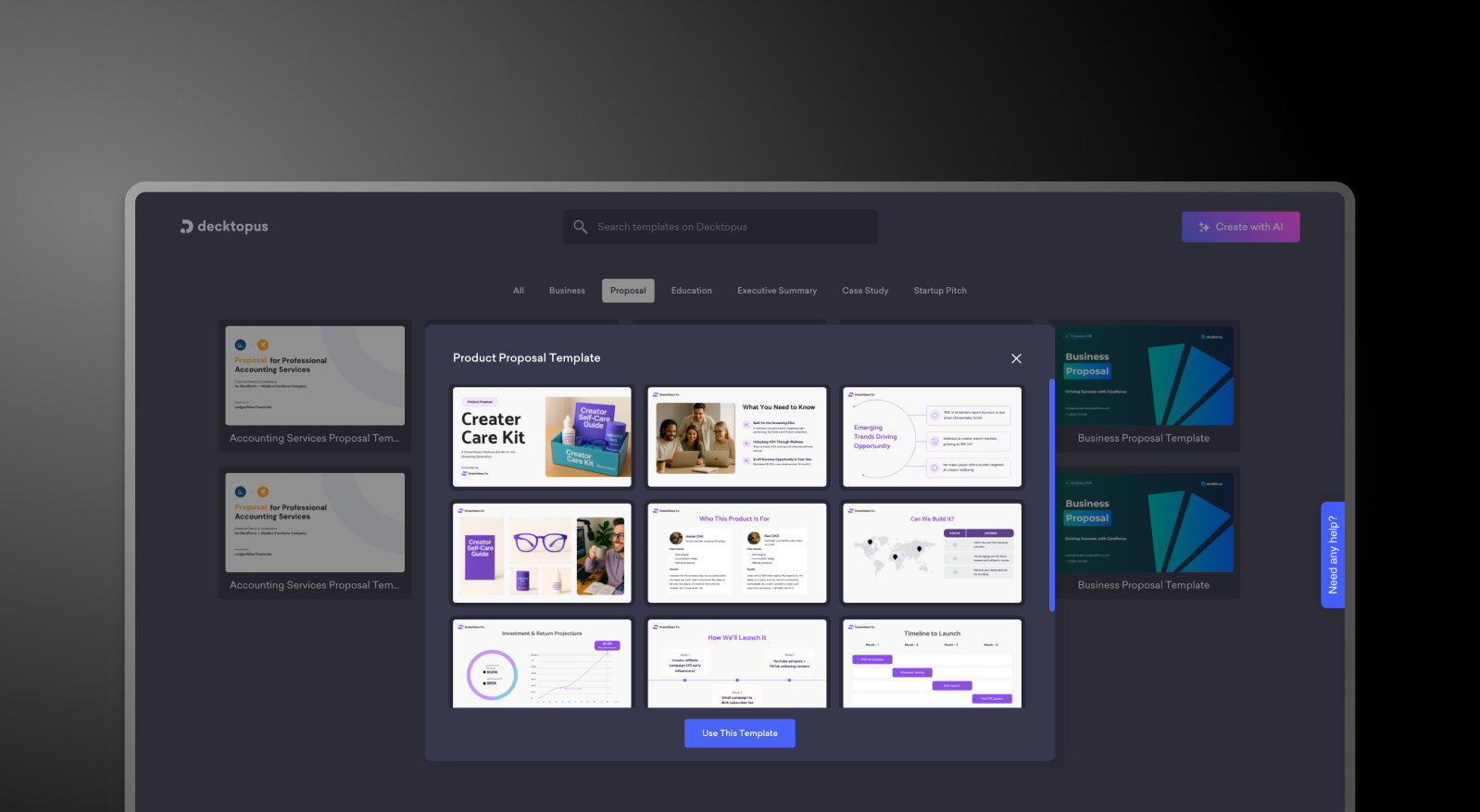
Decktopus lowers the barrier to getting slides on a screen — a prompt-guided workflow that produces clean, basic layouts quickly. For users who want a simple starting point without much configuration, it delivers that. But the AI is shallow, brand management is largely manual, asset libraries are limited, and PowerPoint exports don't always preserve design fidelity.
Presentations AI operates at a different depth. Upload a PDF, Word doc, or outline and Presentations AI's AI presentation maker builds a complete deck — brand colors, fonts, logos, and animations handled in a single pass. Layout and slide-level design are handled by the same AI slide creator, so nothing needs manual adjustment afterward. No prompt-filling, no manual brand application, no export cleanup. The output is a high-fidelity .pptx that opens cleanly in PowerPoint every time.
For occasional personal use, Decktopus's guided approach is accessible and low-friction. For business teams creating presentations that need to reflect brand standards, hold up in client meetings, and export cleanly to PowerPoint — Presentations AI is the more capable and complete platform.
How Decktopus Works
Step 1: Sign up – Create an account and choose a plan. Free and paid options available.
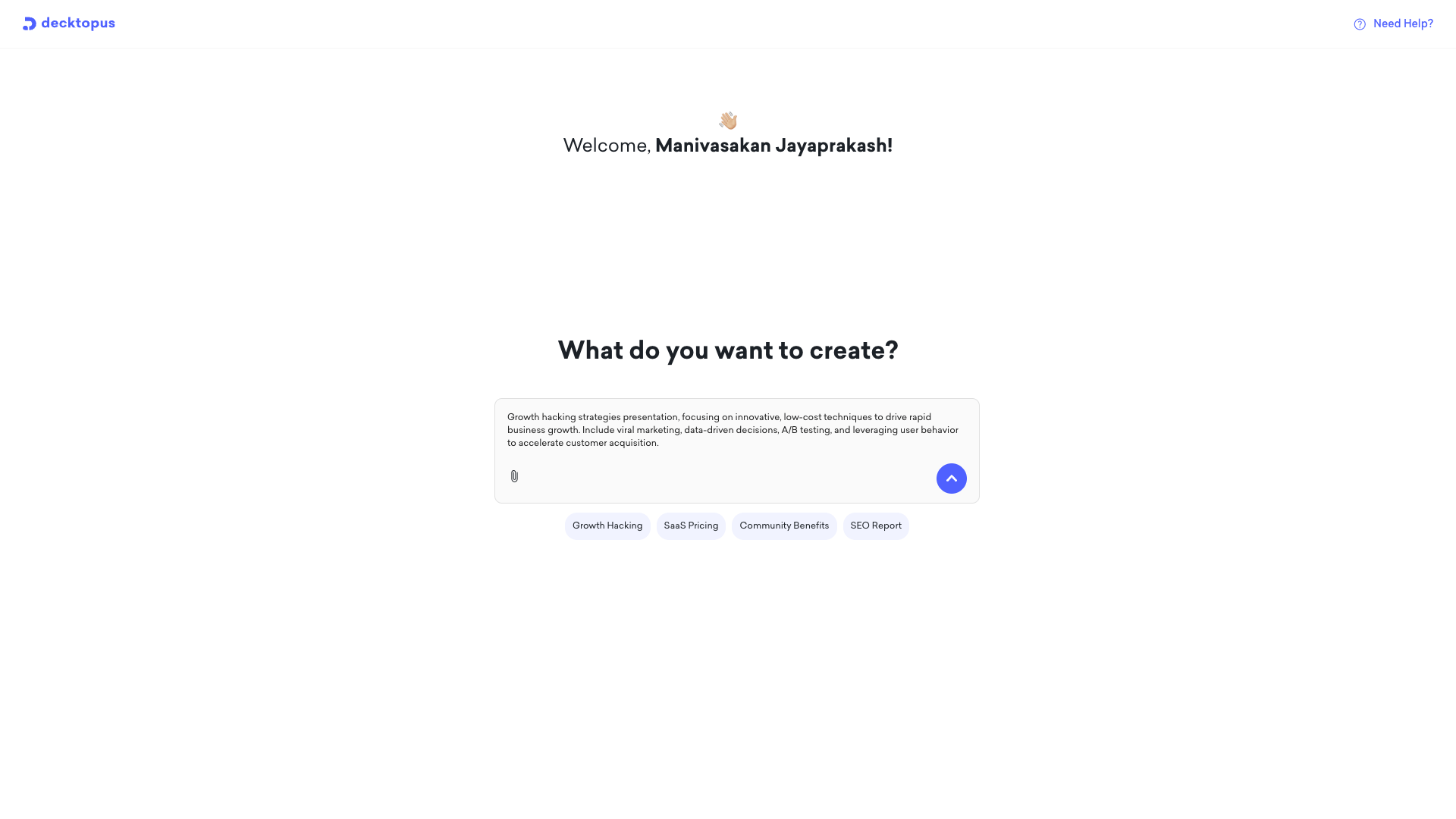
Step 2: Follow content prompts – Decktopus walks you through structured fields — title slide, problem statement, key points. You fill in the blanks; the tool populates a template around your answers.
Presentations AI o
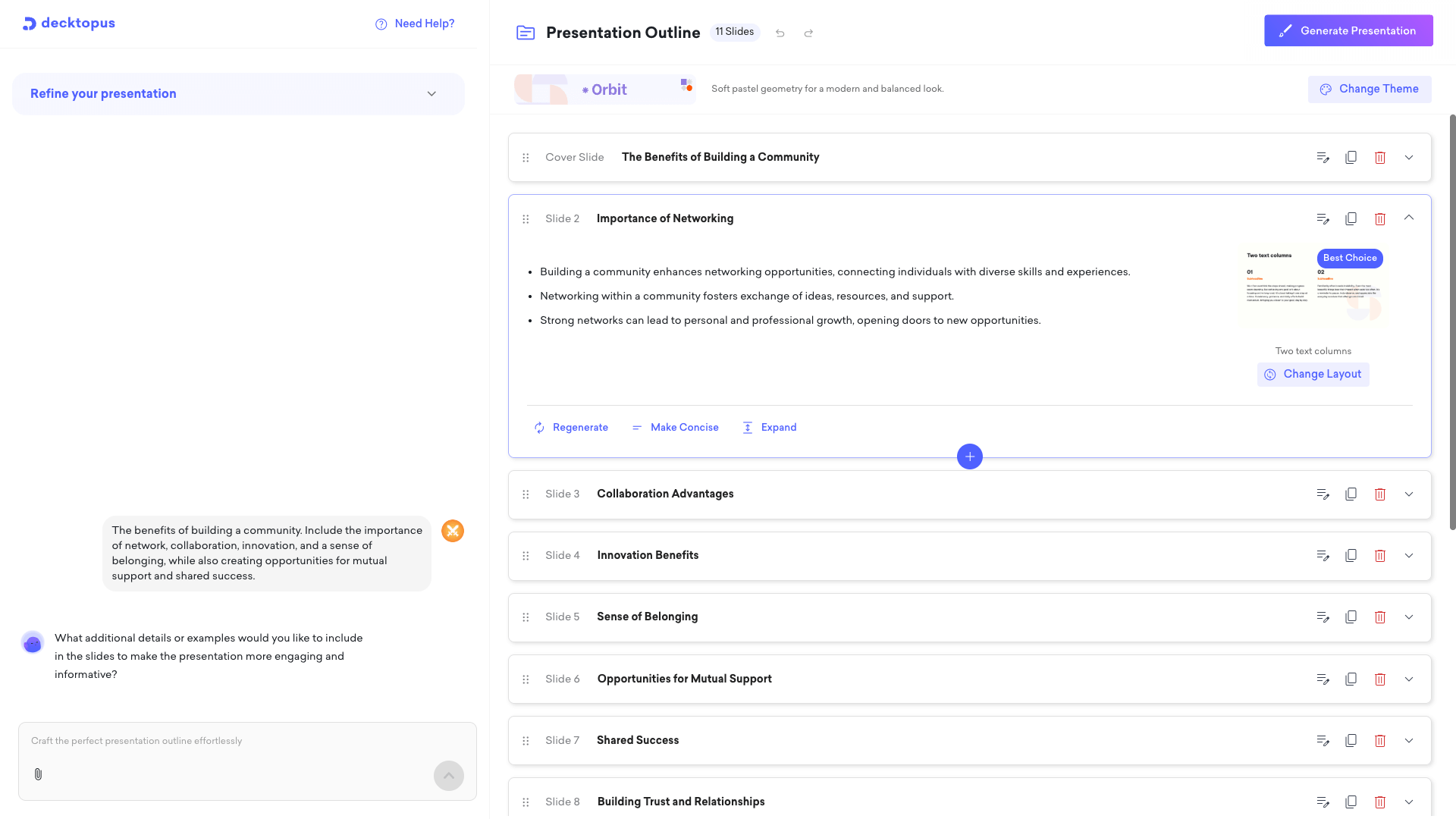
Step 3: Auto-generate slides – Basic slides produced from your prompt inputs using a selected template. Layout and design are template-constrained — there's limited flexibility beyond what the template allows.
Step 4: Export or present – Present in the browser or download. PowerPoint export is available but may not fully retain design fidelity — layouts and styling can shift on conversion.
How Presentations AI Works
Step 1: Sign up – Free plan includes 5 complete AI presentations. No credit card required.
Step 2: Import your content – Upload a PDF, Word doc, or type an outline. Presentations AI reads and understands your material in context — not just as text fields to populate.
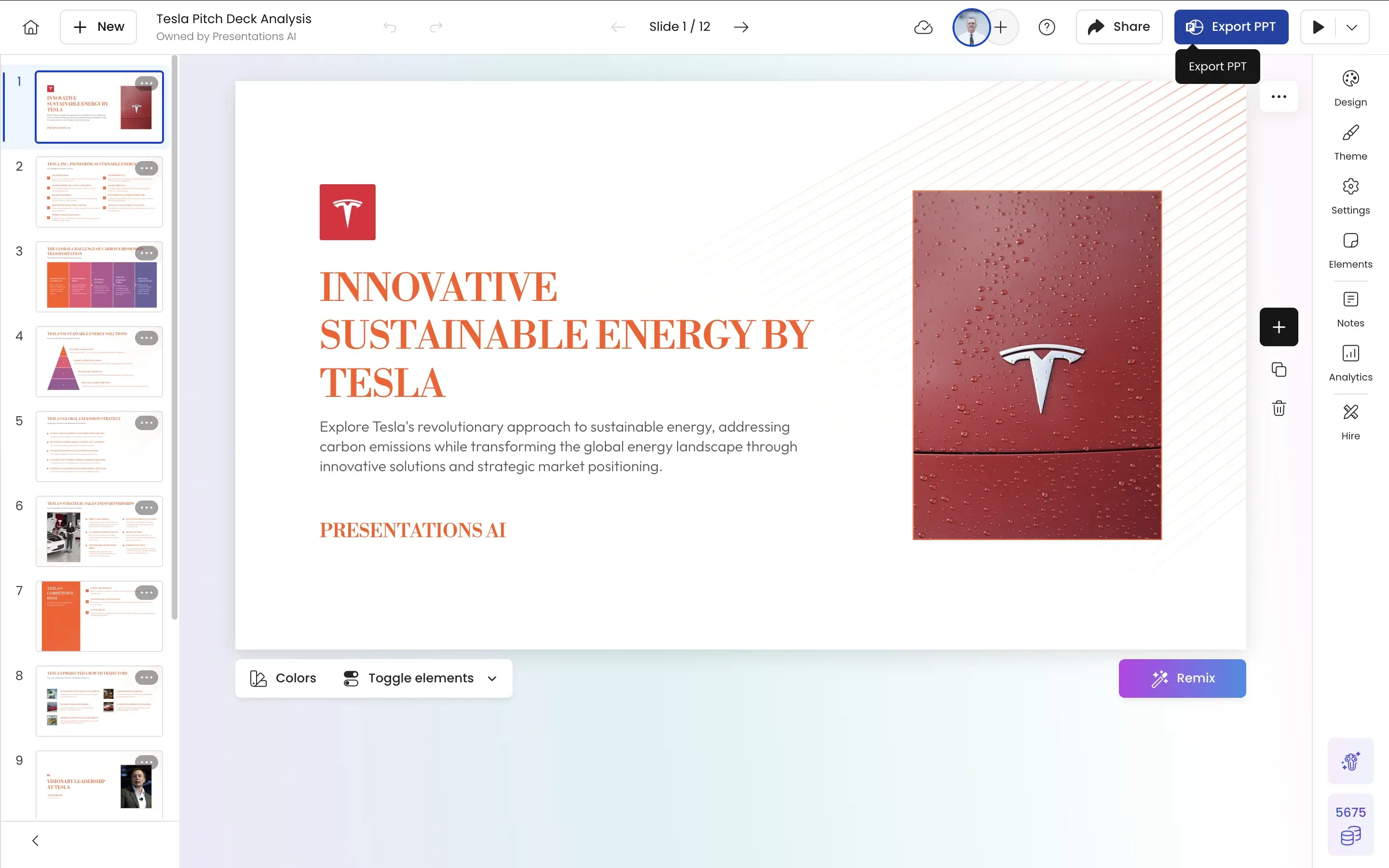
Step 3: AI builds a complete deck – Brand colors, fonts, logos, layout, animations, and transitions applied automatically. No template prompts, no manual brand configuration, no design decisions required.
Step 4: Collaborate and export – Co-edit with your team in real time, then download a high-fidelity .pptx with every design element preserved. Opens in PowerPoint exactly as built — no fixes, no reformatting.
Why Presentations AI is the Best Alternative to Decktopus
Content Intelligence vs. Prompt Filling:
Decktopus asks you to fill in structured fields. Presentations AI reads your actual source material and builds a deck with narrative structure and business context already understood.
Brand That Applies Itself:
Decktopus applies brand elements manually per presentation. Enter your company URL in Presentations AI once and every deck — for every team member — is automatically on-brand. No configuration, no inconsistencies, no exceptions.
Asset Depth:
Decktopus's asset library is limited. Presentations AI draws from an extensive library of professional images and icons, automatically matched to your content and brand — giving every deck the visual richness that makes presentations credible.
PowerPoint Export That Holds:
Decktopus PPT exports can shift layouts and drop styling on conversion. Presentations AI outputs native .pptx with full design fidelity.
Built for Teams, Not Just Individuals:
Decktopus is a solo creation tool. Presentations AI supports real-time multi-user editing, centralized brand management, and version control — built for teams where multiple people create presentations that all need to look like they came from the same organization.
The Business Reality
Imagine a sales team at a mid-market SaaS company using Decktopus for client pitch decks. The prompt-guided workflow is fast — but every deck comes out looking slightly different. Brand colors are off unless manually corrected. PowerPoint exports need a formatting pass before anything goes to a client. Three people, ten decks a month, thirty minutes of cleanup per deck. That's five hours a month spent fixing exports instead of closing deals.
Presentations AI eliminates that cleanup entirely. Brand applies automatically, exports are clean on the first try, and every deck is consistent regardless of who built it. Five hours recovered every month — and for a sales team measured on time spent selling versus time spent formatting, that's not a marginal efficiency gain.