TL;DR
- Beautiful.ai has no free plan. The 14-day trial requires a credit card and automatically renews annually unless cancelled.
- The Smart Slide layout system cannot be overridden, making it difficult for non-standard or custom presentations.
- AI is limited to drafting and layout assistance; it doesn't iterate conversationally or accept documents/URLs as input.
- Collaboration features are locked behind the Team plan, which costs $40/seat/month.
- PowerPoint exports sometimes have formatting issues in desktop PowerPoint.
- Best overall alternative: Presentations AI with conversational AI, automatic Brand Sync, clean PPT export, free to start.
- Best for design freedom: Canva; Best free option: Gamma or Google Slides; Best for team collaboration workflows: Pitch.
The thing about Beautiful.ai is that if you hand it your content, it will make it look clean and professional in less time than PowerPoint ever would. For a solo consultant who needs a polished client deck in hours or days, that's a genuinely useful product.
The cracks appear when you push it further, when you:
- Need a layout that doesn't exist in its library, and discover you can't override the system.
- Hand a PowerPoint export to a client and get an awkward phone call about broken formatting.
- Scale your team and realize that proper collaboration costs much more than you're paying now.
- Want the AI to actually help you write the deck, not just arrange it.
This guide is for anyone who has hit one of those walls. We've evaluated 10 tools across the criteria that matter most in practice: How useful the AI output actually is, how well the tool enforces brand standards, whether PowerPoint exports hold up under real conditions, how collaboration is structured and priced, and what you get for your money at each tier.
How We Evaluated These Tools: Methodology
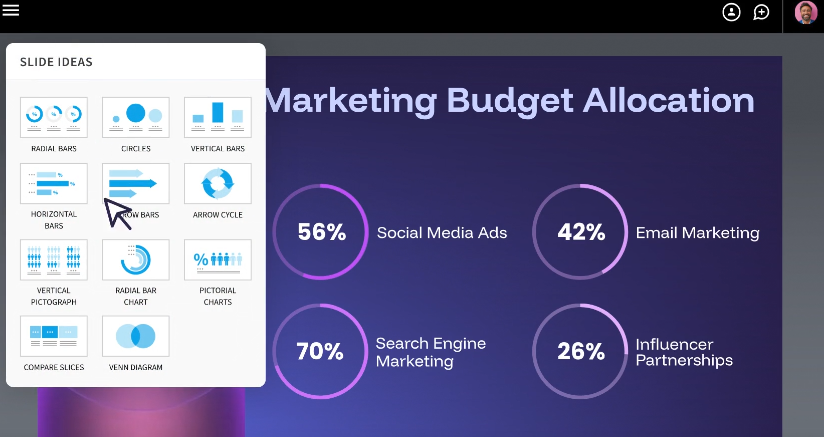
Beautiful.ai occupies a specific lane: Design-first, layout-automated, relatively shallow on AI. So the tools worth comparing aren't just any presentation software. They're the ones that either do what Beautiful.ai does better or offer something meaningfully different for teams whose needs have outgrown it.
Each tool on this list was assessed against six dimensions. They're the specific points where Beautiful.ai most commonly falls short in user reviews on G2, Capterra, and Trustpilot.
- AI output quality: Is the AI generating something genuinely usable, or is it scaffolding you still have to build?
- Brand enforcement: Is brand control something you configure once and trust, or something you have to apply every time? There's a large practical difference between the two.
- PowerPoint export fidelity: Does the .pptx file you send to a client look like what you built, or does it require a second round of fixes?
- Layout and design flexibility: Can you go off-template when needed, or does the tool penalize unconventional content with broken layouts?
- Team features and access model: Are collaboration tools available on standard plans, or gated behind a pricing tier that makes them impractical for most teams?
- Pricing: What does this tool actually cost at team scale? Are free plans real, or are they time-limited trials with auto-charge mechanics?
User sentiment from G2, Capterra, and Trustpilot was factored in throughout, particularly in areas such as export quality and billing practices, where self-reported experience consistently diverges from official feature descriptions.
Where Beautiful.ai Falls Short
Beautiful.ai has real fans, and the positive reviews aren't wrong. For a certain type of user, it delivers. But the frustrations that push teams toward alternatives tend to cluster around the same issues. Understanding these specifically helps narrow down which replacement is actually the right one for you.
Smart Slide System
The automation that makes Beautiful.ai fast is also what makes it inflexible. The layout engine makes decisions you cannot override. If your content doesn't fit neatly into one of the 300+ available Smart Slide structures, your options are: Pick the closest approximation and live with the compromise, or switch to a Classic Slide with a blank canvas and lose the formatting intelligence entirely.
For teams producing a consistent, predictable deck type, this is fine. For anyone who regularly builds custom or non-standard presentations, it becomes a genuine constraint rather than a feature.
Trial to Paid Pipeline
No free plan means no low-stakes way to evaluate whether Beautiful.ai fits your workflow. The 14-day trial looks accessible until you notice the credit card requirement and the automatic annual charge if you forget to cancel.
This is a recurring theme in Trustpilot reviews, and it's one of the most-cited complaints. For teams that need to trial a tool before getting budget approval, or anyone who prefers to test before committing, this structure works against you from day one.
Limited AI Functionality
Beautiful.ai's DesignerBot can generate a reasonable first draft in response to a prompt. What it cannot do is keep working with you after that draft exists. It doesn't accept documents or URLs as input, doesn't iterate on your deck conversationally, and doesn't research your topic or build context around your specific business. Once the first draft is done, the AI's job is essentially over.
For teams expecting an AI that can take a strategy document and turn it into a board presentation, or that can refine a pitch deck through multiple rounds of edits, Beautiful.ai's AI runs out of road quickly.
Collaboration Is Gated
Beautiful.ai's pricing architecture makes collaboration an upgrade rather than a default. The Pro plan at $12/month covers solo use cleanly. The moment a second person needs to co-edit, you're on the Team plan at $40/seat/month, which is more than three times the cost. For five people, that's $2,400 a year.
Enforced brand guardrails (the kind that actually prevent team members from using the wrong colors or logo) don't appear until Enterprise. Teams often discover this pricing structure after they've already started building workflows inside the product.
PowerPoint Exports Need A Cleanup
Beautiful.ai's Smart Slide system is built for the browser. The translation to .pptx format is where things get complicated: text blocks split into individual boxes, alignment shifts, and animations either disappear or behave unpredictably in desktop PowerPoint.
For internal decks that stay inside Beautiful.ai's viewer, this doesn't matter. For presentations that get sent to clients, submitted to stakeholders, or handed off to colleagues who will edit them in PowerPoint, it regularly requires a round of fixes that offsets the time you saved building the deck in the first place.
10 Best Beautiful.ai Alternatives
The tools below cover a range of use cases, from full AI-first platforms to design-forward editors to collaboration-centered workspaces. Each profile covers the core value proposition, what it does well, where it has limits, and who it fits best.
1. Presentations AI
Beautiful.ai automates how your content looks. Presentations AI goes a step further: it helps you figure out what your content should say, and then makes it look great too.
The key differentiator is the AI's role in the workflow. Rather than generating a first draft and stepping aside, Presentations AI's conversational assistant (Clip-E) stays in the loop. You can feed it a prompt, a PDF, a Word document, or a URL, and it builds a structured, fully designed deck. Then you can keep chatting with it to refine, restructure, or expand slide by slide. It's closer to working with a colleague than clicking through a template.
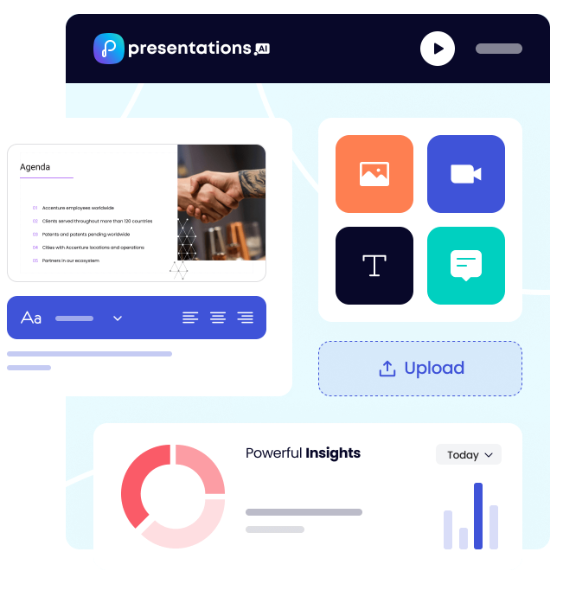
Brand Sync is the other standout. Whereas Beautiful.ai requires you to configure a Brand Kit manually and trust that team members remember to apply it, Brand Sync automatically extracts your colors, fonts, and logo from your company URL. Every deck starts on-brand. There's nothing to configure per project and no risk of team members going off-script.
Key Strengths
- Conversational AI assistant (Clip-E) that builds, refines, and iterates on decks in natural language
- Multiple creation modes: prompt, PDF import, Word doc, URL, raw text
- Brand Sync automatically applies your visual identity with no manual theme setup required
- Anti-fragile templates that adapt to content changes without breaking
- Clean PowerPoint export that preserves formatting reliably
- Analytics and tracking to see how presentations perform after sharing
- Free Starter plan with no credit card required
- Multilingual support for global teams
Limitations
- Newer platform, so the template library is still growing compared to more established tools.
- Pro and Enterprise are annual-only (But there is a generous free tier)
Best For
Business teams who need fast, brand-consistent AI decks. Sales teams, marketing teams, founders pitching investors, and any team that regularly produces client-facing presentations.
Compare Beautiful.ai and Presentations AI in depth →
2. Gamma
Gamma took a different bet on what presentations should look like, and it paid off. Rather than replicating the traditional slide grid, it builds web-native decks that scroll and flow more like documents than slideshows. The AI drafts fast, the default aesthetic is clean, and you can get into the product without handing over a credit card. For teams frustrated by Beautiful.ai's auto-charge trial, that last point alone is worth noting.
Key Strengths
- Strong AI draft quality; fast from prompt to presentable output
- Web-native format that looks polished without design effort
- Generous free tier with no credit card required
- Good template variety and clean default aesthetics
Limitations
- AI credit limits kick in quickly on free and lower-paid plans
- PowerPoint exports are inconsistent; formatting doesn't always survive
- Brand controls are thin with no robust enforcement at the workspace level
- Team collaboration features are limited compared to purpose-built tools
Best For
Individuals and small teams who want a fast, modern AI presentation experience with a low barrier to entry and don't need heavy brand control or team workflows.
3. Canva
If the core complaint about Beautiful.ai is that it tells you where things go rather than letting you decide, Canva is the antidote. It's a full design platform, not a presentation tool with design features bolted on, which means you have complete control over every element, layer, and layout.
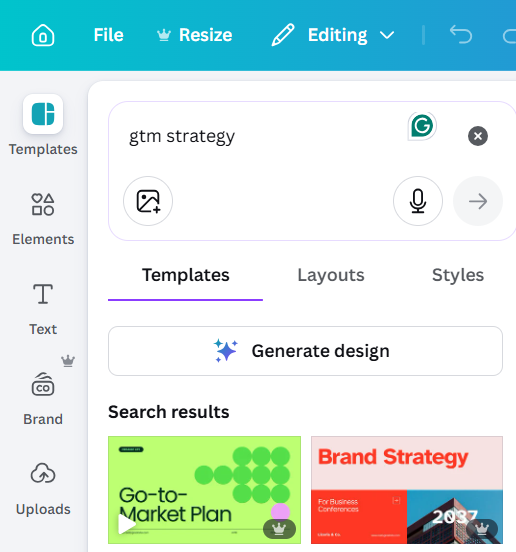
The breadth is staggering: thousands of templates, millions of stock assets, video, animations, social graphics, and yes, presentations. The trade-off is that Canva's AI generation is less sophisticated than that of dedicated presentation tools, and the sheer number of options can slow you down if you're used to Smart Slides thinking for you.
Key Strengths
- Massive template and asset library
- Full design flexibility with no layout constraints
- Strong free tier
- Brand Kit feature on paid plans
- Easy sharing and real-time collaboration
Limitations
- AI generation is less sophisticated than dedicated AI presentation tools
- Too much flexibility can become a time sink, leading to more decisions rather than fewer
- Not optimized specifically for presentation workflows
Best For
Marketing teams, small businesses, and anyone who wants a versatile design tool that covers presentations alongside other content formats, and values a large asset library and creative freedom over AI-first generation.
4. Pitch
Pitch was built with one question in mind: what does a presentation tool actually need to do when multiple people are involved? The answer, according to Pitch, is a lot more than most tools offer.
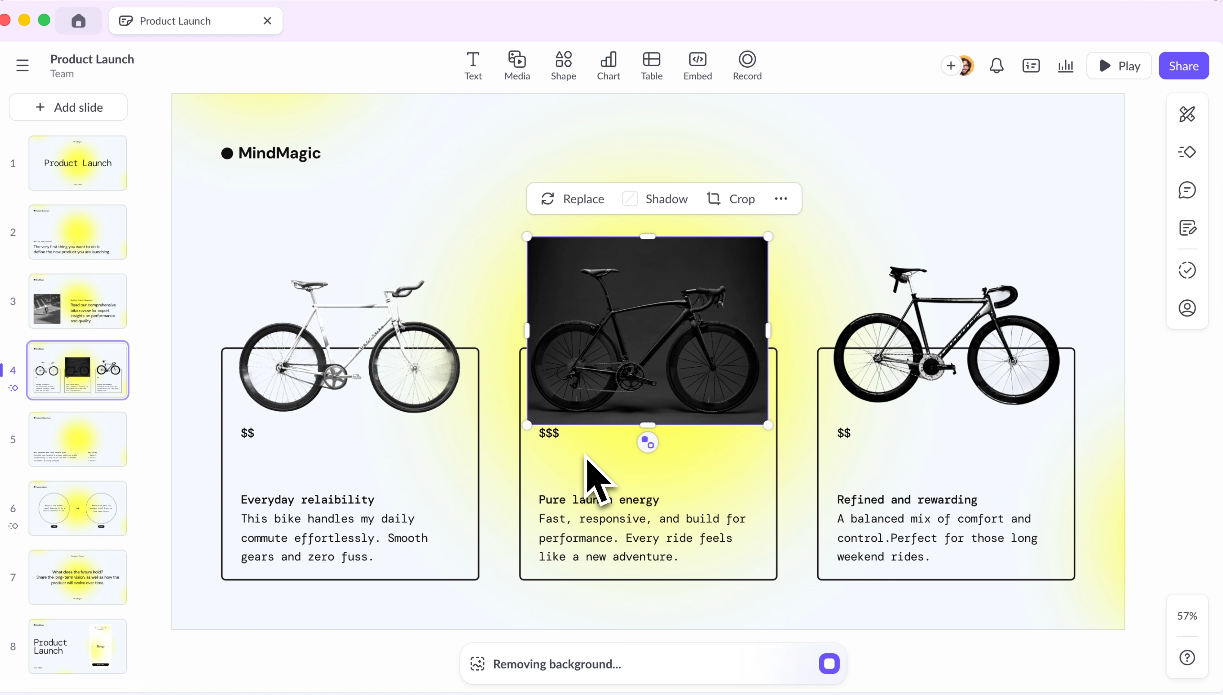
Shared workspaces, branded template libraries, role-based permissions, threaded comments, and structured approval workflows are all core to the product, not bolt-on features behind an enterprise tier. If the reason you're reconsidering Beautiful.ai is specifically the collaboration gap, Pitch is the most direct answer to that problem.
Key Strengths
- Purpose-built for team workflows
- Shared template libraries and brand kits
- Strong commenting and review features
- Good analytics on deck engagement
Limitations
- AI generation features are less advanced than dedicated AI-first tools
- Pricing gets steep for larger teams
- Learning curve for teams migrating from simpler tools
Best For
Marketing and sales teams that produce a high volume of decks and need structure, consistency, and collaboration baked in — particularly where review and approval workflows matter.
5. Prezi
Prezi solves a different problem altogether. Its zoomable canvas format (where you pan and navigate across a single visual space rather than advancing through a slide deck) was polarizing when it launched and remains polarizing today.
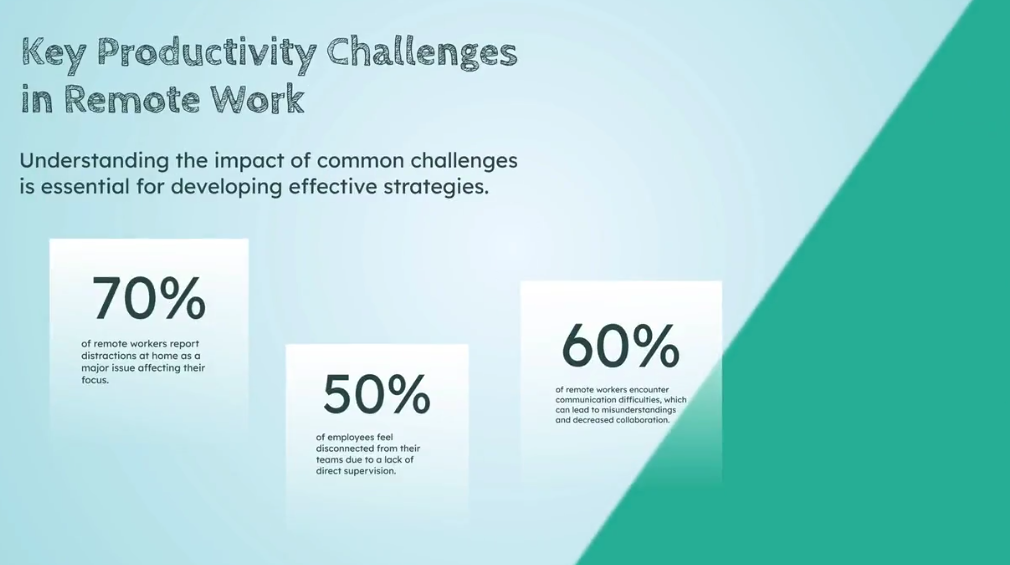
Done well, it's genuinely memorable and can communicate complex relationships in ways that sequential slides cannot. If you're specifically looking to stand out in live presentations and your content has a non-linear structure that benefits from a spatial layout, Prezi is worth considering. If you need a day-to-day workhorse for business decks, it doesn't fit the bill.
Key Strengths
- Highly distinctive, memorable presentation style
- Good for visualizing complex relationships and non-linear structures
- Strong for conference presentations or live demos
Limitations
- Steep learning curve
- Format doesn't suit all content types, particularly data-heavy or sequential work.
- Can disorient audiences if overused
- Limited AI capabilities compared to newer tools
Best For
Speakers and educators who want to stand out and have content that benefits from a visual, non-linear structure rather than standard sequential slides.
6. Visme
Visme is the right answer to a specific question: what do you use when your presentations are primarily data, charts, and infographics, and you need them to look like a designer made them? It sits in a category of its own as a visual content platform, covering presentations, infographics, branded documents, and interactive reports in a single workspace.
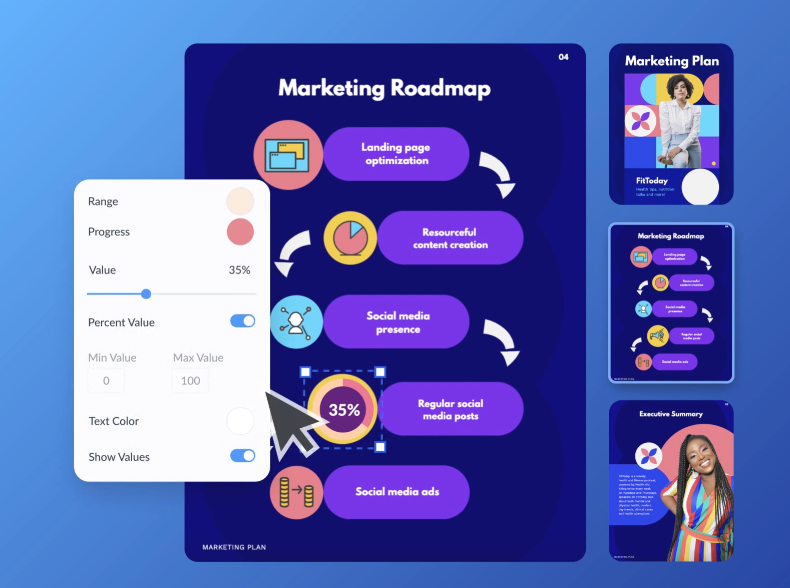
The depth of data visualization tooling goes well beyond what Beautiful.ai or most other presentation tools offer. The trade-off is complexity. Visme has a learning curve, and for teams that just need a polished deck, it can feel like more tool than the job requires.
Key Strengths
- Excellent infographic and data visualization capabilities
- Strong brand kit features
- Wide range of content types beyond slides
Limitations
- More complex than most users need for standard presentations
- AI generation is not its core strength
- Pricing can feel high for lighter use cases
Best For
Marketing teams and content creators who need branded visual content across multiple formats, and whose presentations are data-heavy or infographic-driven.
7. Slidesgo
Not every presentation problem needs an AI or a smart layout engine. Sometimes you just need a well-designed starting point in a format you already know. Slidesgo is a template library: large, free, and professionally designed, built for PowerPoint and Google Slides. Pick a template that fits your content type, drop in your copy, and you're done.

There's no platform to learn, no subscription for basic access, and no risk of smart layouts overriding your decisions. It's not competing with Beautiful.ai on automation. It's offering a different value proposition entirely.
Key Strengths
- Large, free template libraries across hundreds of categories
- No learning curve; works with tools you already know
- Clean, professional design quality
Limitations
- No AI generation
- Templates are starting points only; customization is entirely manual
- Not suitable if you need speed, brand automation, or team workflows
Best For
Occasional presenters and students who need a quick, professional starting point without committing to a new platform or monthly subscription.
8. Microsoft PowerPoint + Copilot
The strongest argument for PowerPoint + Copilot isn't feature depth. It's zero friction on the output. When your clients expect .pptx files and your stakeholders edit in PowerPoint, choosing a tool that exports cleanly to PowerPoint solves the wrong problem.
PowerPoint is the format. Copilot layers AI into the native experience, so you get AI-generated slides, prompt-based reformatting, and presentation summarization without a single export step. The catch: it requires a Microsoft 365 Copilot licence on top of what you may already pay for Microsoft 365, and the AI output quality is variable enough that cleanup is often still needed.
Key Strengths
- Native PowerPoint experience with zero export or import issues
- Copilot understands your existing files and company data via Microsoft Graph
- Familiar interface with near-zero learning curve for existing PPT users
- Deep enterprise integration with Microsoft 365 security and compliance
Limitations
- Requires a Microsoft 365 Copilot license, which adds a high cost
- AI output quality varies and often needs cleanup
- Not a standalone product; it's an add-on to tools you already pay for
Best For
Enterprise teams already in the Microsoft 365 ecosystem who want to add AI without switching platforms, and whose workflows are built around .pptx files.
9. Google Slides + AI Add-ons
Google Slides doesn't win on design or AI. It wins on collaboration, and it does so for free. Multiple editors in the same deck, threaded comments, automatic version history, and access control without a separate team plan. These are things Beautiful.ai charges $40/seat/month for.
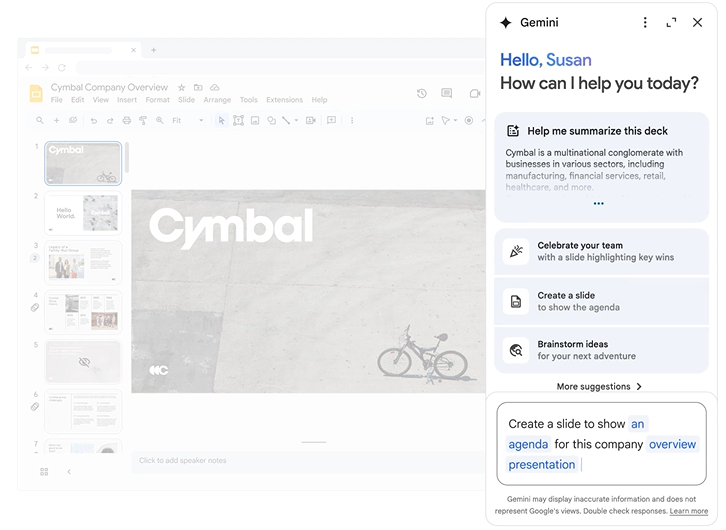
Google Slides ships them with a Gmail account. Third-party add-ons like Slides AI can layer in basic generation capabilities, though quality varies significantly across providers.
Key Strengths
- Best-in-class real-time collaboration
- Free with a Google account
- Seamless sharing and access control
- Strong integration with Google Docs, Sheets, and Drive
Limitations
- Native design capabilities are limited compared to dedicated presentation tools.
- AI add-ons are third-party and vary in quality.
- Not the right choice if you care deeply about design polish or brand consistency
Best For
Teams already in Google Workspace who need a free, collaborative solution and aren't making heavily designed or brand-sensitive client-facing decks.
10. Keynote
Keynote is Apple's presentation tool, and Apple's approach is exactly what you'd expect: premium default aesthetics, smooth animations, zero cost for Mac users, and no interest whatsoever in telling you where your elements should go.
For anyone who values design quality but finds Beautiful.ai's layout automation more constraining than helpful, Keynote gives you full creative control inside a tool that makes that control feel effortless, as long as you're on Apple hardware.
Key Strengths
- Stunning default design quality
- Free for Apple users
- Smooth animations and transitions
- Full layout flexibility with no enforced structure
Limitations
- No meaningful AI generation features
- Collaboration is limited compared to Google Slides or Pitch
- Exporting to PowerPoint can cause formatting issues
- Mac and iOS only
Best For
Mac users who want a polished, reliable presentation tool for live presentations and don't need AI generation, team collaboration, or cross-platform compatibility.
Summary of Beautiful.ai alternatives
How to Choose the Right Beautiful.ai Alternative
The 10 tools above solve different problems. The right one depends less on which has the longest feature list and more on which specific limitation of Beautiful.ai matters most to you. Here's how to think through it.
Start with the AI's role in your workflow: Beautiful.ai’s AI improves how slides look, not what they say. If you want an AI that can take a brief, a document, or a URL and draft something worth working from, you need a tool where generation is genuinely at the product's core.
Fighting the layout: If you regularly need layouts or structures that the tool doesn't support, or if you're producing highly customized client-facing work, choose an alternative.
Test the PowerPoint export: Take a realistic presentation, export it to .pptx, open it in desktop PowerPoint, and check whether fonts are embedded, layouts hold, and the file is editable without significant rework.
Double-check the pricing: Beautiful.ai's pricing gap between Pro and Team is one of its most cited frustrations. Before switching, check whether the alternative you're evaluating treats collaboration as a core feature or as a paid upgrade.
The Best Beautiful.ai Alternative for Most Teams: Presentations AI
Here's what makes it the right answer for most teams:
- Brand Sync automatically pulls your visual identity from your company URL. Every presentation starts branded.
- Anti-fragile templates adapt intelligently when content changes. Add a section, restructure the narrative, swap out data, and the design adjusts rather than falling apart.
- Conversational AI (Clip-E) lets you refine slide by slide, restructure sections, and iterate in natural language until the deck is actually done.
- Multiple input formats (prompt, PDF, Word doc, URL, raw text) mean you can start from content you already have.
- A clean PowerPoint export means the file you send looks like what you built.
- Analytics and tracking tell you who viewed the deck, how long they spent on each slide, and where they dropped off.
- Free Starter plan: no credit card required; any number of users. Test the full experience before spending anything.
Who should choose Presentations AI?
- Sales teams building and customizing decks for individual client conversations at scale
- Marketing teams producing branded materials consistently across a large output.
- Founders and executives who pitch regularly and want decks that look sharp without a design cycle
- Internal teams quickly turning reports, briefs, and strategy documents into presentations.
Choosing The Best Beautiful.ai Alternative
Beautiful.ai’s Smart Slide system is clever, and for solo users or small teams with consistent, straightforward deck needs, it delivers. However, most teams grow beyond that use case faster than they expect.
If the AI ceiling was the issue and you want more than layout automation, Presentations AI is the clearest upgrade.
For most business teams that regularly produce client-facing or stakeholder decks, care about brand consistency, and want AI that works throughout the process rather than just at the beginning, Presentations AI covers the most ground. It's the tool that most closely resembles what Beautiful.ai aims to be, without the limitations that led you to look for alternatives in the first place.