En İyi Yapay Zeka Sunum Oluşturucu!

Yapay Zeka Slayt Oluşturucu Saniyeler İçinde Yapay Zeka Slaytları Oluşturun, Ücretsiz

Herhangi bir konuyu veya belgeyi, tasarım becerilerine ihtiyaç duymadan markalı bir yapay zeka sunumuna dönüştürün.

Teşekkürler! Gönderiniz alındı!
Eyvah! Formu gönderirken bir hata oluştu.

Seri A yatırım sunumu

Dijital pazarlama stratejisi

Üç aylık planlama teklifi

Seri A yatırım sunumu

Dijital pazarlama stratejisi

Üç aylık planlama teklifi

Destekleyenler

Together LogoAccel Logo

10 milyondan fazla profesyonel ekip tarafından güveniliyor

TRUSTED BY

Google Logo
Adobe Logo
Microsoft Logo
Amazon Logo
Notion Logo
Facebook Logo
Google Logo
Adobe Logo
Microsoft Logo
Amazon Logo
Notion Logo
Facebook Logo
Google Logo
Adobe Logo
Microsoft Logo
Amazon Logo
Notion Logo
Facebook Logo

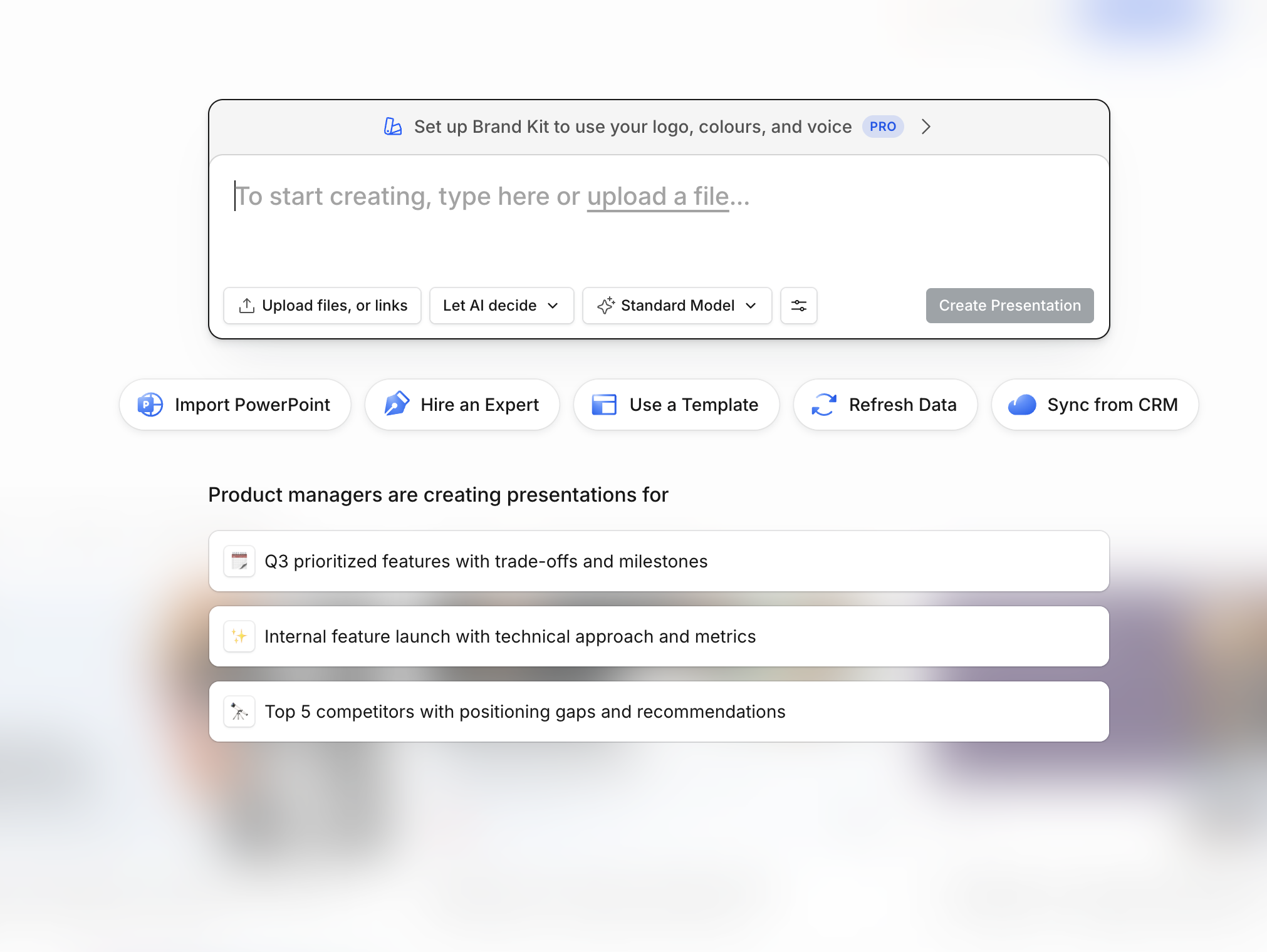
Bir daha asla boş bir slayttan başlamayın

Bir konu girin, notlarınızı yapıştırın veya bir belge yükleyin. Dakikalar içinde, düzenleyebileceğiniz veya doğrudan PowerPoint ya da Google Slaytlar'a aktarabileceğiniz, özenle hazırlanmış, yapılandırılmış bir sunum elde edersiniz.

Ücretsiz Deneyin

3 Adımda Yapay Zeka Slaytları Nasıl Oluşturulur

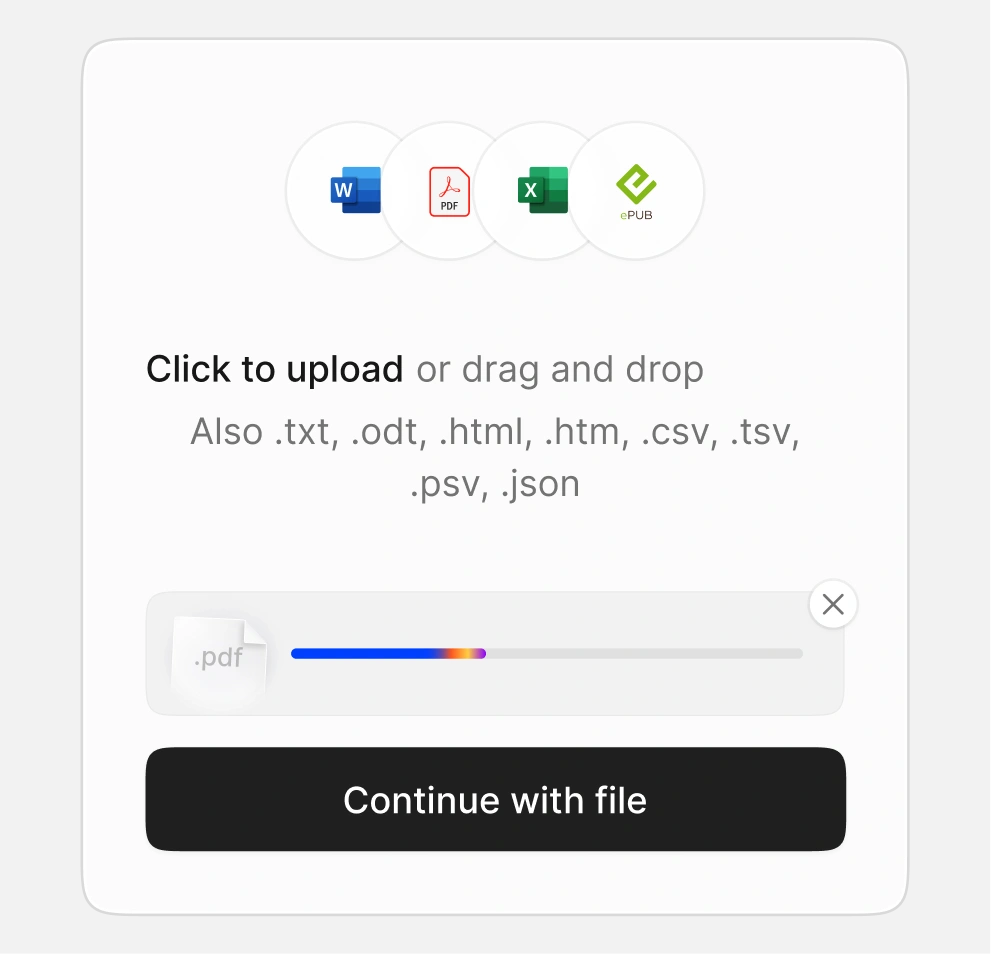
Adım 1 - Konunuzu yazın veya bir belge yükleyin

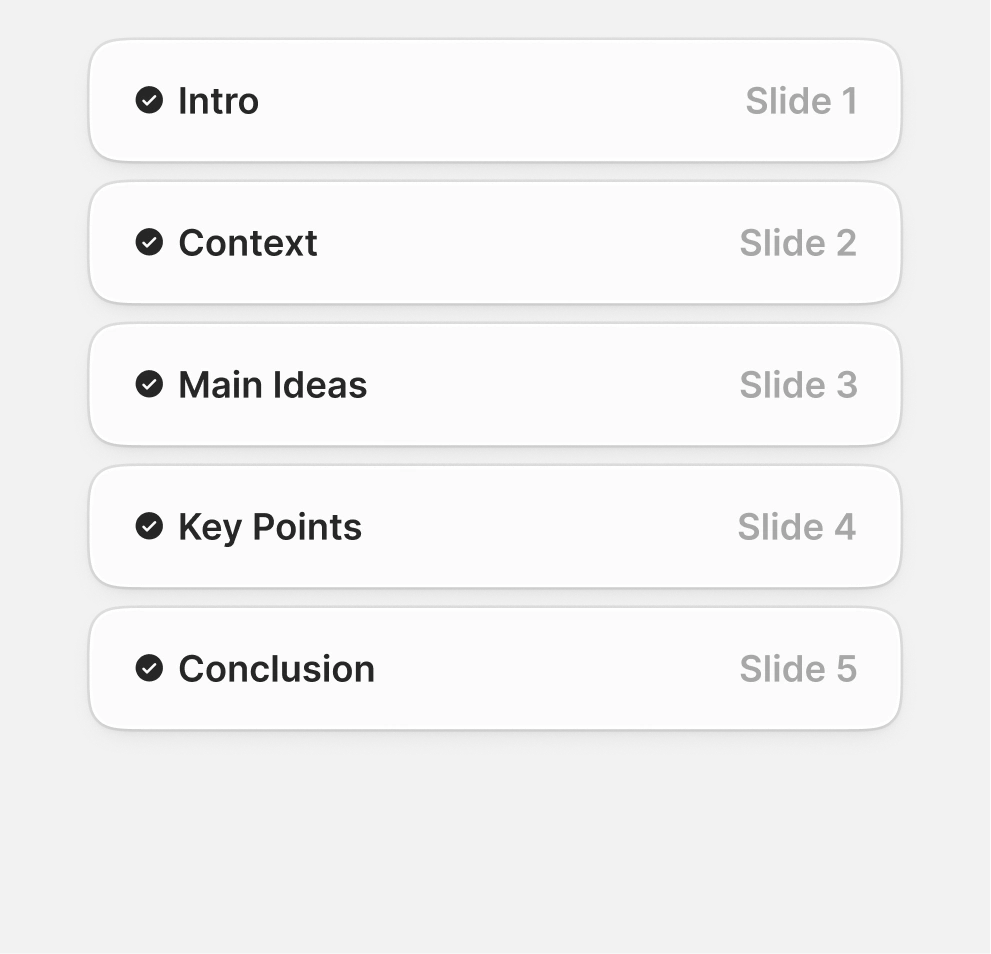
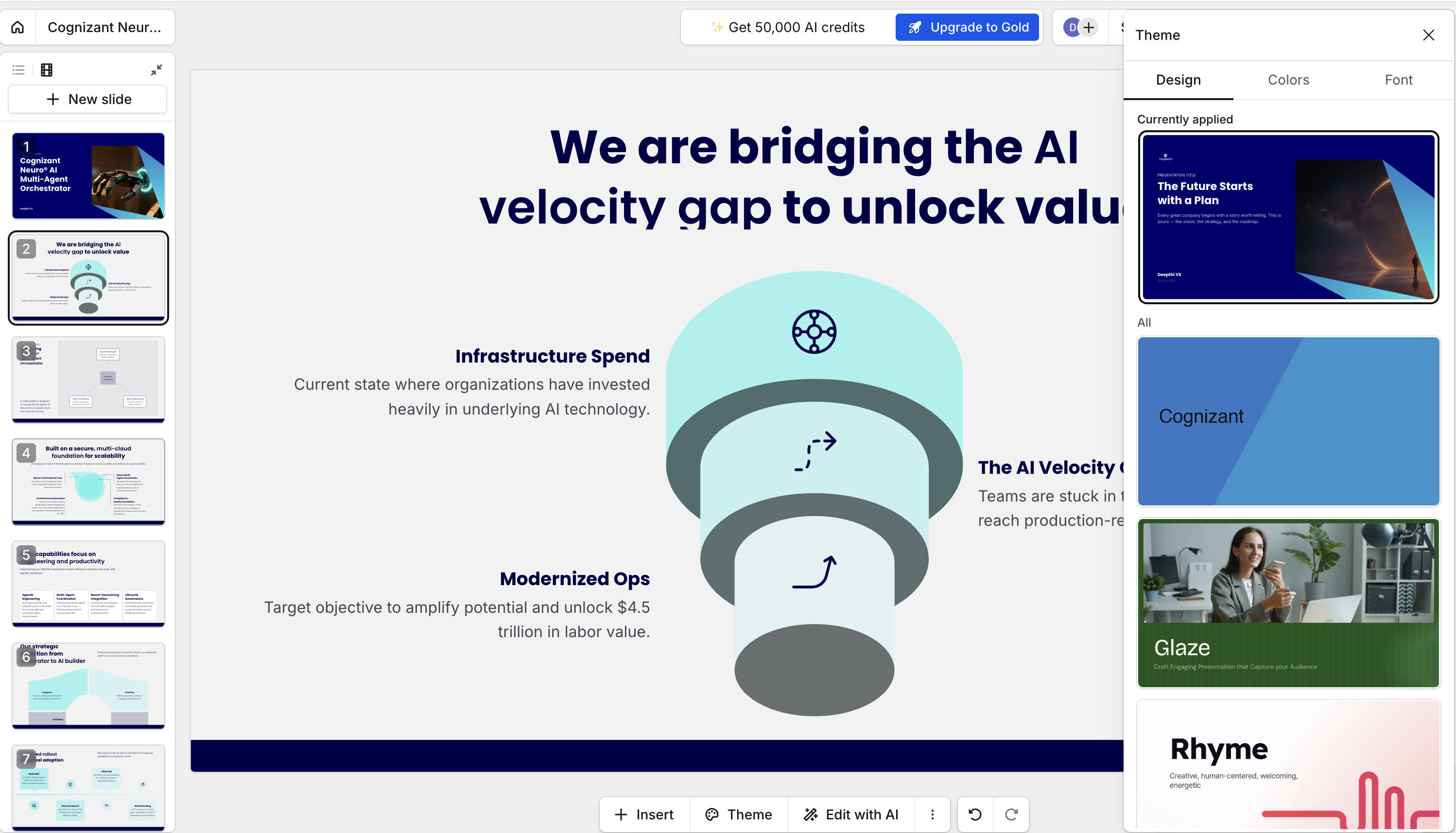
Adım 2 - Yapay zeka slaytlarınızı otomatik olarak oluşturur

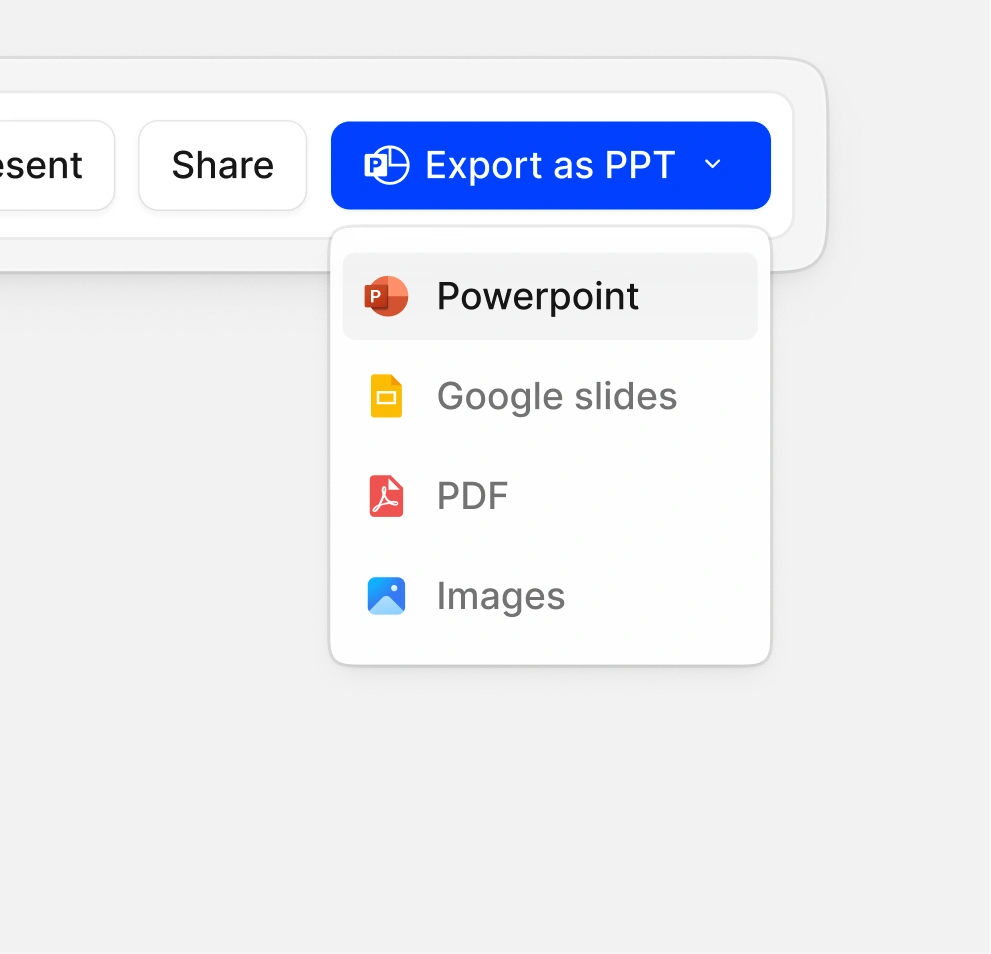
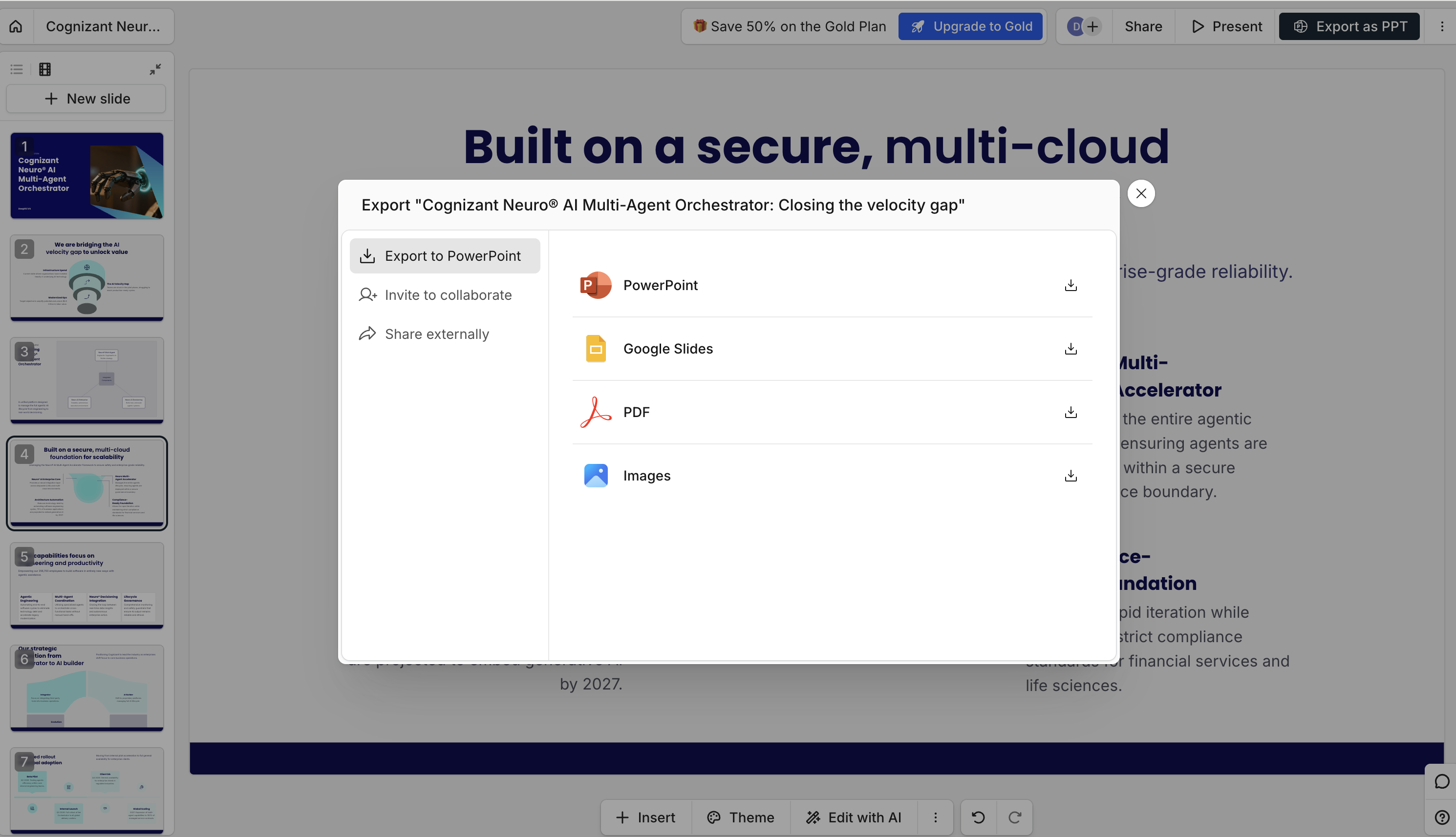
Adım 3 - Düzenleyin, PPTX olarak indirin veya bir bağlantı paylaşın

Yapay Zeka Sunumu

Neden Presentations.AI Yapay Zeka Slayt Oluşturucunuz Olarak Kullanmalısınız?

Saniyeler İçinde Slayt Oluşturma:

Bir konu yazın, bir taslak yapıştırın veya hedefinizi açıklayın; yapay zeka bir dakikadan kısa sürede tamamen yapılandırılmış, tasarlanmış bir sunum oluşturur — boş slayt veya manuel biçimlendirme olmadan.

Otomatik Marka Kiti — renkler, yazı tipleri, logo uygulandı:

Şirketinizin URL'sini yapıştırın; Presentations.AI markanızın renklerini, yazı tiplerini ve logosunu otomatik olarak çeker ve ardından bunları sunumunuzdaki her slayda tutarlı bir şekilde uygular.

Her Şeyi Düzenleyin — tasarım becerisi gerekmez:

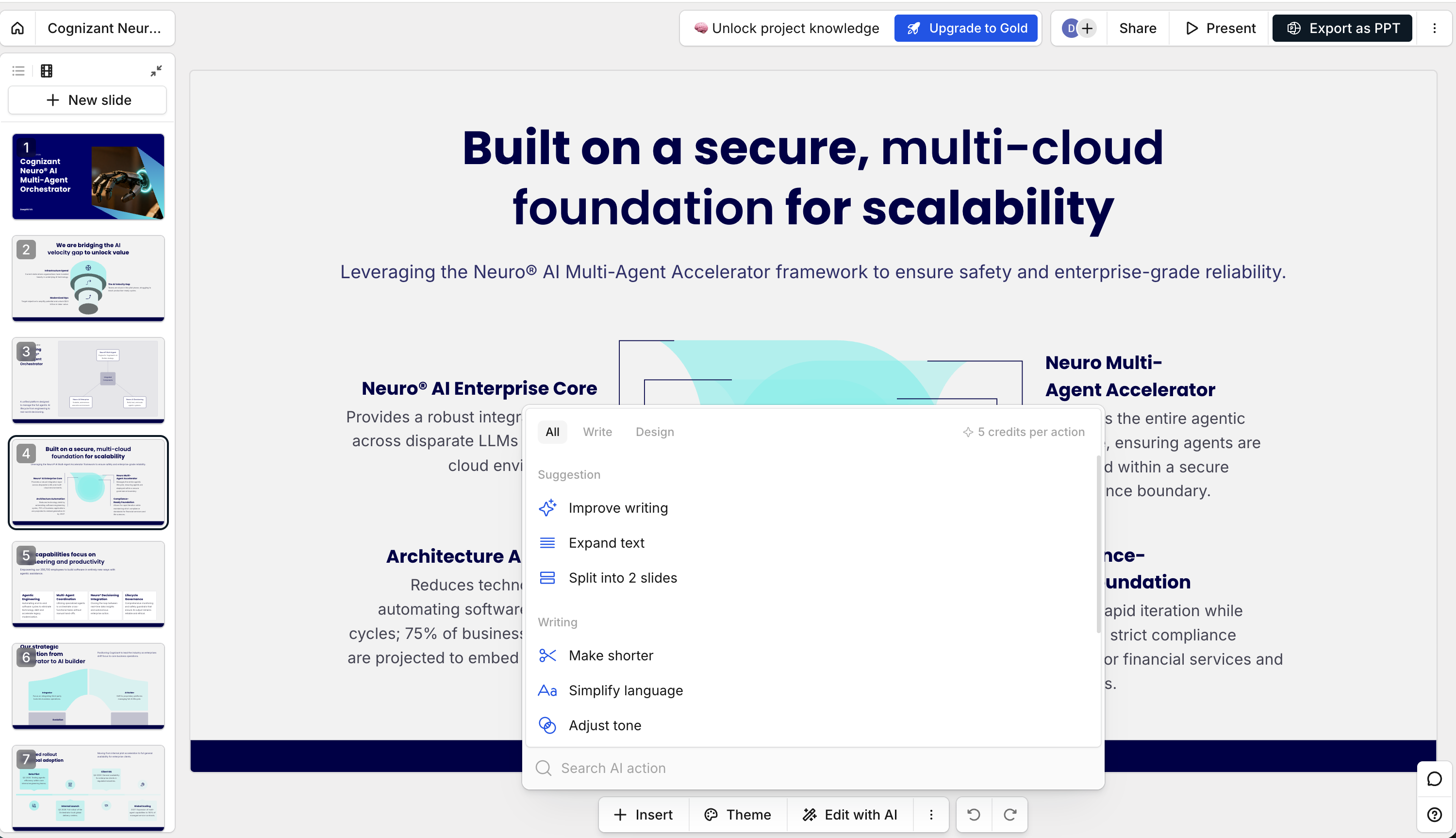
Her slayttaki her öğe; metin, düzen, görseller, renkler ve yapı, herhangi bir tasarım yazılımına veya teknik bilgiye gerek kalmadan doğrudan platformda tamamen düzenlenebilir.

PowerPoint'e Paylaşın veya Aktarın:

Bitmiş sunumunuzu düzenlenebilir şekiller ve metin içeren yerel bir .pptx dosyası olarak dışa aktarın veya herhangi bir cihazda, herhangi bir tarayıcıda anında açılan canlı bir bağlantı olarak paylaşın.

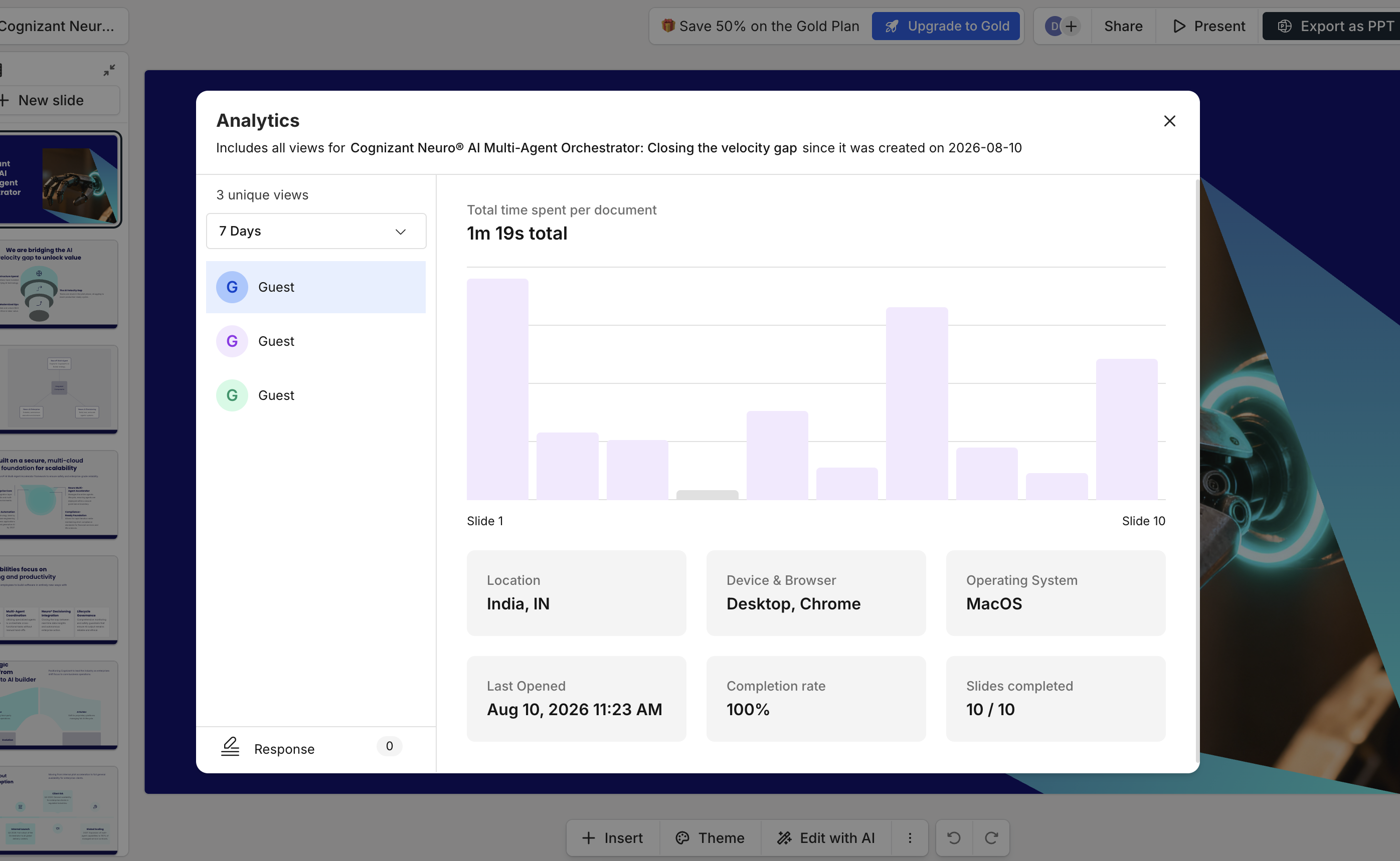
See Who Viewed Your Deck (Analytics):

Track exactly who opened your presentation, how long they spent on each slide, and how many times it was viewed — so you can follow up at the right moment with the right context.

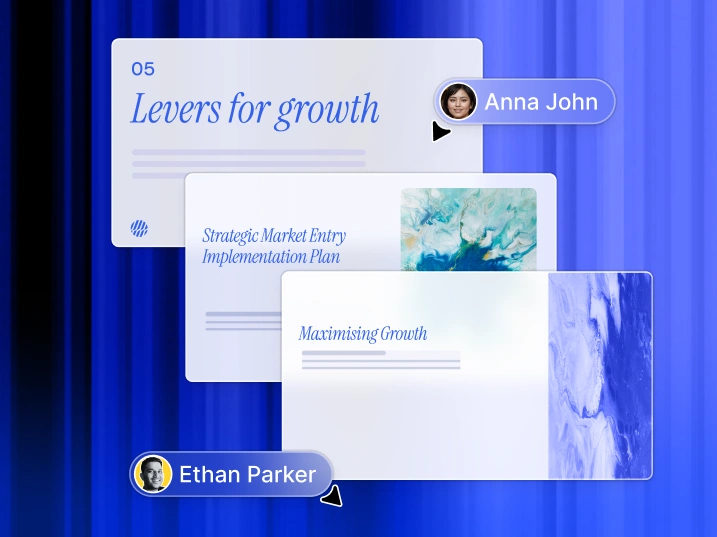
Built for Teams - Collaborate on AI Slides in Real Time

Co-edit slides live with your team:

Multiple team members can work on the same deck simultaneously, leaving comments, making edits, and reviewing changes in real time without versioning conflicts or file handoffs.

Share via link, embed, or PowerPoint export:

Share a view-only or editable link, embed in Notion, or download as PowerPoint -- one click.

Present from any browser — no downloads needed:

Launch presentation mode with speaker notes and transitions directly in your browser -- any device.

The 9 Best AI PowerPoint Presentation Generators in 2026

Your company spent six figures on brand templates. Held training sessions. Built a "center of excellence." Posted everything on the intranet with detailed guidelines.

Fast forward six months: the templates break when you add real content. Sales built their own "better" versions. Marketing sends angry emails about brand violations while violating brand guidelines themselves. Everyone still rebuilds the quarterly business review from scratch.

So you tried the "AI-powered" solutions. The ones that promised to fix everything. The ones with ChatGPT widgets bolted onto 2019 interfaces. The ones that generate text while you still fight with formatting. The ones claiming "automatic brand consistency" but meaning "upload your logo each time."

After burning through free trials, you're back where you started. Midnight PowerPoint sessions. Reformatting slides that looked perfect on your Mac but exploded on the client's PC. The only thing AI added was another layer of complexity to an already broken process.

The problem was never your team's discipline. It wasn't even your templates. It's that every presentation tool treats consistency as your problem to solve manually, and adding a chatbot doesn't change that fundamental flaw.

We tested 10 platforms asking one question: does the AI actually solve business presentation problems, or just add artificial intelligence to existing failures?

AI PowerPoint Presentation Generator Compared

Platform Free Tier AI Architecture Brand Compliance PowerPoint Export Enterprise Security Best Business Use Case
Presentations.AI 3 full presentations Built AI-native from ground up ✅ Automatic via URL ✅ Perfect fidelity ✅ SOC 2 Type II Board decks, enterprise sales, investor pitches
Slidesgo Unlimited Basic generation ❌ Manual ✅ Full .pptx ⚠️ Basic Quick professional decks without budget
Gamma 400 AI credits Retrofitted in 2023 ❌ Manual ❌ Breaks consistently ❌ No SOC 2 Multi-format content, casual use
Beautiful.AI 14-day trial only Template automation ❌ Manual per deck ❌ Font/layout issues ⚠️ Basic Hard to justify the premium
Canva Yes, limited Text suggestions only ❌ Manual ⚠️ Basic ✅ Enterprise plans Marketing teams already using Canva
Plus AI Limited trials Google Slides add-on ❌ Manual Via Google Slides ✅ Workspace security Google Workspace organizations
SlidesAI 3 presentations/mo PowerPoint add-on ❌ Manual Native PowerPoint ✅ Office 365 security Microsoft 365 organizations
Simplified Yes, limited Basic generation ❌ Manual ⚠️ Basic ⚠️ Limited Marketing content bundles
Decktopus Limited Prompt-based ❌ Manual ⚠️ Basic quality ❌ None Small business, guided creation

1. Presentations.AI — Built for Business, Not Just Slides

Presentations.AI dashboard Image

While other platforms were adding AI chatbots to existing slide editors, we asked a different question: what if the entire platform was AI?

Most tools treat AI as a feature layered on top of a traditional editor. Presentations.AI was built the other way around. AI-native from the ground up, designed specifically to solve the business problems that make presentations painful in the first place: brand inconsistency, formatting that breaks across devices, and the hours lost rebuilding the same deck structure every quarter.

  • Automatic Brand Compliance - paste your company URL and Presentations.AI pulls your brand colors, fonts, and logo, then enforces them across every slide, every time. No uploading logos manually. No chasing brand violations after the fact. Brand consistency becomes the default, not the goal.
  • Business Context AI - drop in a 50-page strategy document, a PDF brief, or a rough outline, and the AI restructures your content into a persuasive presentation. It understands what your content is trying to accomplish and builds slide structure accordingly.
  • Zero-Breakdown PowerPoint Export - exports as real .pptx files that maintain formatting across Mac, PC, and every conference room laptop in between. No font substitutions, no layout explosions, no emergency reformatting the morning of a presentation.
  • SOC 2 Type II Certified - enterprise-grade security your IT and legal teams will actually approve. Your data is never used to train public AI models.
  • Team Collaboration - shared workspaces, deck management, and commenting so your team works from one source of truth instead of eight versions of the same file in a shared drive.

Who It's Built For

  • Sales teams closing enterprise deals, where an off-brand or broken deck in front of a prospect has measurable business consequences.
  • Executives and founders presenting to boards, investors, or partners, where the deck needs to look authoritative without a designer in the loop.
  • Consultants and agencies delivering client work at volume, where every deck needs to look professional and timelines are always tight.
  • Marketing teams running recurring reporting cycles (QBRs, campaign reviews, monthly stakeholder updates) where rebuilding the same structure every month is wasted time AI should eliminate.

Honest Limitation:

Presentations.AI does one thing: presentations. If you need a tool that also creates social posts, videos, and marketing flyers, you will need something additional for those formats. But if your presentations have real business stakes, this is the platform built for that reality.

PAI feedback image

User Review on G2

2. Slidesgo AI — The Genuinely Free Option

Slidesgo started as a template library and has evolved into a capable AI presentation generator that actually delivers on its free tier promise. Unlike most tools that gate useful features behind a paywall, Slidesgo lets you enter a topic, generate a complete presentation with visuals, and export a full editable .pptx file at zero cost. The template quality is genuinely high, drawing on a library designed by professional graphic designers rather than generic AI layouts.

SlidesGo dashboard image

Where Slidesgo falls short is customization depth. The AI generates a solid starting point but offers limited control over structure and narrative flow compared to purpose-built AI tools. Brand application is entirely manual, meaning every deck requires you to swap in your own colors, fonts, and logo. For students, educators, and small businesses without design resources or budget, it is hard to beat. For teams with brand standards to maintain, it will feel limiting quickly.

Pros

  • Genuinely free with no credit card required
  • Full .pptx export with editable elements
  • High quality designer-made templates
  • Simple, fast generation with minimal learning curve

Cons

  • No automatic brand compliance
  • Limited structural control over AI output
  • Not suitable for enterprise or client-facing work at scale
  • Fewer AI customization options than dedicated tools

3. Gamma — Fast Creation, Inconsistent Output

Gamma built significant momentum after pivoting to AI in 2023, accumulating over 50 million users on the back of a genuinely fast and intuitive creation experience. You type a prompt, choose a style, and get a complete presentation in under a minute. The interface is clean, the layouts are modern, and for internal sharing or casual use the output looks impressive. Gamma also goes beyond slides, letting you generate web pages and documents from the same prompt, which makes it versatile for teams producing content across multiple formats.

The limitations become clear when the work needs to leave Gamma. PowerPoint export is a persistent and well-documented issue, with users consistently reporting broken layouts and formatting that does not survive the conversion. There is no automatic brand compliance, no SOC 2 certification, and the privacy policy has drawn criticism for tracking viewer behavior without explicit consent. For teams whose output stays inside Gamma or is shared as a live link, it works well. For teams whose stakeholders need an editable PowerPoint file, it is unreliable.

Pros

  • Very fast prompt-to-deck generation
  • Modern, visually appealing default layouts
  • Generates presentations, documents, and web pages from one tool
  • Generous free tier with 400 AI credits

Cons

  • PowerPoint export breaks consistently
  • No automatic brand compliance
  • No SOC 2 certification for enterprise use
  • Viewer tracking behavior raises privacy concerns
Gamma feedback image

User Review on G2

4. Beautiful.AI — Polished Design, Hard to Justify

Beautiful.AI takes a different approach to presentation design: instead of generating content from a prompt, it automates design decisions as you build. Smart templates adapt in real time to the content you add, keeping layouts balanced and visually consistent without requiring design skills. The result is a tool that makes it genuinely difficult to produce an ugly slide, which is valuable for teams who want polished output without a designer involved.

The central problem is pricing. At $40 per user per month with no free plan, Beautiful.AI costs significantly more than every other tool on this list. The 14-day trial auto-charges your card at the end, which has frustrated users who forget to cancel. PowerPoint exports also have known font and layout issues, which undermines the core value proposition for teams whose decks need to work outside the Beautiful.AI environment. For teams with budget flexibility and output that stays inside the platform, it delivers. For most teams evaluating cost against capability, it is hard to justify.

Pros

  • Smart templates that auto-adapt to your content
  • Consistently polished visual output
  • Good collaboration tools for team editing
  • Strong template variety for business use cases

Cons

  • $40/user/month with no free plan
  • PowerPoint export produces font and layout issues
  • 14-day trial auto-charges without clear warning
  • No automatic brand compliance
beautifulAI review image

User Review on G2

5. Canva — When You Need Everything Else Too

Canva is one of the most widely used design platforms in the world, and its presentation capability is a natural extension of a tool many teams already rely on for social media, marketing materials, and visual content. The template library is enormous, the drag-and-drop editor is intuitive enough for non-designers, and the collaboration tools are solid for teams working asynchronously. Enterprise plans include proper security controls, making it a viable option for larger organizations already standardized on Canva across other workflows.

For presentations specifically, Canva's AI capabilities are limited to basic text suggestions rather than full deck generation. Brand application is manual, meaning someone still needs to set up and enforce brand kits across every presentation. The export to PowerPoint works but produces files that often require cleanup before they are ready to share with clients or stakeholders outside Canva. For teams using Canva daily for other content formats, adding presentations to that workflow is a logical choice. For teams evaluating tools primarily for presentation creation, there are more purpose-built options on this list.

Pros

  • Massive template library covering every use case
  • Familiar interface most teams already know
  • Strong collaboration and sharing tools
  • Enterprise security on higher plans

Cons

  • AI generation is basic compared to dedicated presentation tools
  • Brand application is manual, not automatic
  • PowerPoint exports often need cleanup
  • Jack of all trades means presentations are not its strongest output
Canva feedback image

User Review on G2

6. Plus AI for Google Slides

Plus AI is an add-on that brings AI generation directly inside Google Slides, making it the most natural choice for teams whose entire workflow runs through Google Workspace. There is no new platform to learn, no file format to convert, and no switching between tools. You install the add-on, open Google Slides, and generate or refine slides from prompts without leaving the environment you already work in. It also integrates with Google Docs, allowing you to convert existing documents into presentations with minimal friction.

Plus AI feedback image

The limitation of the add-on model is that Plus AI is constrained by what Google Slides can do. There is no automatic brand compliance beyond what Google Slides supports natively, and the output quality depends heavily on the prompt quality from the user rather than an AI that understands presentation structure independently. For teams whose workflow is entirely Google-native and who do not need presentations that travel outside that ecosystem, it is an efficient and affordable solution. For teams who need polished branded output or reliable PowerPoint export, it falls short.

Pros

  • Works directly inside Google Slides, no new tool to learn
  • Converts Google Docs to presentations with one click
  • Affordable starting price at $10/month
  • Google Workspace security and permissions inherited automatically

Cons

  • Constrained by Google Slides' own limitations
  • No automatic brand compliance
  • Output quality is heavily prompt-dependent
  • Limited value outside Google Workspace

7. SlidesAI — PowerPoint Add-In

SlidesAI is the PowerPoint-native equivalent of Plus AI, operating as a direct add-in inside Microsoft PowerPoint rather than a standalone platform. For organizations standardized on Microsoft 365, this is a meaningful advantage. There is no file conversion, no platform switching, and no risk of formatting breaking when moving between tools. You paste or type your content, run the add-in, and get a structured slide deck built directly inside PowerPoint. Support for over 100 languages also makes it relevant for international teams.

The free plan, limited to 3 presentations per month, is enough to evaluate the tool but not for ongoing professional use. Like Plus AI, the add-in model means SlidesAI is constrained by what PowerPoint can do natively rather than operating with its own AI-native presentation logic. Brand compliance requires manual setup, and the AI output quality varies depending on how well-structured the input content is. For Microsoft 365 teams who want to add AI generation without changing their toolstack, it is a practical and affordable option.

Pros

  • Works natively inside PowerPoint, no platform switching
  • Supports 100+ languages for international teams
  • Free tier available for evaluation
  • Inherits Microsoft 365 security and compliance

Cons

  • Free plan limited to 3 presentations per month
  • No automatic brand compliance
  • Output quality depends heavily on input structure
  • Constrained by PowerPoint's native capabilities
SlidesAI feedback image

User Review on G2

8. Simplified — The Marketing Bundle

Simplified is not a presentation tool first. It is a multi-format content platform that includes AI presentation generation alongside social media content, video creation, copywriting, and graphic design. For marketing teams who are already managing content production across multiple channels and formats, having presentations inside the same platform where they create ads, social posts, and campaign assets has genuine workflow value. The brand kit feature applies your visual identity across all content types, not just presentations.

As a dedicated presentation generator, Simplified is average. The AI generation is functional but less sophisticated than tools built specifically for presentations, and the PowerPoint export quality is inconsistent. Where it earns its place is in the breadth of the platform. If your team is evaluating tools for content production broadly and presentations are one of several outputs you need, Simplified consolidates multiple subscriptions into one. If presentations are your primary or most business-critical output, a purpose-built tool will serve you better.

Pros

  • All-in-one platform covering presentations, social, video, and copy
  • Brand kit applies across all content types
  • Solid free tier for multi-format content needs
  • Good for marketing teams managing high content volume

Cons

  • Presentations.AI is less sophisticated than dedicated tools
  • PowerPoint export quality is inconsistent
  • No automatic brand compliance specific to presentations
  • Feature breadth means no format is best in class
Simplified feedback image

User Review on G2

9. Decktopus — Guided Creation

Decktopus takes a guided approach to presentation creation that sets it apart from every other tool on this list. Rather than asking you to write prompts or upload documents, it walks you through a series of structured questions about your topic, audience, and goal, then generates a tailored presentation based on your answers. For users who feel overwhelmed by a blank canvas or uncertain about how to structure a presentation, this guided path removes the friction entirely and produces a clean, organized output.

Decktopus Image

The trade-off is flexibility. Because Decktopus is built around structure and guidance, it offers less creative freedom than open-ended tools like Canva or Gamma. The layouts are clean but limited in variety, and PowerPoint export quality is basic rather than polished. At $7.99 per month it is one of the most affordable paid options on this list, making it accessible for freelancers, small business owners, and individuals who need professional-looking presentations without design experience or a large budget.

Pros

  • Guided creation removes the blank canvas problem
  • Structured output is well-organized by default
  • Most affordable paid option on this list at $7.99/month
  • Form integration for collecting audience feedback post-presentation

Cons

  • Limited creative flexibility compared to open-ended tools
  • PowerPoint export quality is basic
  • No automatic brand compliance
  • Template variety is narrower than competitors

How to Choose the Right Tool

When business outcomes are at stake (a sales deal, a board meeting, an investor pitch):

use the AI presentation maker. Built for business results, not just slide generation.

When the budget is zero:

use Slidesgo. Actually free, actually exports to PowerPoint, no catch.

When you cannot leave your platform:

use Plus AI (Google Slides) or SlidesAI (PowerPoint). Add AI to where you already work.

When presentations are secondary to other design formats:

use Canva or Simplified.

When to look elsewhere:

Beautiful.AI at $40/user/month is hard to justify against available alternatives. Tome does not produce presentations. Avoid any platform claiming perpetual rights to your content.

The Bottom Line

The difference between these tools is not features. It is philosophy.

Most platforms added "AI" when ChatGPT made it mandatory for marketing copy. They are slide editors with chatbots layered on top. The AI suggests text while you still fight with formatting, exports still break, and brand consistency remains your manual problem to solve every single time.

Presentations.AI was built differently. The entire platform is the AI, with no legacy editor underneath it. That means every part of the system is optimized for one outcome: presentations that work, look right, and represent your company the way you intended.

The result is straightforward. You spend less time building slides and more time using them. Your brand is consistent without anyone enforcing it manually. Your exports open correctly on every device in every room. And your security team approves the tool instead of blocking it.

If a bad presentation has ever cost your team a deal, a funding round, or a room full of confidence, you already know which platform was built for that reality.

Try Presentations.AI free — 3 complete presentations, no credit card required.

Based on platform testing and public information as of early 2026. Features change. Test with your actual use cases before committing.

Who Uses Presentations.AI?

1. Sales & Business Teams — pitch decks, QBRs, board decks

2. Marketers — campaign decks, agency presentations

3. Students & Educators — thesis, lesson slides

4. Consultants & Freelancers — client presentations

Presentations.AI vs Other AI Slide Makers

Feature Presentations.AI Canva Gamma Beautiful.ai
AI Architecture Built AI-native from the ground up, the entire platform is the AI AI text suggestions layered onto a mature design platform Web-first design tool with AI retrofitted in 2023 Smart template automation that adapts layouts as you add content
Brand Sync Automatic via company URL, applied and enforced across every slide Manual upload every time, nothing stops team members ignoring it Manual, no team-wide consistency controls Manual per deck, locked themes available for teams
PowerPoint Export Fully editable, zero cleanup, works on any device Formatting shifts on export, fine for casual use Export fidelity issues, layouts and fonts can break Font and layout issues, rasterized rather than fully native
Enterprise Security SOC 2 Type II certified, built for regulated industries Enterprise plans only, not available on standard tiers No certification, not suitable for sensitive business content Basic only, no formal security certification
Free Tier 3 full presentations, no credit card required Limited features, no AI on free plan 400 credits, enough for basic testing 14-day trial only, auto-charges after
Divider Lines
Testimonials Background

Görüşler

Dünyanın dört bir yanındaki ekiplerin Presentations.AI hakkında söylediklerini öğrenin

Yatırım için bir sunum destesine ihtiyacım vardı ama iş geçmişim yoktu. Yapay zekanız dakikalar içinde neredeyse mükemmel bir sunum oluşturdu.

Erin T.Roussey

Erin T. Roussey

Ürününüz araştırma kısmında açıkça son derece iyi. Başlangıç hakkında var olduğunu bile bilmediğim veriler aldım, bu yüzden bu kısım oldukça etkileyici. Tasarım ve animasyonlar da harika ve genel ürünü gerçekten yararlı, kullanışlı ve dinamik bir araç buldum.

Sumer Pandey

Sumer Pandey

Ürününüzün, 'ITIL for Cloud' teknik konuya ilişkin hızlı ve kısa özetime dayalı bir sunum oluşturmada çok iyi olduğunu düşündüm. Senaryolar için oluşturulan konu içeriği, nasıl yapılandırıldığı açısından özellikle ilginçti ve animasyon kullanımı ile düzen özellikle şaşırtıcıydı. Genel olarak, işimde bana yardımcı olacak harika bir yapay zeka aracı, büyük bir oyun değiştirici. Size ve ekibinize tebrikler.

Chris Greenham

Chris Greenham

Platform en azından ilginç oldu, normalde uzun belgeler hazırladıktan sonra, sunumlar hazırlamak şöyle dursun, bunları özetlemekte zorlanıyorum. Platformu şaşırtıcı derecede sezgisel ve doğrudan konuya değindim ve belgemden özetlenen noktaların tam uzunluğunu bildiğim için taslak sunumu ekibimle zaten paylaşabildim. Sunumun kalitesi, ilk müşteri sunumumuz için ihtiyacımız olan şeydir.

Thembinkosi Sibeko

Thembinkosi Sibeko
Divider Lines

Frequently Asked Questions

Google Slaytlar yerine AI Slayt'ı kullanmanın temel faydaları nelerdir?

Down IconUp Icon

Google Slaytlar size boş bir tuval verir ve tasarım yapmanızı bekler. AI, içeriğinizden tüm desteyi otomatik olarak oluşturur, markanızı uygular ve tamamen düzenlenebilir bir dosyayı dışa aktarır. Saatler yerine dakikalar harcıyorsunuz.

Yapay Zeka Slaytları sunum sırasında kitle katılımını nasıl geliştirir?

Down IconUp Icon

Yapay zeka, temel anlatınızı tanımlar ve sadece metin kutularını doldurmakla kalmayıp bir hikaye anlatan slaytlar oluşturur. Her deste görsel olarak tutarlı, profesyonelce düzenlenmiş ve son dakika düzeltmeleri olmadan sunmaya hazırdır.

AI Slayt teknolojisi için en uygun slayt gösterileri türü hangileridir?

Down IconUp Icon

Satış desteleri, yönetim kurulu sunumları, yatırımcı sunumları, üç aylık iş incelemeleri, ve müşteri teklifleri. Marka tutarlılığının, profesyonel çıktının ve temiz bir PowerPoint dışa aktarımının gerçekten önemli olduğu herhangi bir sunum.

AI Slayd'ımın marka üzerinde kalmasını nasıl sağlayabilirim?

Down IconUp Icon

Şirketinizin web sitesi URL'sini yapıştırın ve Presentations.AI renklerinizi, yazı tiplerinizi ve logonuzu otomatik olarak çeker. Marka kuralları AI düzeyinde uygulanır, böylece her ekip üyesinin her destesi manuel kurulum veya polislik olmadan tutarlı kalır.

AI Slide Deck'i başkalarıyla paylaşmak ne kadar kolay?

Down IconUp Icon

Tamamen düzenlenebilir bir PowerPoint dosyası olarak dışa aktarın, bağlantı olarak paylaşın veya doğrudan platformdan sunun. Herhangi bir cihazda çalışır, PowerPoint ve Google Slaytlar'da normal olarak açılır, özel bir yazılım gerekmez.

AI Slide Deck oluşturulduktan sonra düzenlenebilir veya değiştirilebilir mi?

Down IconUp Icon

Evet. Presentations.AI tarafından oluşturulan her sunum tamamen düzenlenebilir. Metin kutuları, düzenler, grafikler ve şekiller, doğrudan platformda veya PowerPoint'e aktardıktan sonra değiştirebileceğiniz canlı öğelerdir. Hiçbir şey kilitlenmez veya düzleştirilmez, herhangi bir desteyi oluşturulduktan sonra iyileştirmek, güncellemek veya yeniden kullanmak için tam kontrole sahipsiniz.

Presentations.AI kullanımı ücretsiz mi?

Down IconUp Icon

Evet. Kredi kartı gerektirmeden ücretsiz olarak 3 tam sunum oluşturabilirsiniz. Her ücretsiz sunum tamamen işlevsel, markalı, yapılandırılmış ve ihraç edilebilir. Ücretli planlar, yinelenen desteler için sınırsız sunumların, ekip özelliklerinin ve canlı veri bağlantılarının kilidini açar.

AI slaytlarını PowerPoint'e aktarabilir miyim?

Down IconUp Icon

Evet ve aslında işe yarıyor. Her dışa aktarma, düzenlenebilir metin kutuları, yerel grafikler ve PowerPoint ve Google Slaytlar'da normal şekilde açılan ve çalışan şekiller içeren gerçek bir.pptx dosyasıdır. Herhangi bir cihazda düz görüntü yok, bozuk biçimlendirme yok, temizlik gerekmez.

Marka renklerimi otomatik olarak uyguluyor mu?

Down IconUp Icon

Evet. Şirketinizin web sitesi URL'sini yapıştırın ve Presentations.AI marka renklerinizi, yazı tiplerinizi ve logonuzu otomatik olarak çeker ve bunları her slayta uygular. Manuel kurulum yok, yükleme varlıkları yok, şablon yapılandırması yok. Ekibinizin ürettiği her deste, kimsenin bunu uygulamak zorunda kalmadan marka üzerinde kalır.

Canva veya Gamma'dan farkı nedir?

Down IconUp Icon

Canva, sosyal medya, el ilanları ve pazarlama içeriği için geniş bir tasarım aracıdır. Sunumlar, birçok format ve uygulama markası ile desteklenir. Gamma, 2023'te yeni yapay zeka ile web tabanlı bir belge aracı, bağlantılar ve haritaların paylaşım sırasıdır, ancak PowerPoint dışındaki aktarımlar bir şekilde tanımlanır. Presentations.AI iş sunumları için özel olarak oluşturulmuştur. Sıfırdan yapay zeka tabanlı, otomatik marka uygulaması ve tüm profesyonel ortamlarda geçerli olan tamamen düzenlenebilir PowerPoint çıktısı.