TL;DR: Puntos clave
- Elegir la herramienta adecuada se reduce a tres preguntas: ¿su resultado debe ser un archivo .pptx, cuántas personas manejan cada presentación y si necesita coherencia de marca sin un diseñador?
- Para los creadores de presentaciones con IA, el precio para un equipo de 5 personas va desde gratis hasta más de 1.800 $ al año, dependiendo de la herramienta y el plan.
- Los niveles gratuitos varían mucho entre las herramientas: algunas ofrecen un flujo de trabajo completo, mientras que otras restringen las exportaciones y la marca a los planes de pago.
- La fidelidad de exportación a PowerPoint es un gran diferenciador a nivel de cara al cliente; varias herramientas populares aún fallan al exportar.
¿Sabía que Presentation.AI es uno de los pocos creadores de presentaciones con IA diseñado en torno a flujos de trabajo basados en diapositivas, mientras que algunos competidores ni siquiera exportan diapositivas tradicionales?
¿O que Gamma exporta tarjetas web, no diapositivas? ¿Y que Beautiful.ai restringe las fuentes personalizadas a su plan más caro? Además, no es de conocimiento común que varios creadores de presentaciones con IA populares producen diseños rotos en el momento en que abres la exportación en PowerPoint.
Evaluamos 12 herramientas en seis dimensiones, que abarcan la calidad de generación de IA, el control de edición, la fidelidad de exportación, la automatización de marca, la colaboración y el costo total de propiedad.
Comparación resumida: Las 12 herramientas de un vistazo
Así es como se comparan las 12 herramientas en las dimensiones más importantes en el momento de la compra.
Cómo evaluamos estas herramientas
Comparamos 12 herramientas de presentación con IA durante 5 semanas a principios de 2026, utilizando cada herramienta en el plan más relevante para un equipo pequeño o mediano. Los precios se verificaron en la página de precios de cada herramienta.
Las seis dimensiones fueron:
- Calidad de generación de IA: Qué tan sólido es el primer borrador a partir de una instrucción en lenguaje natural
- Control de edición: Cuánto se puede cambiar una vez que la IA ha terminado
- Fidelidad de exportación: Si el archivo .pptx se mantiene intacto al abrirlo en PowerPoint
- Automatización de marca: Cuánto trabajo manual se necesita para que coincida con su identidad visual
- Colaboración: Edición en tiempo real, uso compartido y controles de acceso
- Costo total de propiedad: Precios por usuario escalados para un equipo de 5 personas durante 12 meses
Presentations.AI es nuestro producto, y lo hemos clasificado en primer lugar porque creemos que se lo merece según los criterios anteriores. También hemos sido específicos sobre dónde se queda corto, porque una lista que pasa por alto eso no es útil para nadie que esté tomando una decisión de compra real.
Los 12 mejores creadores de presentaciones con IA en 2026
Analizamos en qué destaca cada herramienta, dónde se queda corta y quién debería elegirla.
1. Presentations.AI: El mejor creador de presentaciones con IA en general
Presentations.AI se basa en Clip-E, un agente de IA conversacional que gestiona todo el ciclo de creación, no solo el primer borrador. Usted describe lo que necesita; Clip-E genera una estructura completa de diapositivas, rellena el contenido y aplica el diseño. Luego, usted sigue interactuando con él. Mueva la diapositiva de ingresos hacia arriba.
Añada una tabla comparativa. Haga esto más visual. Itera en contexto, lo que significa que no tiene que arrastrar elementos manualmente ni buscar en menús después de que la IA le entregue un borrador.
Brand Sync es la otra característica destacada. Indíquele la URL de su empresa y automáticamente extrae los colores, las fuentes y el logotipo de su marca, para luego aplicarlos a cada diapositiva.
Sin necesidad de subir un kit de marca. Sin introducir códigos hexadecimales. Sin corregir la ubicación del logotipo en la diapositiva 14. Para los equipos que producen presentaciones para clientes sin un diseñador, esto por sí solo ahorra una cantidad significativa de tiempo por presentación.
La herramienta también acepta múltiples formatos de entrada: un prompt, un PDF, un documento de Word, una URL o texto pegado. Su contenido existente se convierte en un punto de partida en lugar de algo que tenga que reescribir como un prompt.
Calificación G2: Plataforma más reciente con reseñas limitadas en este momento.
Ventajas de Presentations.AI:
- Flujo de trabajo de prompt a presentación que produce resultados realmente utilizables, no un borrador que tenga que reconstruir desde cero
- La Sincronización de Marca aplica automáticamente tu identidad visual a cada presentación sin necesidad de configuración manual.
- Plantillas antifrágiles que mantienen su integridad de diseño cuando el contenido cambia.
- Exportación limpia a PowerPoint que conserva el formato en el destino.
- Acepta múltiples formatos de entrada: indicaciones, PDF, documentos de Word y URL.
- Compartir en tiempo real con controles de acceso y análisis integrados.
Contras de Presentations.AI:
- La biblioteca de plantillas aún está en crecimiento en comparación con herramientas más establecidas.
Precios de Presentations.AI:
Plan Starter gratuito. Pro por $198/año. Planes Team y Enterprise disponibles.
Presentations.AI es ideal para:
Equipos B2B, consultores y fundadores que necesitan presentaciones .pptx coherentes con la marca y listas para exportar, con rapidez.
Visita Presentations.AI o explora el creador de presentaciones con IA, plantillas, y herramientas.
2. Gamma: Ideal para compartir internamente de forma nativa en la web
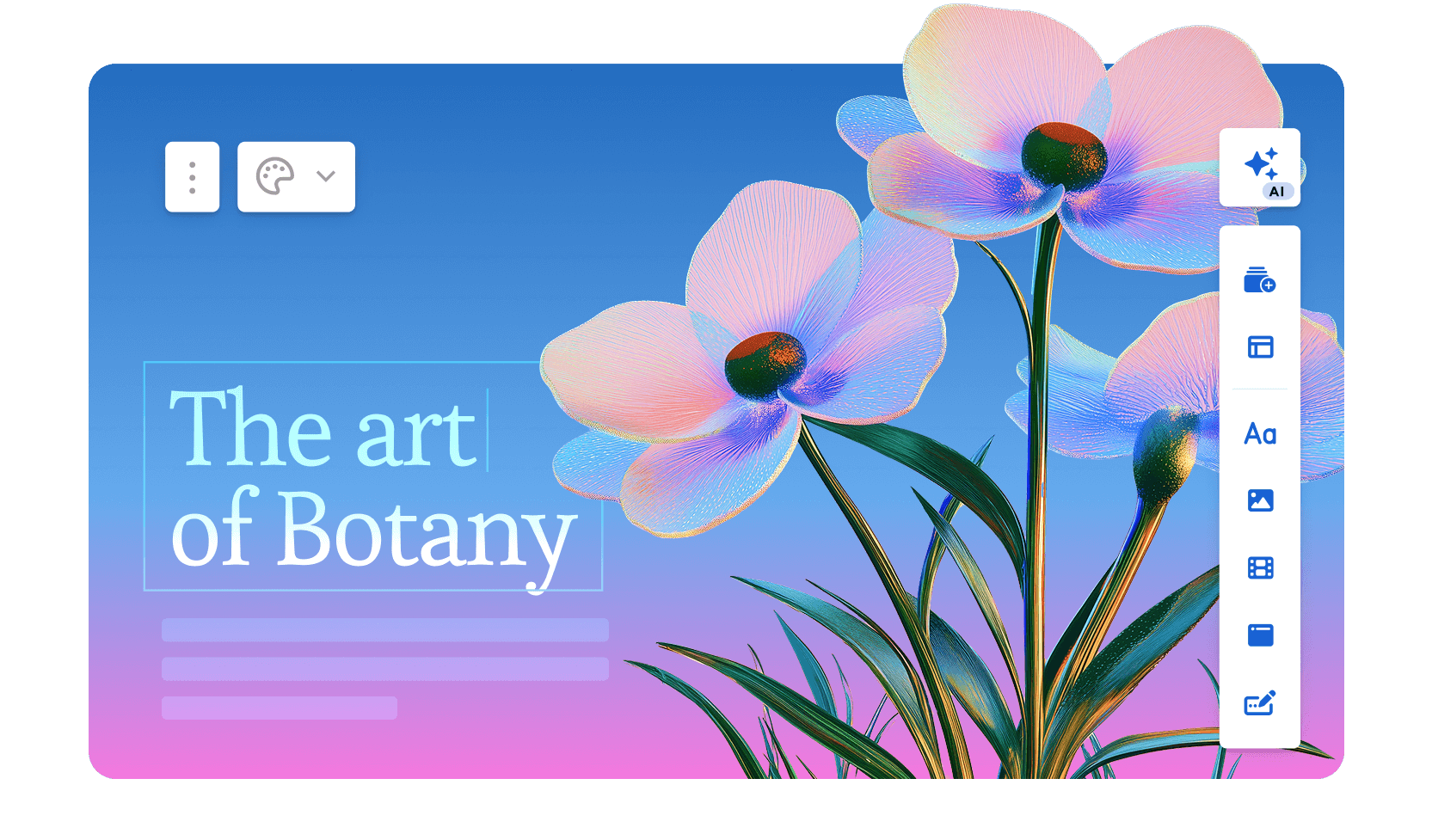
Gamma se lanzó en 2020 e integró ChatGPT a principios de 2023, momento en el que su uso creció drásticamente. Hoy en día, la plataforma atiende a más de 70 millones de usuarios, genera aproximadamente 700.000 piezas de contenido al día y tiene una valoración reportada de 2.100 millones de dólares con 100 millones de dólares en ingresos recurrentes anuales.
La versión Gamma 3.0 de 2026 introdujo el Agente Gamma, un asistente de IA que investiga la web, rediseña presentaciones completas e incorpora enlaces o capturas de pantalla que se añaden a la conversación.
Gamma genera mazos de tarjetas nativos de la web y desplazables en lugar de diapositivas tradicionales. La calidad del borrador inicial es sólida, la IA gestiona la selección de imágenes automáticamente y se puede pasar de una indicación a un enlace compartible en menos de un minuto.
El nivel gratuito no requiere tarjeta de crédito y es realmente útil para un uso ocasional. Gamma obtuvo la certificación SOC 2 Tipo II en octubre de 2025 y ofrece cumplimiento con GDPR y CCPA en los planes Equipo y Empresa.
La limitación principal sigue siendo el formato de salida. Las presentaciones de Gamma son páginas web, no diapositivas, y al exportar a .pptx, los diseños se desconfiguran y la estructura de las tarjetas no se adapta correctamente a las dimensiones fijas de las diapositivas.
Si alguien en tu flujo de trabajo abre el archivo en PowerPoint, Gamma genera más trabajo adicional del que ahorra.
Calificación G2: 4.1/5
Ventajas de Gamma:
- Generación rápida de presentaciones a partir de indicaciones; la mayoría de las presentaciones estándar están listas en menos de un minuto
- Plan gratuito real sin necesidad de tarjeta de crédito
- El resultado nativo de la web tiene un aspecto pulido por defecto
- Analíticas de visualización en los planes de pago
Desventajas de Gamma:
- Las exportaciones a PowerPoint con frecuencia desconfiguran el formato, con cuadros de texto superpuestos y fuentes faltantes
- Los límites de créditos de IA crean fricción para los usuarios habituales; los usuarios del plan Plus alcanzan el límite rápidamente en la práctica
- No hay aplicación automática de la marca a nivel de espacio de trabajo
- La IA se limita después del primer borrador; no hay iteración conversacional ni importación de documentos
Precios de Gamma:
Nivel gratuito disponible. Plus por $9/mes. Pro por $18/mes (anual).
Gamma es ideal para:
Equipos internos que comparten novedades e informes a través de enlaces donde nadie necesita abrir el archivo en PowerPoint.
Si te interesa un análisis en profundidad, visita nuestra página que compara Gamma y Presentations.AI en profundidad.
3. Canva: Para plantillas y diseños rápidos

Canva es una de las plataformas de diseño más grandes del mundo, que finalizará 2025 con más de 265 millones de usuarios activos mensuales, 31 millones de suscriptores de pago, y 4 mil millones de dólares en ingresos recurrentes anuales. La plataforma es utilizada por más del 85% de las empresas de la lista Fortune 500 y opera en más de 190 países.
Fundada en Australia en 2013, ha pasado de ser una simple herramienta de diseño gráfico a una suite creativa completa que abarca presentaciones, redes sociales, vídeo, documentos y sitios web.
Específicamente para presentaciones, las funciones de IA de Canva, incluyendo Magic Design para la generación de diseños y Magic Write para la redacción asistida por IA, se suman a una enorme biblioteca de plantillas de más de 4.5 millones de diseños.
Las funciones de colaboración son realmente maduras, y el Brand Kit en los planes de pago mantiene la coherencia de los resultados en todos los equipos. Si tu equipo ya utiliza Canva para otros contenidos, añadir presentaciones al mismo espacio de trabajo es muy sencillo.
La capa de IA es más superficial que la de las herramientas de presentación especializadas. Genera diseños y rellena texto, pero no reestructurará tu narrativa ni permitirá iterar de forma conversacional.
Y la exportación a .pptx a menudo requiere una limpieza manual para diseños complejos. Canva funciona mejor cuando el resultado final es un PDF o un enlace compartido de Canva, en lugar de un archivo de PowerPoint editable.
Calificación en G2: 4.7/5
Ventajas de Canva:
- Enorme biblioteca de plantillas y recursos que abarca casi todos los casos de uso
- Una versión gratuita potente con funciones realmente útiles
- Fácil intercambio y colaboración entre equipos
- El Kit de Marca en planes de pago mantiene la coherencia del resultado
Contras de Canva:
- La generación por IA es menos sofisticada que las herramientas de presentación con IA dedicadas
- Demasiada flexibilidad puede significar más decisiones, no menos; la herramienta no te guía hacia una presentación terminada
- No optimizado específicamente para flujos de trabajo de presentaciones
Precios de Canva:
Plan gratuito disponible. Pro por $144/año por usuario.
Canva es ideal para:
Equipos que ya utilizan Canva y cuya entrega final es un PDF o un enlace compartido de Canva en lugar de un archivo .pptx.
Si te interesa un análisis en profundidad, visita nuestra página que compara Canva y Presentations.AI en detalle.
4. Beautiful.ai: Ideal para equipos sin diseñadores
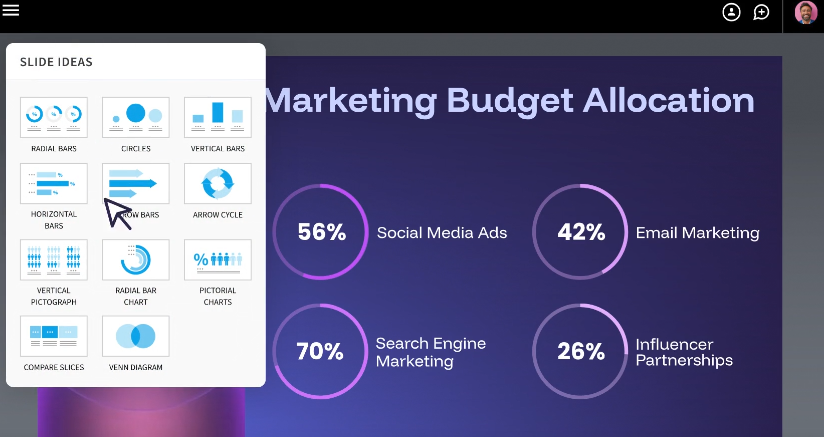
Beautiful.ai se creó a partir de una única idea: la mayoría de las personas que hacen presentaciones no son diseñadores, y no deberían tener que pensar como tales. El sistema Smart Slides de la plataforma ajusta automáticamente los diseños, el espaciado y la alineación a medida que añades o eliminas contenido, eliminando las decisiones de formato que consumen tiempo en herramientas como PowerPoint.
El resultado es que la presentación final siempre tiene un aspecto profesional, independientemente de quién la haya creado. Más de 50.000 equipos utilizan actualmente la plataforma, y los revisores de G2 la califican con 4,7 de 5 en casi 200 reseñas, siendo la facilidad de uso y la calidad del diseño los aspectos más citados.
La IA es un asistente de diseño y redacción, más que un motor de contenido. Puede generar una presentación a partir de una indicación y ayudar a reescribir o pulir textos, pero no investiga temas, no extrae datos externos ni itera de forma conversacional una vez que el primer borrador está listo.
La incorporación de DesignerBot en 2026 ha mejorado la calidad de la generación inicial, pero la plataforma sigue centrándose principalmente en mantener la coherencia del diseño, más que en generar contenido profundamente contextual.
La contrapartida es la rigidez. Las mismas salvaguardas que mantienen las diapositivas con buen aspecto también limitan la personalización. Las fuentes personalizadas requieren el plan Pro, los controles de marca están restringidos a los niveles Team y Enterprise, y no se puede anular la lógica de diseño de Smart Slide cuando no se está de acuerdo con sus decisiones.
Calificación en G2: 4.7/5
Ventajas de Beautiful.ai:
- Diseños de diapositivas inteligentes que se reajustan automáticamente a medida que añades o eliminas contenido
- Resultado de diseño predeterminado de alta calidad constante
- Curva de aprendizaje relativamente fácil; la mayoría de los usuarios son productivos rápidamente
Desventajas de Beautiful.ai:
- Personalización de marca disponible solo en los planes Team y Enterprise
- Menos impulsado por IA que sus competidores; funciona más como un asistente de diseño que como un generador de contenido
- Las exportaciones a PowerPoint no siempre conservan el comportamiento de diseño inteligente
Precios de Beautiful.ai:
Sin plan gratuito (prueba de 14 días). Pro por $12/mes (facturado anualmente). Team por $40/usuario/mes.
Beautiful.ai es ideal para:
Equipos que desean que la coherencia del diseño se aplique automáticamente y no necesitan desviarse de la cuadrícula de la plantilla.
Lee una comparación detallada entre Beautiful.ai y Presentations.AI.
5. Prezi: Ideal para narración no lineal e interactiva
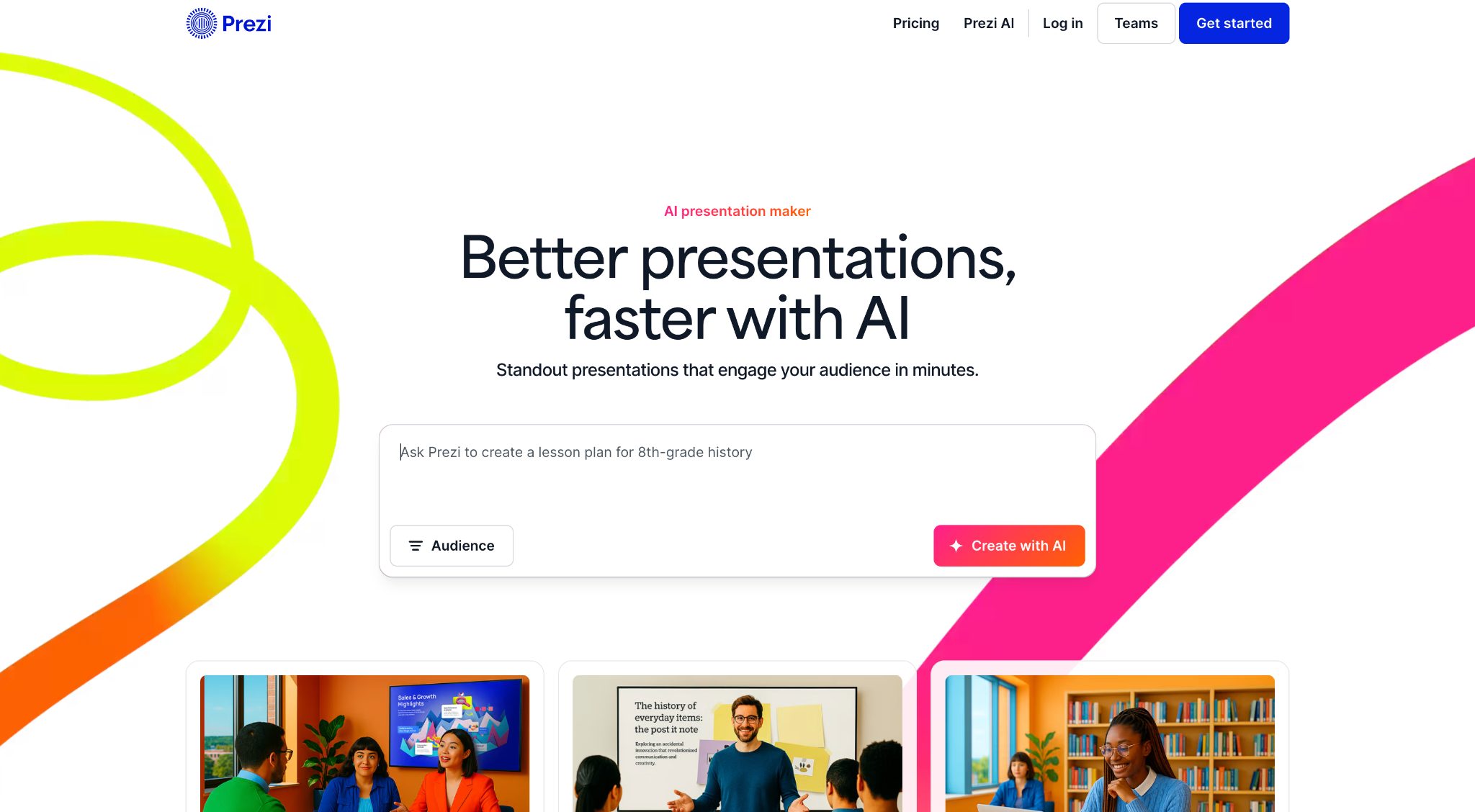
Prezi fue fundada en Budapest en 2009 y ha crecido hasta superar los 160 millones de usuarios en todo el mundo, convirtiéndola en una de las plataformas de presentación más adoptadas en el mundo a pesar de ocupar una posición genuinamente de nicho en el mercado. En lugar de diapositivas secuenciales, Prezi utiliza una interfaz de usuario con zoom construida sobre un lienzo infinito donde todo el contenido existe espacialmente.
Se desplaza entre temas, se acerca a los detalles y se aleja para mostrar el panorama general, un formato que genera un compromiso real cuando el contenido lo permite.
Las actualizaciones de 2025 y 2026 añadieron funciones de IA, como la generación basada en indicaciones, herramientas de texto con IA y edición de esquemas, acercándolo a sus competidores modernos al tiempo que conserva lo que lo hace distintivo.
Prezi también ofrece Prezi Video, que superpone al presentador sobre el contenido para presentaciones a distancia, una función que ha ganado popularidad entre educadores y equipos de ventas remotos.
Los límites estrictos se mantienen constantes. Las presentaciones de Prezi no se exportan a .pptx de forma utilizable, la curva de aprendizaje es más pronunciada que la de las herramientas de diapositivas convencionales, y el formato de zoom puede desorientar a la audiencia si no se usa con cuidado.
Las funciones de IA también están menos desarrolladas que las de los creadores de presentaciones de IA dedicados. Prezi es una excelente opción para un trabajo específico y una mala opción para todo lo demás.
Calificación de G2: 4.2/5
Ventajas de Prezi:
- Formato muy distintivo y memorable que se distingue de las presentaciones de diapositivas convencionales
- Muy adecuado para visualizar relaciones y estructuras complejas
- Ideal para presentaciones en conferencias y demostraciones en vivo
Desventajas de Prezi:
- Curva de aprendizaje pronunciada en comparación con las herramientas basadas en diapositivas
- El formato de zoom no se adapta a todos los tipos de contenido y puede desorientar a la audiencia si se usa en exceso
- Capacidades de IA limitadas en comparación con herramientas más nuevas
- La exportación a PowerPoint no es una opción viable
Precios de Prezi:
Plus por $15/mes. Business por $29/mes por usuario.
Prezi es ideal para:
Ponentes y educadores que presentan en vivo, que desean un formato distintivo y nunca necesitan exportar a PowerPoint.
6. Visme: Ideal para presentaciones con muchos datos

Visme es una plataforma de contenido visual basada en la nube que atiende a más de 27 millones de usuarios en todo el mundo, utilizada por organizaciones como IBM, Gartner y los Golden State Warriors. Fue diseñada específicamente para ayudar a personas sin conocimientos de diseño a producir elementos visuales de calidad profesional para presentaciones, infografías, informes y materiales de marketing, con una biblioteca de plantillas que cubre más de 50 tipos de contenido.
Para los equipos cuyas presentaciones están cargadas de gráficos, visualizaciones de datos y elementos gráficos de marca, Visme ofrece herramientas más especializadas que la mayoría de las plataformas de esta lista.
Las capacidades de visualización de datos son la característica más distintiva. Los gráficos personalizables, los diagramas interactivos y las plantillas específicas para infografías facilitan la presentación clara de datos complejos sin necesidad de habilidades de diseño avanzadas.
La plataforma también incluye funciones de kit de marca, colaboración en tiempo real y seguimiento de análisis para el contenido publicado.
Es importante señalar las contrapartidas. Visme es una plataforma general de contenido visual, y el editor es más complejo de lo que la mayoría de los usuarios necesitan para una presentación de diapositivas sencilla. Las capacidades de generación de IA no son su punto fuerte, y algunos revisores de Capterra señalan problemas de rendimiento ocasionales, como la carga lenta y fallos durante las tareas de diseño.
Para los usuarios que necesitan un creador de presentaciones con IA diseñado específicamente para una fuerte generación de contenido, Visme no es la opción adecuada. Para los equipos que dedican mucho tiempo a visualizar datos y necesitan una herramienta que gestione múltiples formatos de contenido, se gana su lugar.
Valoración en G2: 4.5/5
Ventajas de Visme:
- Excelentes capacidades de infografía y visualización de datos
- Potentes funciones de kit de marca para una producción consistente
- Amplia gama de tipos de contenido más allá de las presentaciones
Desventajas de Visme:
- Más complejo de lo que la mayoría de los usuarios necesitan para presentaciones de diapositivas estándar
- La generación de IA no es su punto fuerte
- El precio parece elevado para casos de uso de presentaciones más sencillos
Precios de Visme:
Plan gratuito disponible. Starter por 12,25 $/mes. Business por 24,75 $/mes por usuario.
Visme es ideal para:
Analistas y equipos de datos que necesitan presentaciones con muchos gráficos y estilo infográfico, en lugar de la generación de contenido por IA.
7. Slidesgo: La mejor biblioteca de plantillas gratuitas

Slidesgo es un mercado de plantillas operado por Freepik Company, la misma organización detrás de una de las mayores bibliotecas de recursos de stock en la web. La plataforma ofrece miles de plantillas de presentación gratuitas y diseñadas profesionalmente, creadas para Google Slides y PowerPoint, que cubren una amplia gama de temas, industrias y estilos visuales.
Es constantemente uno de los primeros resultados que la gente encuentra al buscar plantillas de presentación gratuitas, y con razón: la biblioteca es grande, los diseños son pulcros y el proceso de descarga es sencillo.
En los últimos años se añadieron funciones de IA, lo que permite a los usuarios generar estructuras básicas de presentaciones a partir de una indicación de texto. Sin embargo, el flujo de trabajo más práctico es navegar por la biblioteca de plantillas, seleccionar un diseño que se adapte al caso de uso y personalizarlo directamente en Google Slides o PowerPoint. La capa de IA es limitada en comparación con los creadores de presentaciones de IA dedicados y no es la razón por la que la mayoría de la gente usa la plataforma.
No hay automatización de marca, ni espacio de trabajo colaborativo, ni análisis de audiencia, y tampoco una iteración significativa de IA después de la generación inicial. Slidesgo se entiende mejor como un recurso de punto de partida que como una plataforma de presentación completa.
Encaja en un flujo de trabajo donde alguien ya sabe qué herramienta usará para crear y presentar, y solo necesita una base de diseño sobre la que trabajar.
Calificación en G2: 4.7/5
Ventajas de Slidesgo:
- Gran biblioteca de plantillas gratuitas con amplia cobertura temática
- Sin curva de aprendizaje; funciona directamente con PowerPoint y Google Slides
- Punto de partida útil para presentadores ocasionales
Desventajas de Slidesgo:
- No hay generación de IA ni asistencia de contenido destacable
- Toda la personalización es completamente manual
- No hay automatización de marca ni funciones de colaboración
Precios de Slidesgo:
Gratis (con atribución). Premium por $35.99 facturados anualmente.
Slidesgo es ideal para:
Usuarios individuales que buscan un punto de partida gratuito y se sienten cómodos realizando toda la personalización manualmente en PowerPoint o Google Slides.
8. Prezent.ai: Ideal para el control de marca empresarial

Prezent.ai es una plataforma de IA generativa diseñada específicamente para flujos de trabajo de presentaciones empresariales. A partir de 2026, presta servicio a decenas de miles de profesionales en más de 80 empresas de la lista Fortune 2000, con un equipo directivo formado por antiguos ejecutivos de Cisco, McKinsey y Microsoft.
El posicionamiento de la plataforma es específico y deliberado: se dirige a grandes organizaciones que necesitan gobernanza de marca a escala, no a individuos que buscan una forma rápida de crear una presentación.
La oferta principal incluye una biblioteca de más de 35.000 diapositivas y narrativas diseñadas por expertos, generación de presentaciones impulsada por IA a través de su asistente Astrid AI, y una función propietaria llamada Fingerprints que adapta las presentaciones a las preferencias individuales de la audiencia según el estilo de comunicación y la antigüedad.
La capa de cumplimiento de marca es la más madura de esta lista, con gestión centralizada de plantillas, bibliotecas de diapositivas y controles que garantizan la coherencia en grandes equipos sin necesidad de una revisión manual de cada resultado.
Prezent también ofrece servicios expertos opcionales, incluyendo la creación de presentaciones de un día para otro y coaching de comunicación personalizado, lo que extiende su valor más allá del software a un modelo de servicio gestionado. Los precios no se publican en los planes estándar y requieren una conversación de ventas, lo que refleja su enfoque prioritario en empresas.
Para usuarios individuales o equipos pequeños, esta no es la herramienta adecuada. Para organizaciones donde cada presentación conlleva un riesgo de marca y comunicación, vale la pena la conversación.
Calificación en G2: 4.5/5
Ventajas de Prezent:
- Fácil de usar con una interfaz intuitiva que ayuda a los usuarios a crear presentaciones rápidamente.
- Ahorra tiempo mediante plantillas predefinidas y flujos de trabajo de presentación optimizados.
- Ofrece una amplia variedad de plantillas de diapositivas que agilizan y hacen más creativa la creación de presentaciones.
Desventajas de Prezent:
- Opciones de personalización limitadas, lo que reduce la flexibilidad para los usuarios que desean más control sobre el diseño y la maquetación.
- Los resultados generados por IA pueden ser inconsistentes, especialmente cuando las indicaciones no son claras o son complejas.
- Ofrece menos opciones de diseño en comparación con algunas herramientas de presentación de la competencia.
- La personalización de plantillas puede resultar restrictiva, dificultando la adaptación de las presentaciones a necesidades específicas.
- Puede experimentar problemas de rendimiento con presentaciones más grandes, lo que ralentiza los flujos de trabajo.
Precios de Prezent:
Lite por $399 al año. Precios para empresas: solicitar presupuesto.
Prezent es ideal para:
Grandes organizaciones que necesitan gobernanza de marca y control centralizado para muchos usuarios que producen presentaciones a gran escala.
9. Pitch: Ideal para presentaciones colaborativas en equipo
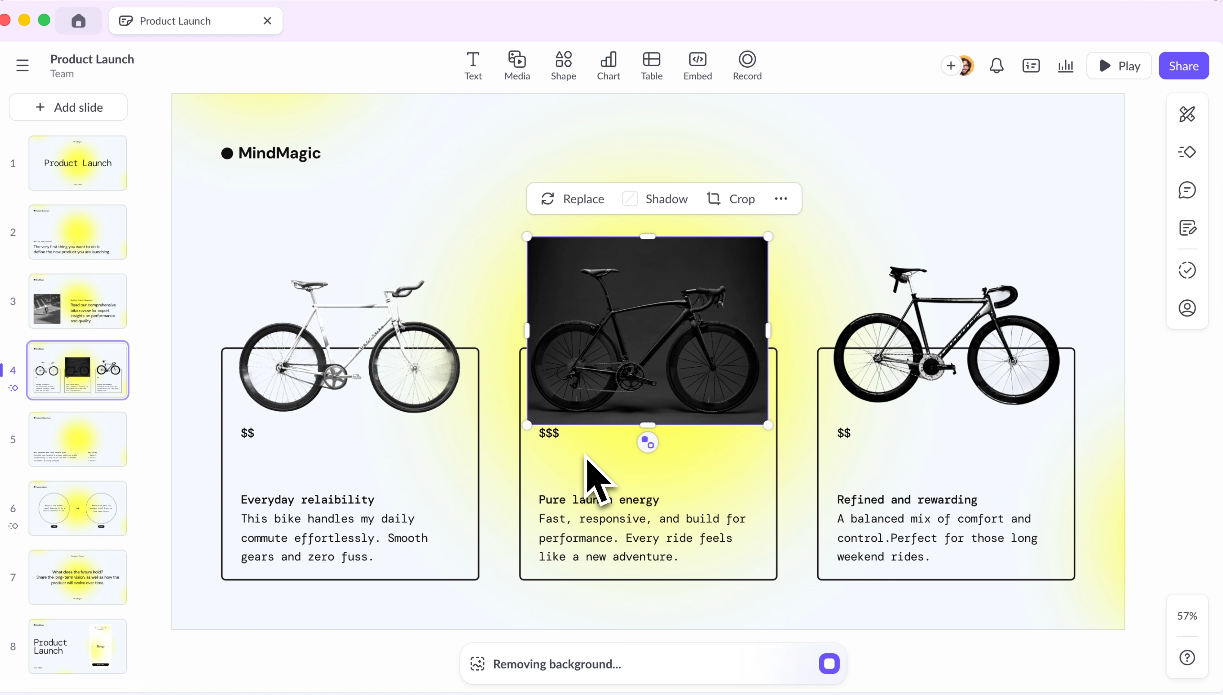
Pitch fue diseñado desde cero como una herramienta de presentación para equipos, y esa intención se refleja en todo el producto. Millones de equipos lo utilizan, incluyendo marcas como Pentagram, Thrive Global y Synthesia. La plataforma trata las presentaciones como documentos vivos: colaborativos por defecto, estructurados en torno a espacios de trabajo compartidos y bibliotecas de plantillas, y diseñados para soportar el ciclo completo de revisión y aprobación que suelen requerir las presentaciones de nivel profesional.
La coedición en tiempo real, los comentarios encadenados, los estados de presentación y el acceso basado en roles son funcionalidades principales, no añadidos posteriores.
El editor es ampliamente reconocido como una de las experiencias más pulcras de la categoría. Es responsivo, moderno y diseñado específicamente para presentaciones, en lugar de adaptado de una plataforma de diseño general.
Las plantillas están organizadas en torno a necesidades empresariales comunes, incluyendo presentaciones de ventas, actualizaciones de proyectos y revisiones de OKR, y los diseños tienden a ser más contemporáneos de lo que la mayoría de los equipos están acostumbrados en PowerPoint.
Pitch ha ampliado sus funciones de IA en los últimos dos años, ahora compatible con la generación de borradores, el ajuste de tono, el refinamiento de texto y la creación de notas para el orador. La IA es una capa de apoyo, no la razón principal para elegir la herramienta.
Pitch también se integra con Slack, Google Analytics y herramientas CRM, lo que amplía su utilidad para los equipos de ingresos y marketing que rastrean el rendimiento de las presentaciones después de compartirlas.
Calificación en G2: 4.4/5
Ventajas de Pitch:
- Diseñado específicamente para flujos de trabajo en equipo con espacios de trabajo compartidos y bibliotecas de plantillas
- Potentes funciones de comentarios, revisión y aprobación
- Buenas analíticas sobre la interacción con las presentaciones
Desventajas de Pitch:
- La generación de IA es menos avanzada que las herramientas dedicadas de IA
- El precio aumenta considerablemente para equipos más grandes
- Curva de aprendizaje para equipos que migran de herramientas más simples
Precios de Pitch:
Plan Starter gratuito. Plus por $10/mes por usuario (facturado anualmente).
Pitch es ideal para:
Equipos que colaboran intensamente en presentaciones y desean un espacio de trabajo moderno para diapositivas donde varias personas contribuyen.
10. Google Slides + Complementos de IA: La mejor opción económica para equipos de Google Workspace
Google Slides se lanzó como parte de Google Docs en 2006 y desde entonces se ha convertido en una de las herramientas de presentación más utilizadas en el mundo por su gran volumen, en gran parte porque es gratuita y ya está integrada en el entorno de Google Workspace que cientos de millones de personas usan a diario.
La infraestructura de colaboración es verdaderamente de primera clase: varias personas pueden editar la misma presentación simultáneamente, los comentarios se organizan en hilos y se resuelven en línea, y el historial de versiones es automático e ilimitado.
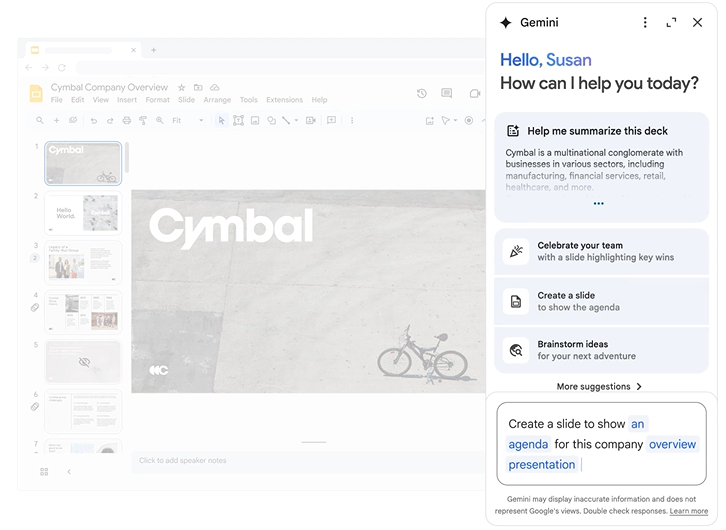
La generación nativa de IA no existe directamente en Google Slides, pero un ecosistema creciente de complementos incorpora esa capacidad al entorno. SlidesAI, Plus AI y MagicSlides se encuentran entre los más utilizados, cada uno ofreciendo diferentes enfoques para la generación de diapositivas basada en indicaciones dentro de la interfaz familiar.
El atractivo es que los equipos permanecen en una herramienta que ya conocen, con coedición en tiempo real incorporada, en lugar de aprender una nueva plataforma.
Las limitaciones son reales. Cada complemento tiene diferentes puntos fuertes, niveles de calidad y estructuras de precios, lo que crea una experiencia fragmentada en comparación con las herramientas de presentación de IA diseñadas específicamente.
Las capacidades de diseño nativas son básicas, y ninguno de los complementos iguala la profundidad de generación o el control de marca de las plataformas independientes. Para los equipos donde el costo y la familiaridad importan más que la calidad del diseño, esta sigue siendo una opción práctica.
Calificación en G2: 4.6/5 (calificado como parte de Google Workspace)
Ventajas de Google Slides:
- Colaboración en tiempo real de primera clase lista para usar
- Gratuito con una cuenta de Google
- Integración perfecta con Google Docs, Sheets y Drive
Desventajas de Google Slides:
- Las capacidades de diseño nativas son limitadas en comparación con las herramientas de presentación dedicadas
- Los complementos de IA son de terceros y su calidad varía significativamente.
- No es la opción adecuada si la calidad del diseño o la coherencia de la marca son importantes.
Precios de Google Slides:
Gratis con una cuenta de Google. Google Workspace desde 6 $/usuario/mes.
Google Slides es ideal para:
Equipos de Google Workspace con presupuesto limitado que desean asistencia básica de IA sin cambiar de plataforma.
Descubre cómo Presentations.AI complementa a Google Slides aquí.
11. Keynote: Ideal para presentadores nativos de Apple
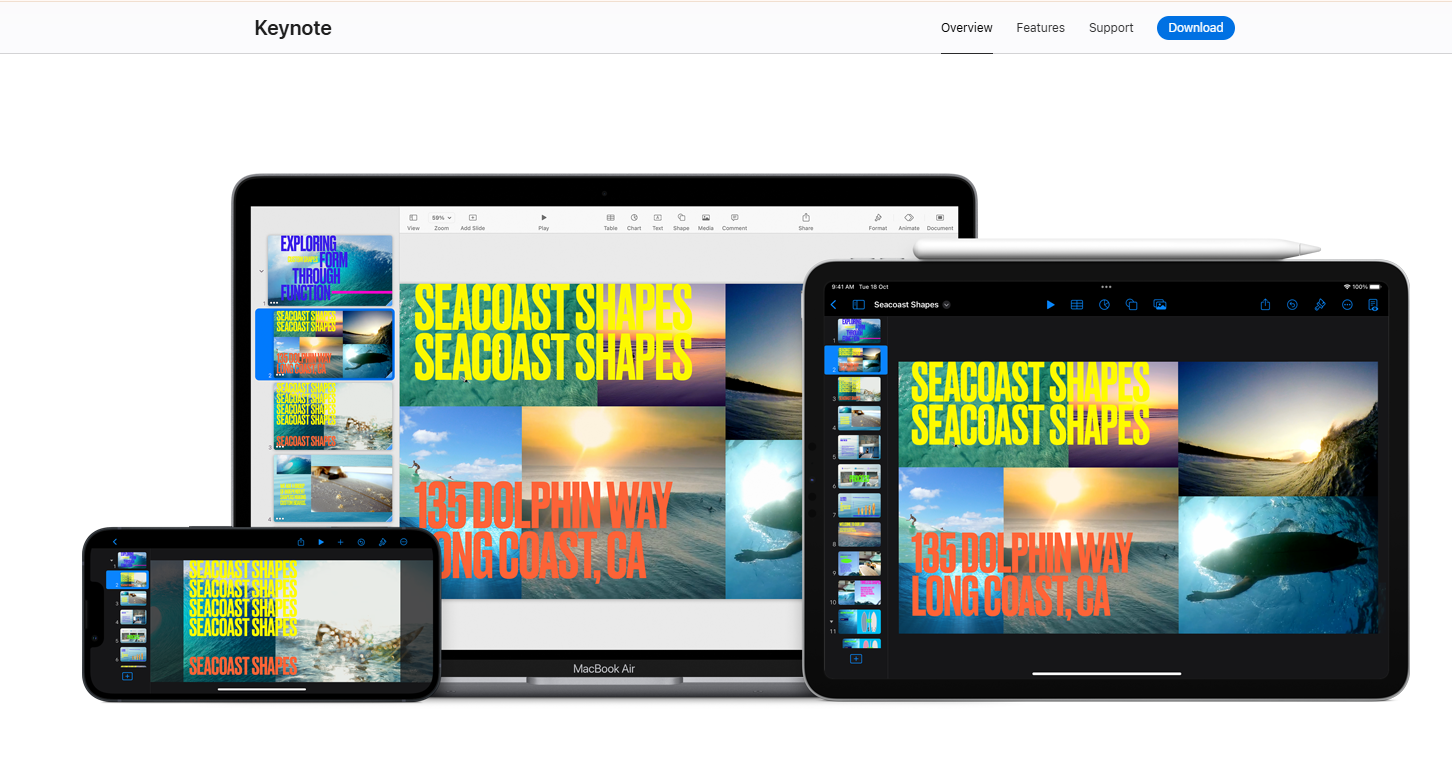
Keynote es la aplicación de presentaciones nativa de Apple, disponible de forma gratuita para todos los usuarios de dispositivos Apple desde 2013 y ampliamente considerada como la que tiene el mejor motor de animación de todas las herramientas de esta lista. Las transiciones Magic Move, los efectos de movimiento cinematográficos y las capacidades de animación a nivel de objeto superan a todos los competidores en términos de pulido visual para presentaciones en vivo.
Para presentadores individuales o equipos que utilizan exclusivamente Apple y que exponen en el escenario o en reuniones con clientes, nada iguala la calidad de lo que Keynote produce en un entorno en vivo.
Sin embargo, la historia de la IA es casi inexistente. A partir de 2026, Keynote no cuenta con una generación de IA integrada significativa, lo que la convierte en una herramienta manual en un mercado que se ha movido decididamente hacia la automatización.
Cada diapositiva se construye a mano, lo que significa que la inversión de tiempo por presentación es significativamente mayor que con cualquier alternativa asistida por IA en esta lista. Para los equipos que producen presentaciones en volumen, esto representa un costo real.
La otra limitación importante es el bloqueo del ecosistema. Keynote funciona a la perfección dentro del ecosistema de Apple y genera fricción en cuanto se encuentra con Windows. Las animaciones y transiciones que hacen que las presentaciones de Keynote sean memorables tampoco sobreviven a la exportación a .pptx, lo que significa que el resultado solo es impresionante para las personas que lo ven en vivo.
Keynote obtiene una calificación de 4.3/5 en G2, y los usuarios elogian constantemente la calidad del diseño y critican la colaboración limitada y la compatibilidad multiplataforma.
Calificación en G2: 4.3/5
Ventajas de Keynote:
- Calidad de diseño predeterminada impresionante y animaciones fluidas
- Gratuito para todos los usuarios de Apple
- La mejor experiencia de presentación en vivo en Mac y iPad
Desventajas de Keynote:
- No tiene funciones significativas de generación por IA
- La colaboración es limitada en comparación con Google Slides o Pitch
- La exportación a PowerPoint causa problemas de formato; las animaciones no sobreviven a la conversión
Precios de Keynote:
Gratuito para usuarios de Apple.
Keynote es ideal para:
Presentadores individuales o equipos que usan solo Apple que hacen presentaciones en vivo y priorizan la calidad de la animación sobre la velocidad de generación por IA.
12. Microsoft Copilot para PowerPoint: Ideal para organizaciones de Microsoft 365
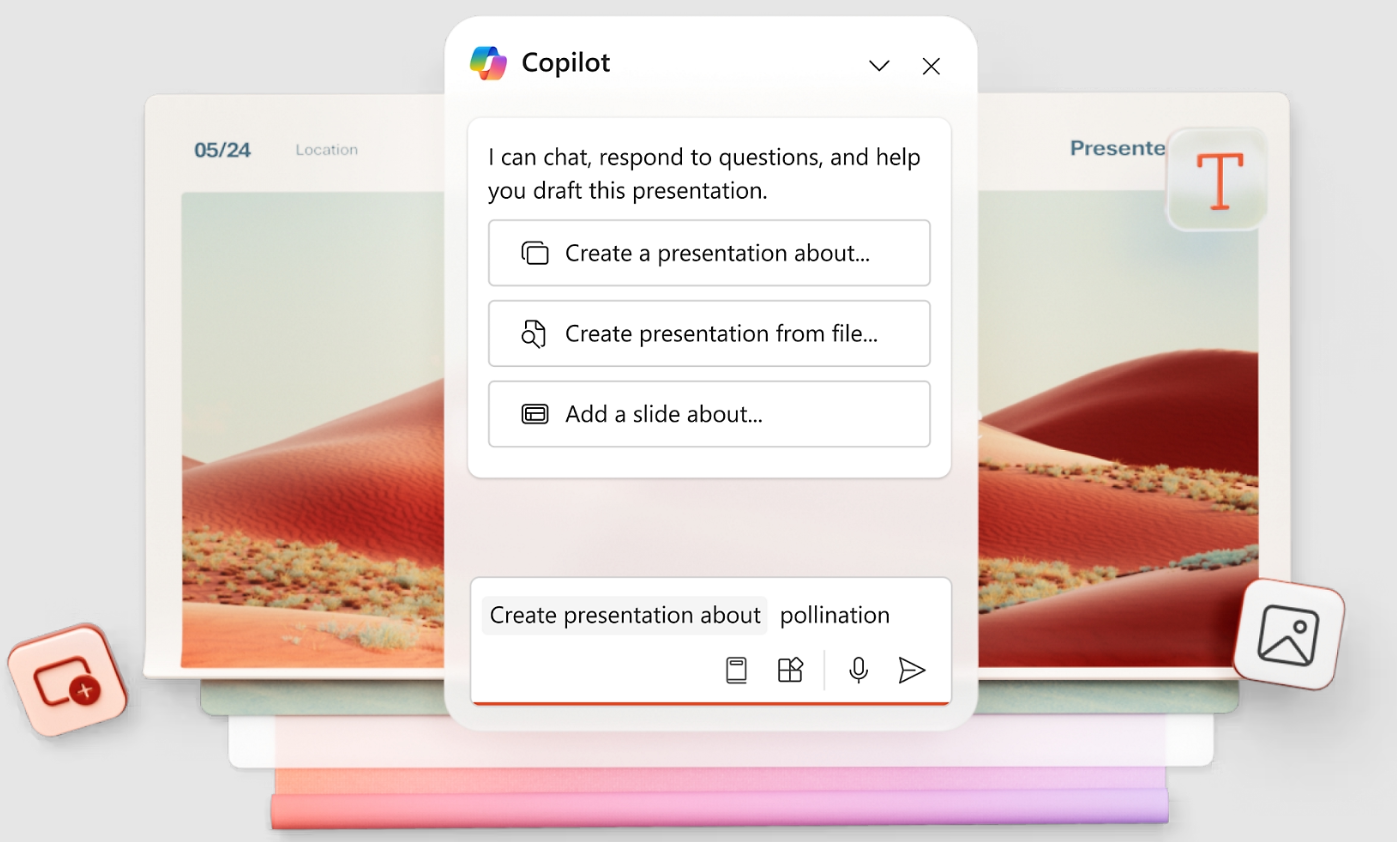
Microsoft Copilot para PowerPoint añade generación por IA directamente dentro de la interfaz de PowerPoint, permitiendo a los usuarios describir lo que necesitan y recibir diapositivas generadas por IA dentro de su flujo de trabajo .pptx existente. Para las organizaciones profundamente integradas en Microsoft 365, la integración sin fricciones es una verdadera ventaja: sin nueva plataforma que aprender, sin conversión de archivos, sin paso de exportación.
Copilot también se conecta a Microsoft Graph, lo que significa que puede hacer referencia a los archivos, correos electrónicos y datos existentes de su organización al generar contenido, una capacidad que ninguna herramienta independiente de esta lista puede replicar.
PowerPoint sigue siendo el estándar de presentación dominante a nivel mundial, con más de mil millones de usuarios y décadas de adopción empresarial. Copilot añade una capa de IA moderna sobre esa base instalada en lugar de pedir a los equipos que abandonen una infraestructura familiar. Para las organizaciones donde la gobernanza de TI, el cumplimiento de la seguridad y la integración con Microsoft 365 no son negociables, este es el camino de menor resistencia.
Vale la pena exponer claramente las limitaciones. El resultado de diseño de Copilot es el más débil de esta lista; las diapositivas parecen autoformateadas en lugar de diseñadas, y normalmente se requiere una limpieza manual significativa antes de que una presentación esté lista para un cliente o una junta.
La licencia añade 30 $/usuario/mes a una suscripción existente de Microsoft 365, lo que la convierte en una de las opciones más caras a gran escala. La automatización de marca también es superficial, limitada a la plantilla de PowerPoint que ya esté en uso.
Calificación en G2: 4.6/5
Ventajas de Copilot:
- Experiencia nativa de PowerPoint sin fricciones de exportación o importación
- Copilot entiende sus archivos existentes y los datos de la empresa a través de Microsoft Graph
- Curva de aprendizaje casi nula para usuarios existentes de PowerPoint
Desventajas de Copilot:
- Requiere una licencia de Copilot además de los costos existentes de Microsoft 365
- La calidad de la salida de la IA varía y a menudo necesita una limpieza significativa
- No es un producto independiente; es un complemento de herramientas por las que ya paga
- Débil en automatización de marca sin extracción basada en URL
Precios de Copilot:
Incluido con Microsoft 365 (desde $6.99/mes personal). Complemento de IA de Copilot por aproximadamente $30/usuario/mes.
Copilot es ideal para:
Grandes organizaciones de Microsoft 365 donde permanecer dentro de PowerPoint no es negociable y la calidad del diseño es una preocupación secundaria.
Si le interesa un análisis en profundidad, visite nuestra página que compara PowerPoint y Presentations.AI en detalle.
Cómo elegir la herramienta de presentación con IA adecuada
La forma más rápida de elegir la herramienta adecuada es alinear su requisito más importante con la herramienta diseñada para ello.
Por qué Presentations.AI es la mejor opción
Ya has visto las 12 herramientas. Esto es lo que realmente diferencia a Presentations.AI del resto de la lista cuando se trata de las tres cosas que más importan en el momento de la compra: automatización de marca, iteración de IA y calidad de exportación.
1. La sincronización de marca no requiere configuración manual
Pegas la URL de tu empresa y automáticamente extrae tus colores, fuentes y logotipo. Cada diapositiva, cada nueva presentación, mantiene la coherencia de marca sin que nadie tenga que introducir un código hexadecimal o subir un archivo de logotipo. Ninguna otra herramienta de esta lista hace esto desde una URL. El Kit de Marca de Canva es potente, pero requiere una configuración inicial. Todo lo demás es manual.
2. Clip-E se mantiene en la conversación
La mayoría de las herramientas de IA te dan un primer borrador y te dejan terminarlo manualmente. Clip-E itera contigo: reestructura secciones, añade tablas comparativas, ajusta el tono, cambia el peso visual de una diapositiva. No estás saltando entre la IA y un editor separado; todo ocurre en una sola conversación. Debajo de Clip-E, un Creador de diapositivas con IA reconstruye cada diapositiva individualmente a medida que iteras, de modo que el diseño se adapta a la conversación en lugar de fijarse después del primer borrador, como hacen la mayoría de las otras herramientas. La diferencia en la práctica es pasar 10 minutos en conversación para obtener una presentación terminada al 90 por ciento, en lugar de generar un borrador y pasar 45 minutos arreglándolo a mano.
3. La exportación a .pptx funciona bien
Si tu entrega final necesita ser un archivo de PowerPoint, la exportación debe funcionar sin problemas. Gamma falla aquí. Canva requiere limpieza. Copilot es nativo de PowerPoint, pero produce diseños más débiles. Presentations.AI te ofrece diapositivas diseñadas con IA que sobreviven a la exportación intactas. Puedes leer más sobre cómo se compara el flujo de trabajo de exportación en nuestra comparativa de herramientas de presentación con IA.
4. Puedes empezar gratis
Sin tarjeta de crédito. Sin cuenta atrás de prueba. Sin "actualizar para compartir". El plan Starter ofrece usuarios ilimitados y colaboración real. Pruébalo y comprueba lo rápido que puedes pasar de un resumen a una presentación terminada.
Has visto las 12 herramientas y dónde cada una destaca o se queda corta. Si necesitas presentaciones coherentes con tu marca, listas para el cliente y sin el trabajo manual de revisión, la forma más rápida de saber si Presentations.AI se adapta a tu flujo de trabajo es probarlo
Prueba Presentations.AI.
(No se requiere tarjeta de crédito)
Tomar la decisión correcta para tu negocio
Elegir una herramienta de presentación con IA se reduce a una pregunta: ¿qué necesita hacer realmente tu resultado?
Si necesitas un archivo .pptx pulido y coherente con tu marca que sobreviva a la bandeja de entrada de un cliente y funcione bien en PowerPoint, la mayoría de las herramientas de esta lista te decepcionarán en algún momento del proceso. Gamma se ve genial hasta que alguien pide el archivo. Copilot se mantiene en PowerPoint, pero produce diseños que parecen haber omitido por completo el paso de diseño. Canva funciona bien hasta el día de la exportación. Presentations.ai fue diseñado para el ciclo completo: entrada de indicaciones, presentación de marca, exportación limpia a .pptx, sin limpieza manual. Por eso está en la parte superior de esta lista.
Dicho esto, la herramienta adecuada es la que se adapta a tu flujo de trabajo real. Si tu equipo se maneja en Google Workspace y no tiene presupuesto, Google Slides con un complemento gratuito cumple su función. Si eres un presentador individual en un Mac que hace presentaciones en vivo, Keynote sigue siendo el mejor motor de animación disponible. Si necesitas gobernanza de marca en una organización grande, Prezent.ai merece la pena una conversación a nivel empresarial.
Usa la tabla "Cómo elegir" de arriba para acotar las opciones, luego prueba tus dos opciones principales con una presentación real antes de decidirte. La mayoría de estas herramientas tienen una versión gratuita o una prueba, y nada te dará más información que probar tu contenido real en el flujo de trabajo. Si Presentation ai es una de esas opciones, el nivel Starter gratuito te permite probar el flujo de trabajo completo sin introducir datos de pago, para que la comparación sea justa.