


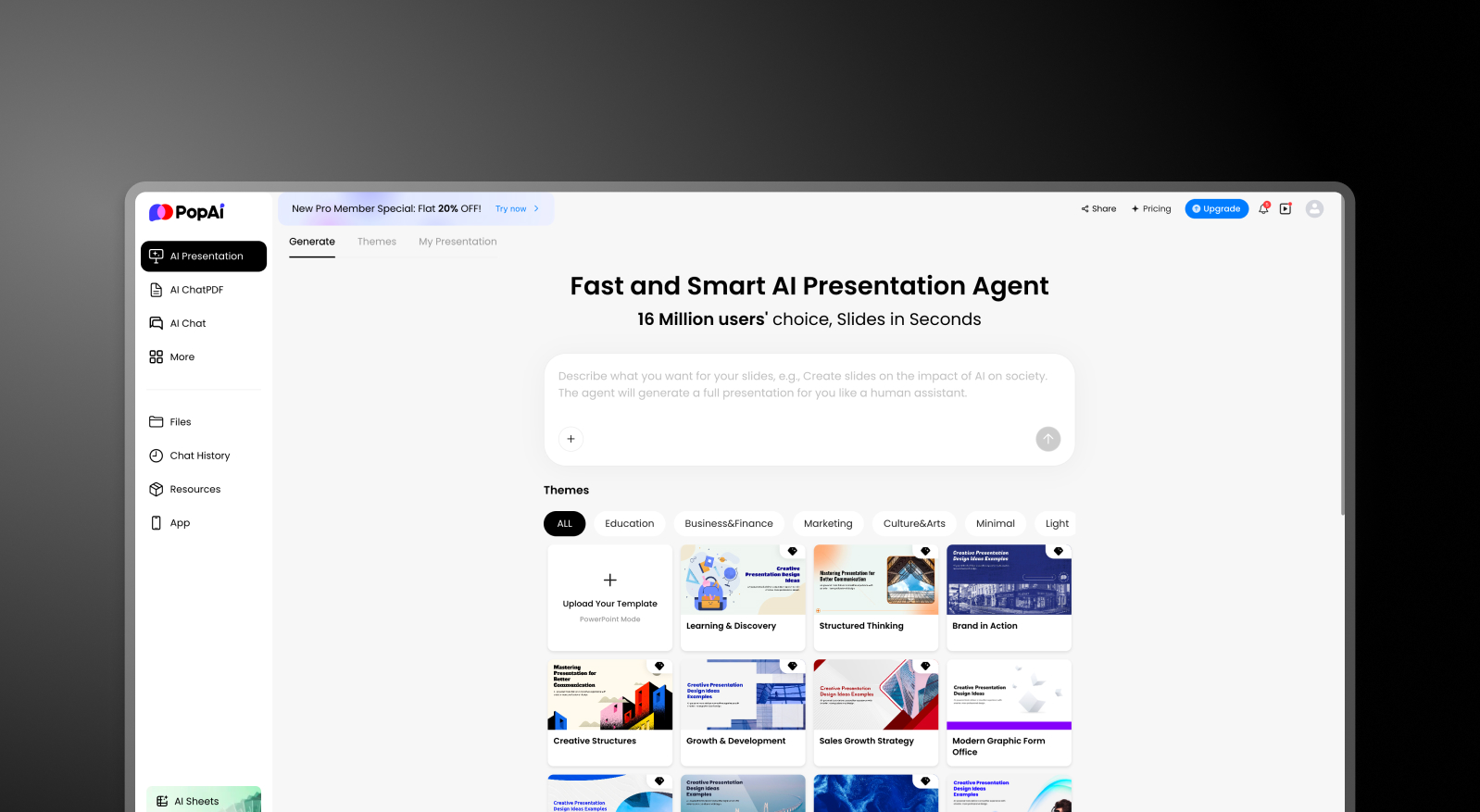


요약: PopAi vs Presentations AI
PopAi는 다재다능한 AI 콘텐츠 플랫폼으로, 다양한 형식의 카피, 시각 자료, 빠른 콘텐츠 자산이 필요한 마케터, 작가, 개인 크리에이터에게 유용합니다. 하지만 프레젠테이션은 기껏해야 부차적인 결과물일 뿐입니다. 다중 슬라이드 덱 인텔리전스나 브랜드 적용 기능이 없으며, 내보내기 옵션은 기본 PowerPoint 파일이 아닌 이미지 및 텍스트 파일이 전부입니다.
Presentations AI는 단 하나의 특정 결과물, 즉 어떤 입력에서든 완전하고 브랜드가 적용된, 프레젠테이션 준비가 된 PowerPoint 덱을 중심으로 구축되었습니다. 이 AI는 단순히 콘텐츠 생성뿐만 아니라 내러티브 흐름, 시각적 계층 구조, 비즈니스 프레젠테이션 구조를 이해합니다. 브랜드 색상, 글꼴, 로고가 모든 슬라이드에 자동으로 적용되며, .pptx 내보내기는 고품질이며 기본 형식 그대로입니다.
다양한 마케팅 자산을 제작하는 콘텐츠 크리에이터에게는 PopAi의 범용 도구 키트가 합리적입니다. 컨설턴트, 분석가, 영업팀, 그리고 덱 품질로 성과를 측정하는 모든 사람에게는 전문 AI 프레젠테이션 플랫폼이 어떤 범용 도구보다도 원본 콘텐츠와 완성된 프레젠테이션 사이의 간극을 더 빠르게 메워줍니다.
PopAi 작동 방식
1단계: 가입 – PopAi의 모든 콘텐츠 생성 기능을 포함하는 사용 가능한 요금제 중에서 선택하세요.
2단계: 프롬프트 입력 – 텍스트 또는 단일 시각 자료 생성에 중점을 둔 주제나 간략한 내용을 제공하세요. 이 도구는 카피 및 이미지 결과물에 최적화되어 있습니다.

3단계: 결과물 편집 – 생성된 콘텐츠를 검토하고 조정하세요. 레이아웃과 시각 자료는 기본적인 수준이며 일반적으로 수동으로 다듬어야 합니다.

4단계: 내보내기 – 텍스트 파일, 이미지 또는 기본 슬라이드로 다운로드하세요. 완전한 디자인 충실도를 갖춘 기본 PowerPoint 내보내기는 핵심 기능이 아닙니다.

Presentations AI 작동 방식
1단계: 가입 – 무료 플랜 이용 가능 — 신용카드 정보 불필요.
2단계: 콘텐츠 가져오기 – Word 문서나 PDF를 업로드하거나 개요를 입력하세요. Presentations.AI는 단순히 서식을 다시 지정할 텍스트가 아니라, 문맥에 맞춰 자료를 읽어들입니다.
3단계: AI가 브랜드, 레이아웃, 디자인 적용 – 색상, 글꼴, 로고, 시각적 계층 구조 및 애니메이션이 단 한 번의 생성 과정으로 자동으로 처리됩니다. 수동 작업은 필요 없습니다.
4단계: 다듬고 내보내기 – 팀과 실시간으로 공동 편집한 다음, 모든 디자인 요소가 보존된 고품질 .pptx 파일을 다운로드하세요. PowerPoint에서 언제나 깔끔하게 열립니다.

Presentations AI가 PopAi의 최고의 대안인 이유
전문성 vs. 범용성:
PopAi는 다양한 콘텐츠 유형을 다루며, 프레젠테이션도 그중 하나입니다. Presentations AI는 한 가지에 집중합니다. 바로 완벽하고 세련된 슬라이드 덱을 만드는 것입니다.
단편적인 조립 불필요:
PopAi는 한 도구에서 콘텐츠를 생성하고, 다른 도구에서 디자인하며, 또 다른 도구에서 내보냅니다. Presentations AI는 입력부터 내보내기까지 전체 워크플로우를 단일 플랫폼에서 처리합니다.
브랜드 관리 기능 내장:
PopAi에는 브랜드 적용 계층이 없습니다. Presentations AI는 모든 슬라이드와 덱에 회사 색상, 글꼴, 로고를 자동으로 적용합니다.
콘텐츠를 넘어선 덱 인텔리전스:
PopAi는 콘텐츠를 생성합니다. Presentations AI는 내러티브 흐름, 설득력 있는 전개, 시각적 계층 구조, 그리고 비즈니스 환경에 특화된 슬라이드별 구성 등 프레젠테이션의 작동 방식을 이해합니다.
PowerPoint 네이티브 내보내기:
PopAi는 이미지와 텍스트를 내보내는 반면, Presentations AI는 애니메이션과 레이아웃이 그대로 유지된 고품질 .pptx 파일을 기본 형식으로 출력합니다.
실제 비즈니스 상황
컨설턴트가 당일 마감인 고객용 덱이 필요해서 PopAi를 사용한다면, 텍스트를 생성하고, 내보내고, 파워포인트를 열어 슬라이드를 수동으로 조립하고, 스타일 가이드에 따라 브랜드 색상을 적용하며, 레이아웃을 수정하는 데 한 시간을 소비할 것입니다. Presentations AI를 사용하면, 브리핑 자료를 업로드하고, AI가 생성한 덱을 검토한 후 약간의 수정을 거쳐 바로 내보낼 수 있습니다. 마감은 같지만, 시간은 절반으로 줄어듭니다.
이러한 차이는 팀 전체에 걸쳐 누적됩니다. 만약 다섯 명의 컨설턴트가 한 달에 각각 세 개의 덱을 만든다면, PopAi와 같은 범용 도구를 사용하면서 발생하는 수동 조립 비용은 수십 시간의 낭비로 이어집니다. 프레젠테이션 제작이 핵심 비즈니스 활동인 팀에게 Presentations AI는 올바른 도구입니다.